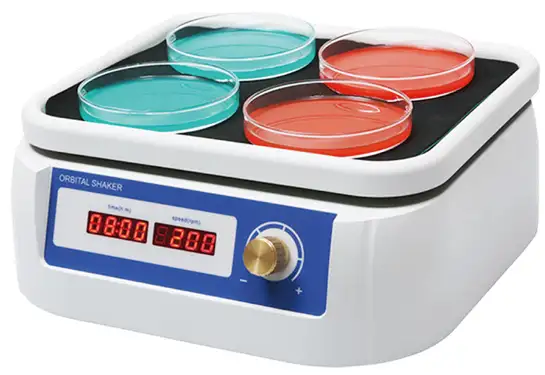
Orbital Shaker BGH1K2 (BSOT-401)
Orbital Shaker- Sea, Air, Door to Door Shipping
- 1 Year Warranty
- US & European Standards

Specifications
| Model | BGH1K2 |
| Shaking Speed | 50-250 rpm |
| Orbit | 20 mm |
| Max. capacity | 2.5 kg |
| Timer range | 1 min~99 h 59 min |
| Load capacity | See below table |
| Motor | DC brushless |
| Operating ambient | 4~45 °C |
| Dimension (mm) | 280x270x110 mm |
Description
Orbital shakers are powerful variable speed shakers which provide efficient orbital motion. Speed and time are under microprocessor control.Shakers can be applicable in different labs: microbiology, chemistry, immunology, biochemistry and molecular biology.Features
Timer function, set the working time within 1 min-100 h.Normal operation at 4~45 °C, safe and convenient.
A variety of pallets are available for different mixing operations.
Accessories For Purchase
| Name |
| flat platform with non-slip rubber mat |
| platform with clamps for flasks, 100-150 mL |
| platform with clamps for flasks, 250-300 mL |
| universal platform with adjustable bars for different types of flasks, bottles |
| platform with springs |
Operating Manual
Download1. Introduction
2. Specifications
1. The normal operating condition:
2. The basic parameters and the function.
3. Preparations
1. Structure Description
2. Power connection
3. Platform installation
4. Operation Guide
5. Failure analysis and troubleshooting
Annex 1:Wiring Diagram for SHA52-250
1. Introduction
SHA52-250 Orbital Shaker is a powerful variable speed shaker which provides efficient orbital motion. Speed and time are under microprocessor control. The shaker can be applicable in different laboratories: in microbiology, chemistry, immunology, biochemistry, and molecular biology.
Features:
- LCD display. It is easy to setup and use.
- Set-up the digital timer within 0~100hrs. Beep-signal and stop of the timing completion.
- Gentle, reliable shaking with long-life direct brushless motor.
2. Specifications
1. The normal operating condition:
Ambient temperature:4C~ 45C The relative humidity: ≤70%
Power supply:AC100-240V1.5A
2. The basic parameters and the function.
Type Parameter | SHA52-250 |
Shaking Speed | 50~300rpm |
Orbit | 10mm |
Digital timer | 1min~99h59min |
Max. load capacity | 3.0kg |
Power supply | 100W |
Dimension(mm)(LxW xH) | 303x271x110 |
Weight(kg) | 7.5 |
3. Preparations
This chapter introduces Orbital Shaker's mechanical structure and the central panel's functions and some preparations before power-on. You should be familiar with this chapter before the Orbital shaker is first operated.
1. Structure Description
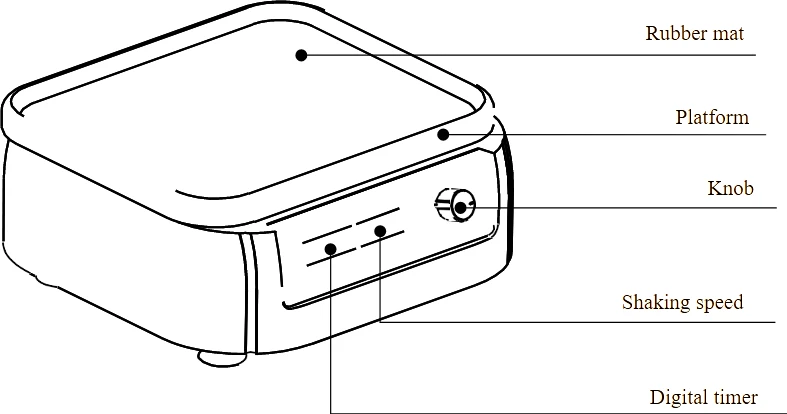
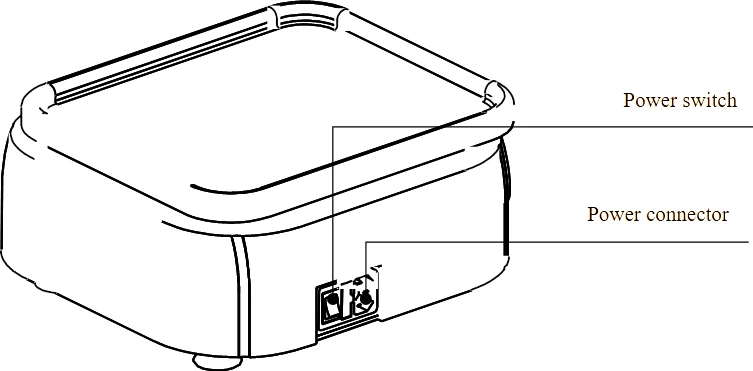
2. Power connection
Place the Orbital Shaker on the horizontal even working surface. Plug the extend power supply unit into the socket at the rear side of the shaker. Insert the column connector of the power line to power connector of the device ,and insert another connector of the power line to mains power supply.
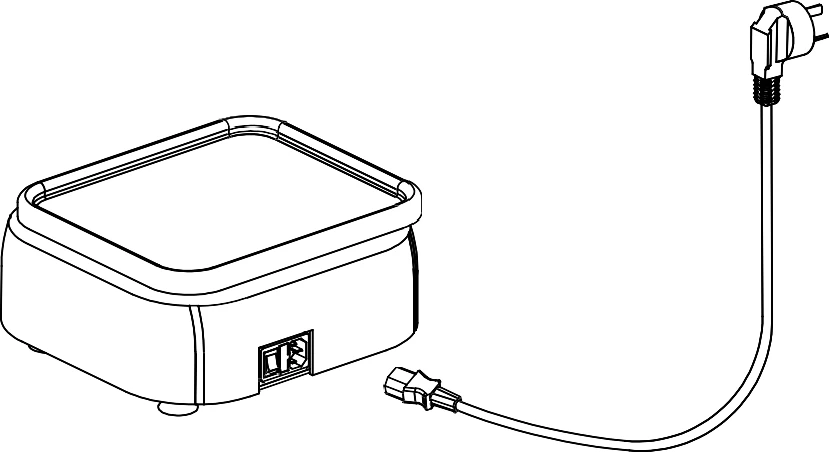 AC100-240V
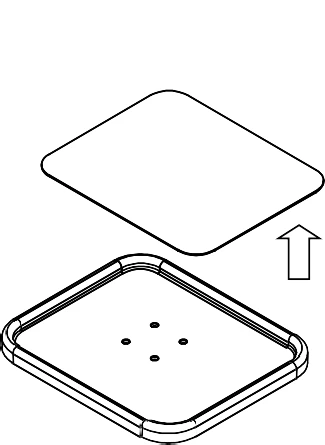
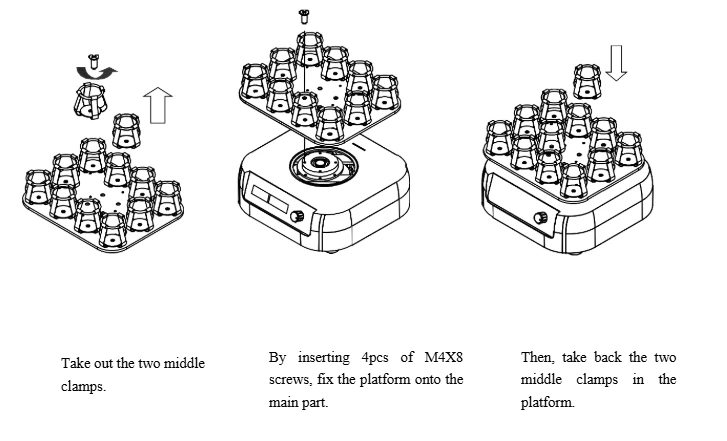
3. Platform installation
Four interchangeable platforms for shakers SHA52-250b are UP-1, PP-1,PP06-250,PP12-100.
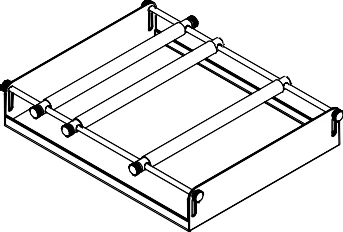
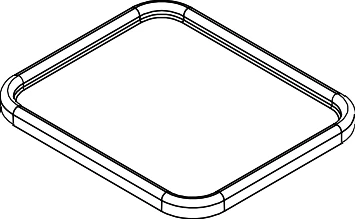


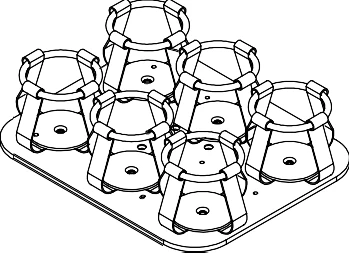
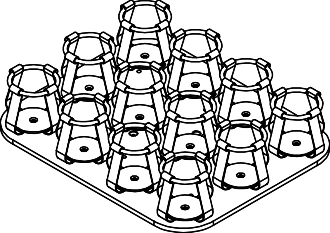


1) Installation for platforms UP-1 and PP-1
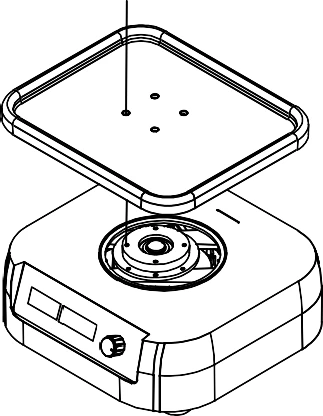
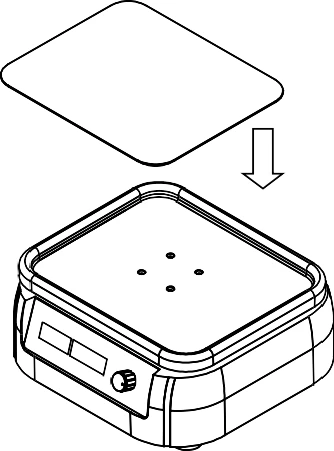

2) Installation for platforms PP06-250 and PP12-100
4. Operation Guide
1. Shaking speed and timing setting
a) When the instrument powers on, display screen will
show "  " one by one. The instrument goes into the
initial state with the sound of "du…"
b) After about 2s later, time display window shows 9: 30
as the set timing time. It means that the timing time is 9
hours and 30 minutes. The speed display window shows
200. It means the set shaking speed is 200rpm.
c) Press the knob and keep off at once the first time, the
tens digit of speed will flicker. Increase the speed by turning
the knob clockwise, and decrease the speed anticlockwise.
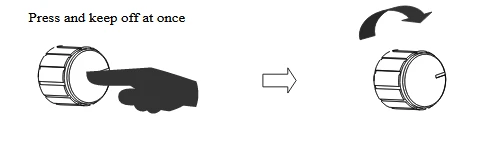
d) Press the knob and keep off at once the second time,
the units of time will flicker. Increase the timing by turning
the knob clockwise,and decrease the timing anticlockwise.
e) Press the knob and keep off at once the third time, the
hundreds of time will flicker. Increase the timing by turning
the knob clockwise, and decrease the timing anticlockwise
This function can accelerate the timing setting.
f) After setting finished 4s later, the flickering will disapear,
and the setting value will be defaulted. In the same time,
hold down the knob (about 1s) immediately to start mixing
and timing.
Notice:
1) When setting speed, in the process of turning the knob anticlockwise it turns "OFF" in display, it means closing the shaking speed.
2) When setting timing, in the process of turning the knob anticlockwise it turns "00:00" in display, it means the timing is
"∞".
2. Operation and stop 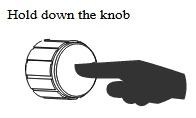
a) Hold down the knob (about 1s), the instrument will run in current speed, in the meantime, the timing begin counting down.
b) In the process of running, hold down the knob (about 1s), the mixing and timing will stop, and then the display will show set value.
3. Changing the speed and timing during running.
a) In the process of running, press the knob instantly first time, the tens digit of speed will ficker. Then, turn around the knob to change speed.
b) Press the knob instantly second time, the units of time will flicker. Then, turn around the knob to change timing.
c) After about 4s, flickering disappears, the display will show set value. Then, the instrument will run according to new set speed and timing.
Press and keep off at once.
5. Failure analysis and troubleshooting
Failure analysis and processing procedures
No. | Phenomenon | Possible Causes | Processing Procedure |
1 | Display window doesn't response after power-on | No power | Checktheconnectionof power |
switch Failure | Exchange the switch | ||
Others | Contact the seller | ||
2 | Shaking too big | Mixingsamplesare placed dissymmetrical | Placethemixingsamples symmetrical |
3 | Theactualspeedis differentfromthe displayed speed | Brokensensoror loose contact of the module | Contact the seller |
4 | "ERR" in the display | Shaking speed is out of control | Contact the seller |
5 | Press invalid | Knob failure | Contact the seller |
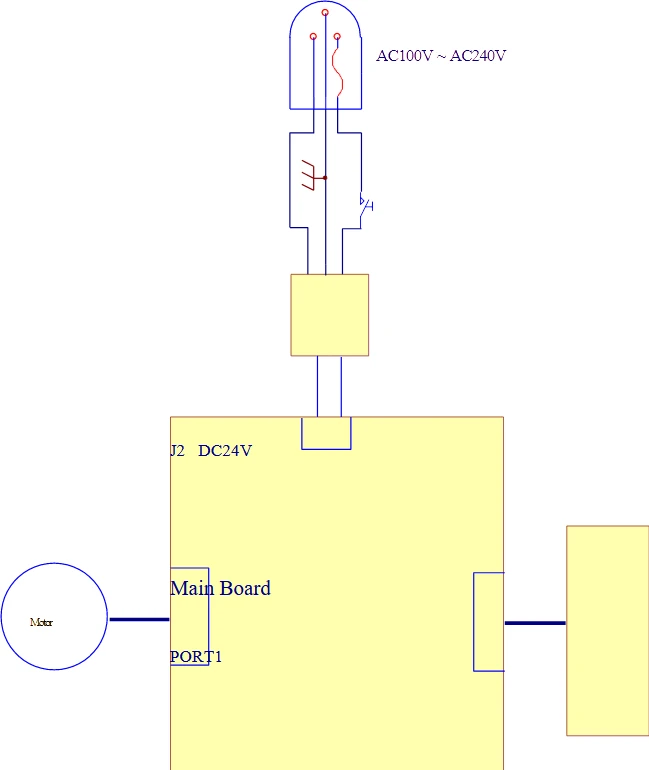
Annex 1:Wiring Diagram for SHA52-250