


Moisture Analyzer BFU1CL2 (BANA-510)
Moisture Analyzer- Sea, Air, Door to Door Shipping
- 1 Year Warranty
- US & European Standards

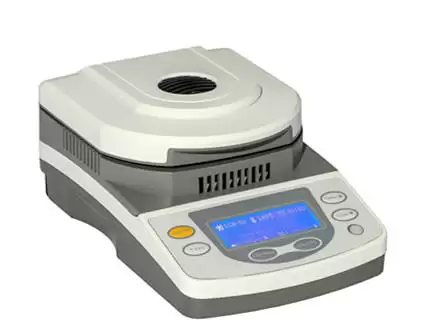
Specifications
| Model | BFU1CL2 |
| Weighing Range | 50g |
| Readability | 1mg |
| Repeatability (3g samples) | 0.002 |
| Minimum Sample Amount | 0.5g |
| Advised Sample Amount | 3-5g |
| Heat up time | 1-99 minutes, 1 minute interval |
| Temperature Program | Standard |
| Heating Temp Range | 50-160°C |
| Display Content | Moisture%, Solid%, Weight, Time, Data etc |
| Heating Source | Halogen Lamp |
| Pan Size | 100mm |
| Dimension/N.W. | 220x350x140mm/5kg |
| Shipping size/G.W. | 380x530x340mm/6kg |
| Standard Accessaries | Calibration Weight, Power Cable, Manual |
Features
1. LCD displays make operation easy and comfortable in the dark place.2. One-button operation makes testing easier.
3. Provide 2 test modes of auto and timing
4. Supports PC connection. Wireless bluetooth printing is optional.
5. Can test the free water content of chemical raw materials, grain, mineral, biological product, food, pharmaceutical raw materials, paper, textile raw materials, etc.
Photos
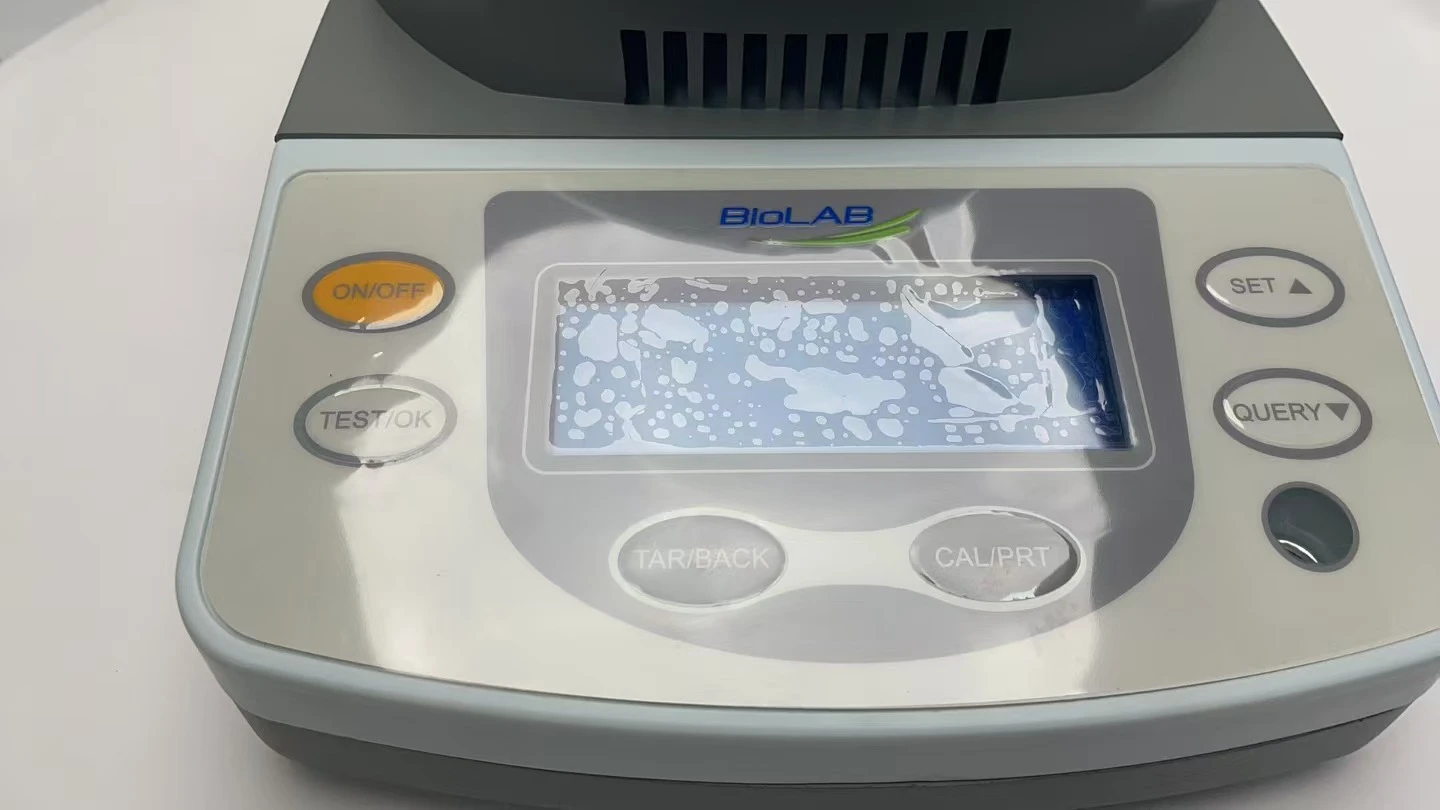
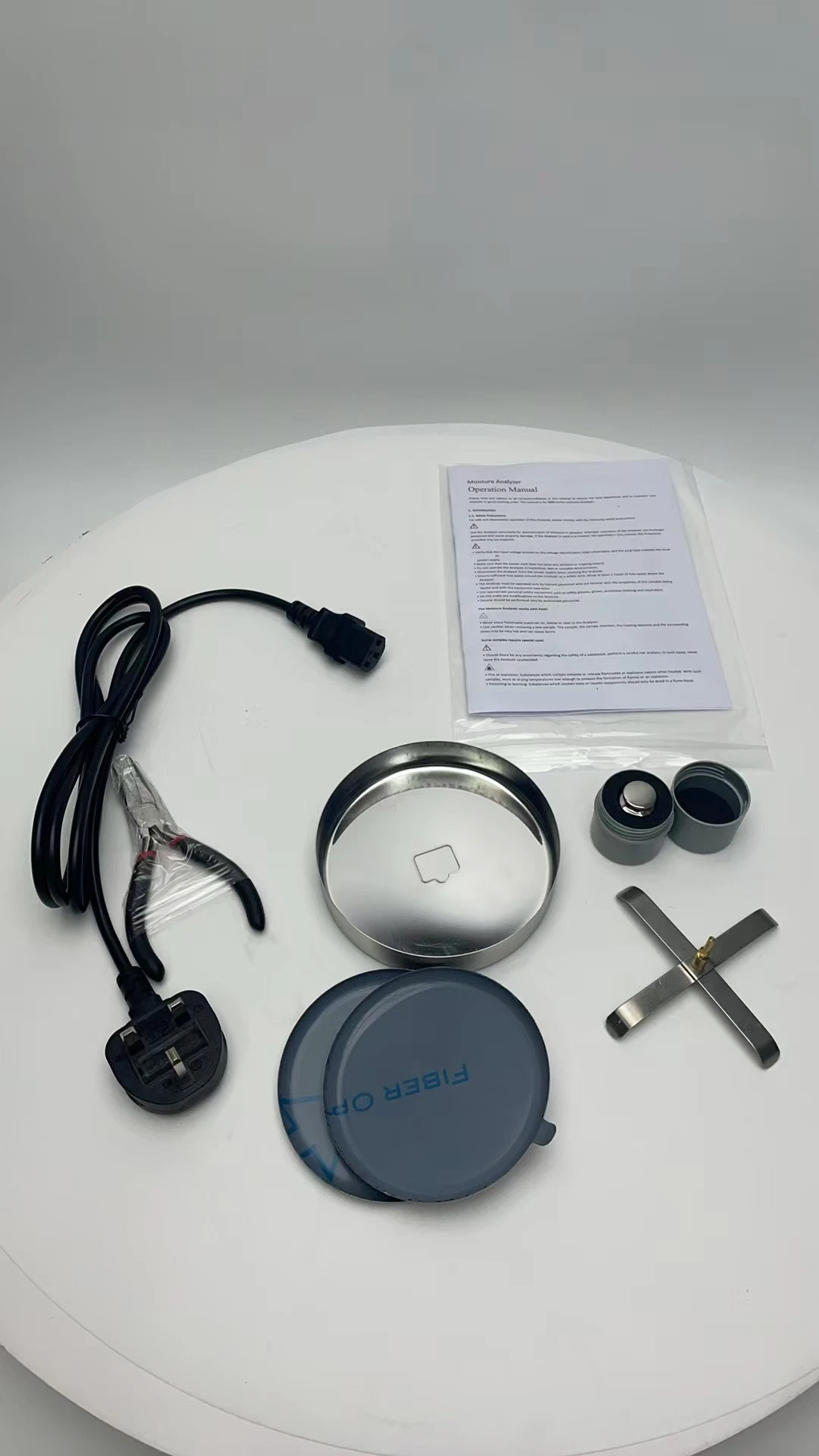
Operating Manual
DownloadOperation Manual
1. Introduction
1.1. Safety Precautions
1.2. Technical parameter
2. Installation
2.1. Selecting the Location
2.2. Installing Component
2.3. Connecting Power
3. Operation
3.1. Regulation Level
3.2. Display
3.3. Control Panel
3.4. Operating Modes
3.5. How to make a moisture test
4. Test optimization
4.1. Heating temperature
4.2. Sample Weight
4.3 Sample Preparation
4.4. Types of Samples
5. Calibration
5.1. Weight Calibration
5.2. Temperature Calibration
6. Troubleshooting
7. Packing List
Operation Manual
Please read and adhere to all recommendations in this manual to ensure the best experience and to maintain your Analyzer in good working order. The manual is for BANA-509, BANA-510, BANA-511, BANA-512 moisture analyzer.
1. Introduction
1.1. Safety Precautions
For safe and dependable operation of this Analyzer, please comply with the following safety precautions:

Use the Analyzer exclusively for determination of moisture in samples. Improper operation of the Analyzer can Endanger
personnel and cause property damage. If the Analyzer is used in a manner not specified in this manual, the Protection
provided may be impaired.

Verify that the input voltage printed on the voltage identification label information and the plug type matches the local AC
power supply.
• Make sure that the power cord does not pose any obstacle or tripping hazard.
• Do not operate the Analyzer in hazardous, wet or unstable environments.
• Disconnect the Analyzer from the power supply when cleaning the Analyzer.
• Ensure sufficient free space around the Analyzer as a safety zone. Allow at least 1 meter of free space above the Analyzer.
• The Analyzer must be operated only by trained personnel who are familiar with the properties of the samples being tested and with the equipment operation.
• Use appropriate personal safety equipment such as safety glasses, gloves, protective clothing and respirators.
• Do not make any modifications to the Analyzer.
• Service should be performed only by authorized personnel.
The Moisture Analyzer works with heat!

Never place flammable materials on, below or next to the Analyzer.
• Use caution when removing a test sample. The sample, the sample chamber, the heating element and the surrounding areas may be very hot and can cause burns.
Some samples require special care!

Should there be any uncertainty regarding the safety of a substance, perform a careful risk analysis. In such cases, never
leave the Analyzer unattended.

Fire or explosion: Substances which contain solvents or release flammable or explosive vapors when heated. With such
samples, work at drying temperatures low enough to prevent the formation of flames or an explosion.
• Poisoning or burning: Substances which contain toxic or caustic components should only be dried in a fume hood.
• Corrosive: Substances which release corrosive vapors when heated should be tested in small amounts.
Note: The user assumes responsibility for any damage caused by the use of these types of samples.
1.2. Technical parameter
The surrounding environmental conditions and technical parameters are effective in the following environments:
•Ambient temperature: 10 °C - 30 °C; it can be operated in the environment of 5 °C to 40 °C, and the test accuracy is not guaranteed in extreme temperature.
•Relative humidity: 15% - 80%, no condensation at 30 °C.
•Preheat time: wait for at least 30 minutes after the instrument is connected to the power supply. When it comes back from standby mode, the moisture rapid analyzer can be used immediately.
•Power Input: 200VAC -240VAC, 3A, 50Hz
•Voltage fluctuation: 220 ± 10%
•Power load: 250W (maximum power during heating)
•Protection: Protection from dust and dampness
Model | BANA-509 | BANA-510 | BANA-511 | BANA-512 |
Weighing Range | 10 | 50g | 50g | 50g |
Readability | 10mg | 1mg | 5mg | 10mg |
Repeatability (3g sample) | 0.5% | 0.2% | 0.3% | 0.5% |
Minimum Sample Amount | 0.5g | |||
Advised Sample Amount | 3-5g | |||
Heat up Time | 1-99 minutes,1 minute interval | |||
Temperature Program | Standard | |||
Operating Temperature Range | 10-30°C | |||
Communication | RS232 port for PC connection, Bluetooth for printer (Optional) | |||
Data Storage | 150 set | |||
Terminal Control | Timing, Automatic | |||
Heating Temperature Range | 50-180°C (Interval 1°C) | |||
Showing Content | Moisture%, Solid%, Weight, Time, Data etc | |||
Heating Source | Halogen Lamp | |||
Pan Size | 100mm | |||
Dimension | 265x160x150 | |||
Net Weight | 5kg | |||
2. Installation
2.1. Selecting the Location
• Operate the Analyzer on a firm, level surface.
• Select a location that is safe and with adequate ventilation. Fire, corrosive or toxic fumes and other hazards associated
with the test samples will require specially prepared locations.
• Ensure that the location has easy access to the local AC power supply.
• Avoid locations with rapid temperature changes, excessive humidity, air currents, vibrations, electromagnetic fields heat or direct sunlight.
2.2. Installing Component
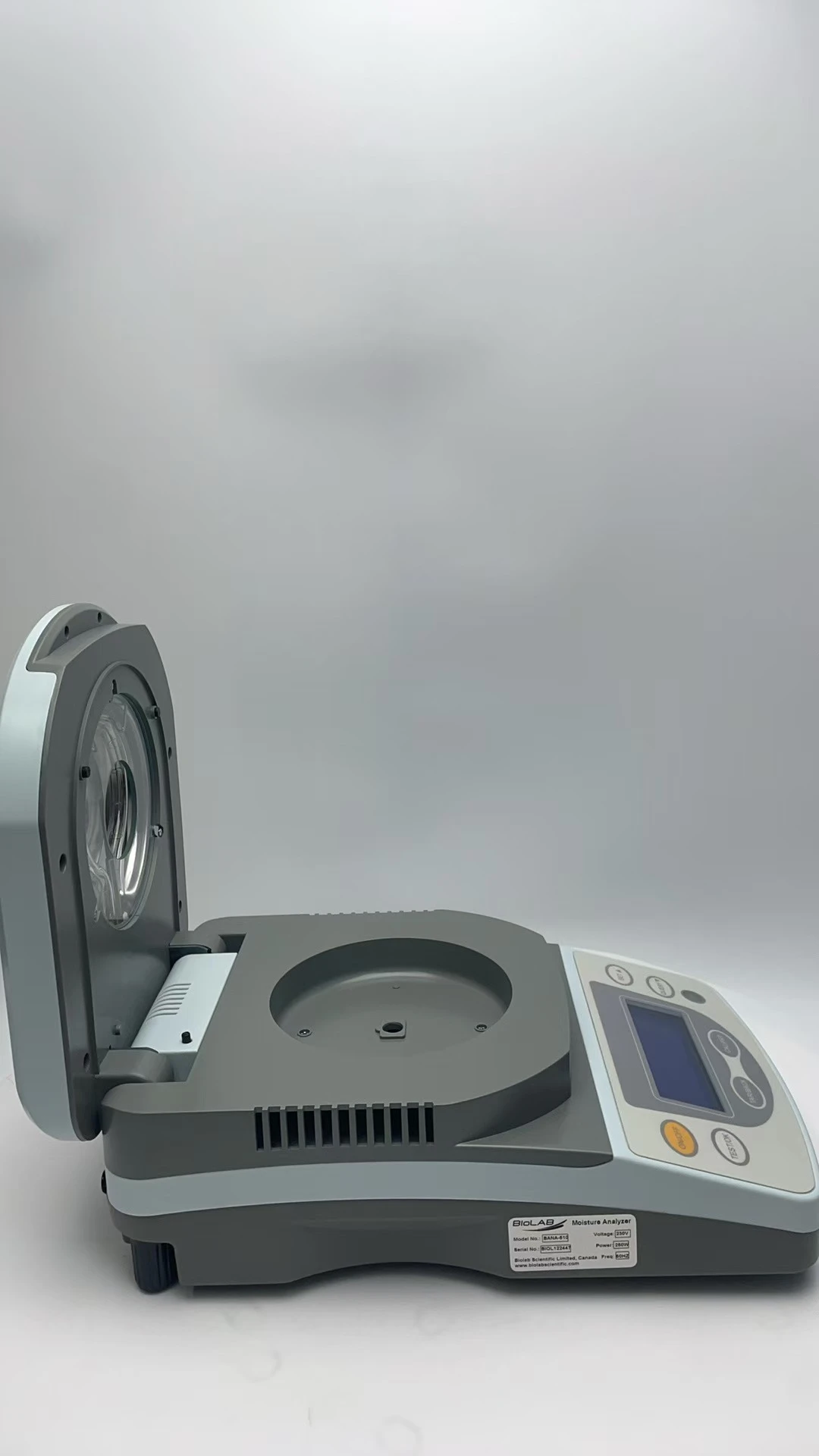
Install Pan Support, turn until it engages into position. Place a sample pan over the pan support.
2.3. Connecting Power
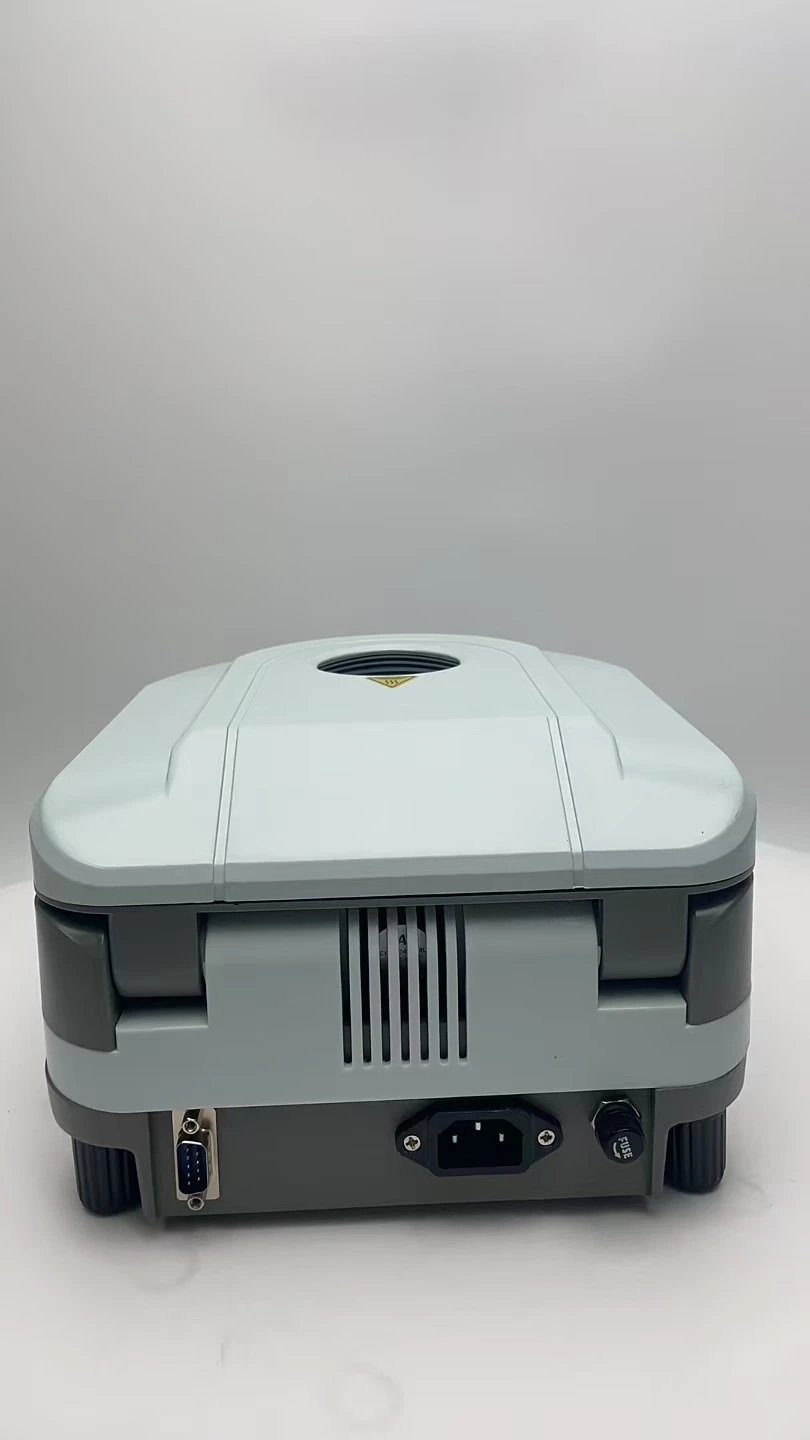
Insert the correct end of the power cord into the power input slot on the back of the Analyzer and then connect the other end to the power output socket. In order to obtain the best test results, please allow the Analyzer to warm up for at least 30 minutes.
3. Operation
3.1. Regulation Level
The Analyzer is equipped with a level gauge and two horizontal adjusting feet to compensate for the slight unevenness on the weighing operation table and the effect on the weighing results. When the bubbles are placed in the center of the level gauge, the Analyzer is completely horizontal.

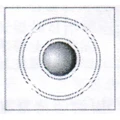
Note: Every time the position changes, the level must be readjusted.
3.2. Display
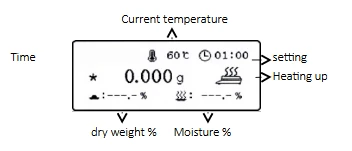
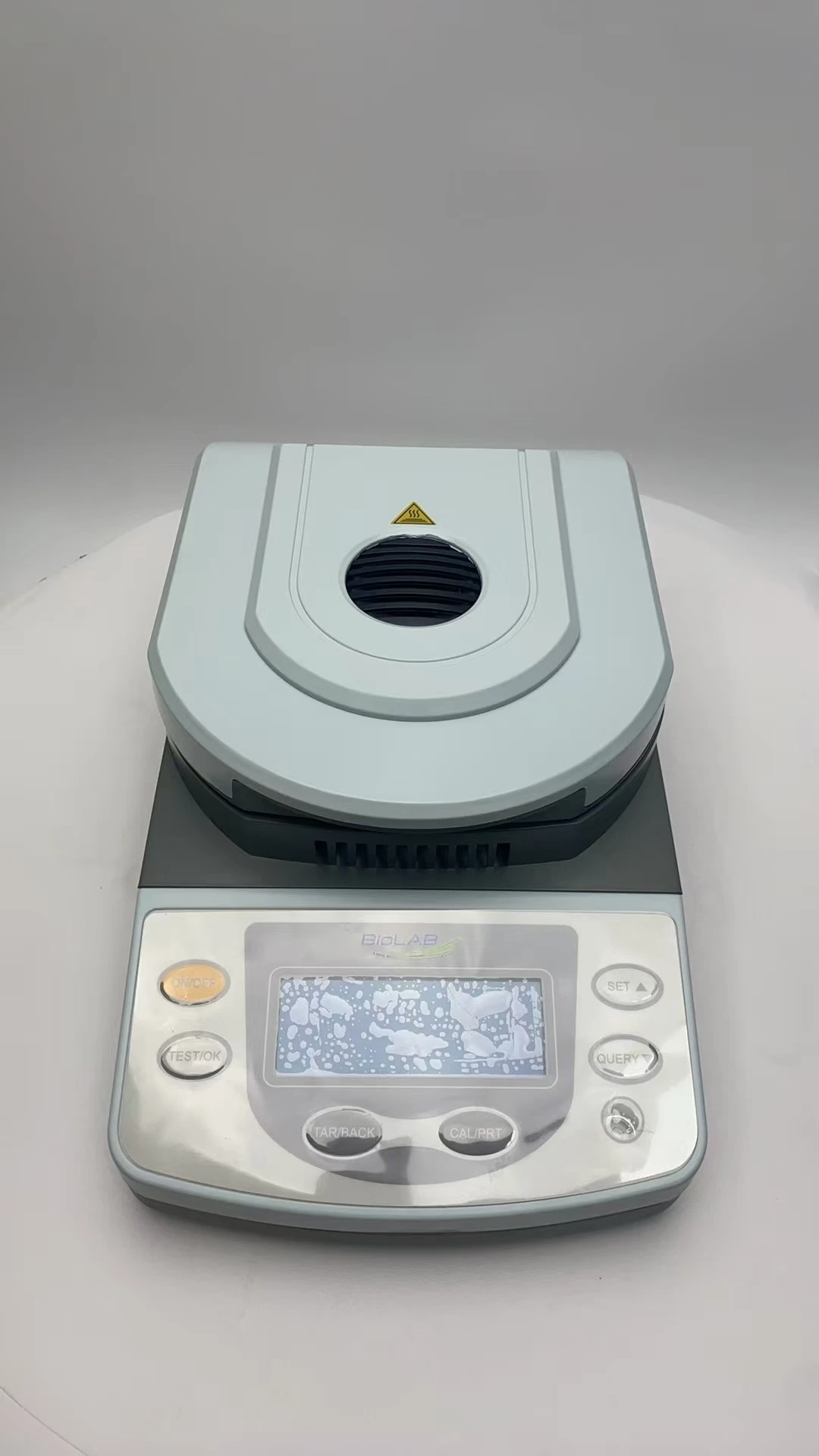
3.3. Control Panel
【ON/OFF】Turn on/off
【TEST/OK】Test and Confirm
【SET▲】Setting and Up
【Query▼】Check data and Down
【TAR/BACK】Taring and Return
【CAL/PRT】Multi-function key:
When not testing, long press to calibrate, short press to print the current weight value.
After the test is completed, short press to print the current test results.
In query state, short press to display Wet % (moisture %), Time ( test duration) and Temp (test temperature).
In setting state, short press can change page turning.
In temperature/time setting value state, short press can change modification position.
In setting test time state, long press can switch auto and manual.
3.4. Operating Modes
Standby Mode
When the Analyzer is connected to AC power supply, it is in standby mode.
Press【ON/OFF】to turn on display screen and enter weighing mode.
Settings mode
Press【SET▲】to enter settings menu, press【CAL/PRT】to turn page, press【SET▲】or【Query▼】to select settings item, press【TEST/OK】to enter the selected setting item.
Setting Menu:
Temp
Press【SET▲】or【Query▼】to change temperature value, press【TEST/OK】to confirm the current setting.
Time
Long press【CAL/PRT】 to select auto (Automatic mode ) or manual (Timing mode ). If Timing mode is selected, press 【CAL/PRT】 to change modification position, press【SET▲】 or 【Query▼】to change time value, press【TEST/OK】to confirm the current setting.
Unit
Press 【SET▲】or【Query▼】to select weighing unit, press【TEST/OK】to confirm the current setting.
Temp Cal
Press 【SET▲】or【Query▼】to change temperature calibration point, press【TEST/OK】to confirm the current setting.
Bluetooth
Press 【SET▲】or【Query▼】to select APP or Printer, press【TEST/OK】to confirm the current setting.
Clear
Press【TEST/OK】to clear records.
Reset
Press【TEST/OK】to restore factory settings.
3.5. How to make a moisture test
1. Open heating cover (instrument cover), put the empty sample pan on the pan support, press【TAR/BACK】to remove the weight of the sample pan, disperse the sample evenly on the sample pan (the sample must be more than 0.5g), and the display screen will display the weighing value of the sample.
2. Set the heating temperature
3. Set heating time (automatic heating is recommended)
4. Close the heating cover (instrument cover).
5. Press【TEST/OK】to start test.
6. After the test is completed, the buzzer will give a call, press【TEST/OK】 to save the current test results, or press【TAR/BACK】to exit without saving the current test results, and return to the weighing mode.
Note: If heating cover is opened during the test, the Analyzer will stop heating immediately and return to weighing mode, and the test is invalid.
The Analyzer provides two modes:
1) Auto mode: The Analyzer will stop automatically when the sample weight loss is less than 1mg within 60 seconds.
2) Timing mode: Manually set the heating time. When Analyzer is heated to the set time, it will automatically stop heating, and the test is completed.
4. Test optimization
In the process of heating and drying, the weight loss of sample is used to determine the moisture content.
The speed and quality in the measurement process can refer to the following parameters. The following parameters can also be determined by several trial tests. The best test results depend on the following settings.
4.1. Heating temperature
• The heating temperature controls the heating time. (e.g. too low temperature will prolong drying time)
• To select a suitable heating temperature, it is required that the chemical structure of the sample can neither be decomposed nor changed, and it is generally set at 105 °C, except for special requirements of the sample and industry.
• In this case, we can try to adjust the heating temperature to compensate the measurement deviation.
4.2. Sample Weight
The weight of the sample affects the test time and the repeatability of the results. The maximum weight of the sample is 50g. The heavier the sample is, the more water is evaporated and the longer the test time is. In general, it is recommended that the sample weight is 3g-10g, which can get faster results, but there is a lack of measurement accuracy. A sample of 20 g usually gives consistent results, but it takes longer time to test.
4.3 Sample Preparation
The sample should be representative in order to obtain accurate and reproducible measurement results.
When preparing samples, ensure that the samples are evenly distributed on the sample tray to avoid accumulation and excessive quantity.
4.4. Types of Samples
• Pasty, fat containing, melting substances
Use a glass fiber sucker to increase the surface area of the sample, for example, butter. The water in these substances will be more evenly distributed through the sucker. Increasing the surface area of the sample will make the water evaporate more quickly and completely.
• Liquid substances
The liquid forms droplets on the sample pan, which prevents rapid drying. In this case, the glass fiber sucker can be used to evenly distribute the liquid sample in a larger surface area, which can shorten the drying time.
• Crusty, temperature sensitive substances
The sample with shell formed on the surface will completely hinder the test of moisture. In this case, the repeatability error of the sample can be improved by using glass fiber sucker and adopting a mild and appropriate heat.
• Sugar-containing substances
Samples containing a lot of sugar are easy to scorch. Please put the sample on the sample pan, evenly distribute it into a thin layer, and choose a moderate temperature. The glass fiber sucker can also be used to distribute the sample on the glass fiber sucker to improve the repeatability and accuracy of the test.
5. Calibration
5.1. Weight Calibration
The Analyzer uses relative weight to measure the results, so the smaller deviation relative to absolute weight has less influence on the accuracy of measurement. The weighing performance of the Analyzer is stable, and it is less affected by temperature. It can keep the calibration result for a long time, so weight calibration is rarely required.
• In weighing mode, no-load, long press calibration key for not less than 3 seconds, display " Cal: put poise ( g) ", put in the calibration weight according to the weight range indicated in ( g).
• Automatically identify the weight of standard weight, and "Cal result: g" will be displayed.
• Press【TEST/OK】 to confirm the current calibration, and the weight value of calibration weight " g" will be displayed. After calibration, the Analyzer will return to the weighing mode.
5.2. Temperature Calibration
The temperature has been calibrated before leaving factory. If there is no professional equipment, please do not calibrate temperature by yourself.
The temperature calibration of moisture analyzer is aimed at the external temperature calibration. There is a temperature difference between the temperature in the heating chamber and the temp. of the temperature probe. After calibration, the temperature in the chamber can reach the set temperature value.
• Enter "Temp. calibration" under setting menu.
• Special thermometer is needed for temp. calibration, and the calibration temp. points are 100 °C and 140 °C.
• After selecting the calibration temperature point, press【TEST/OK】to start the temperature calibration procedure.
• After the calibration procedure, input the temperature value in the thermometer to complete the calibration.
Note: If both temp points are to be calibrated, wait until the temp in the chamber is reduced to room temp before starting.
6. Troubleshooting
Failure | Possible Cause | Remedy |
Cannot turn on | not connected to the power supply | Check connections and voltage |
The right side of the display screen flashes "<0.5g" | The sample weighing value is less than 0.5g | Increase the amount of sample and press the test key to start the moisture test. Or directly press the test key to cancel the flashing and return to the weighing mode. |
Door is open | The heating cover was not closed before the test | Close the heating cover or press the test key directly to cancel the flashing and return to the weighing mode. |
Poor accuracy | Incorrect calibration | Carry out correct calibration and move the instrument to a stable position |
Unstable work environment | ||
Cannot calibrate | Incorrect calibration | Move the instrument to a stable position |
Incorrect calibrator | Use the correct calibrator | |
No stable | Weighing instability | Waiting for stability |
Range over | Overweight | Reduce weighing objects |
No plate | Not put the pan on the pan support | Put the pan on the pan support |
It's working | Testing in progress, no other operations can be performed. | Wait for the end of the test, and then press the other key |
Error Door is open then exit | The heating cover is opened when test | Add samples again and make a test |
The display screen doesn't show, and the buzzer beeps | The display screen is broken. | Please contact your local agent |
7. Packing List
Moisture Analyzer, Pan (2pcs), Pan support, Pan pliers, Weight (10g/50g/100g) , Weight pliers, Power cord, PC connection cable, PC software, Manual