Laboratory Horizontal Autoclave BEO1F5 (BAHZ-401-A)
Horizontal Autoclave, Vacuum Pump- Sea, Air, Door to Door Shipping
- 1 Year Warranty
- US & European Standards

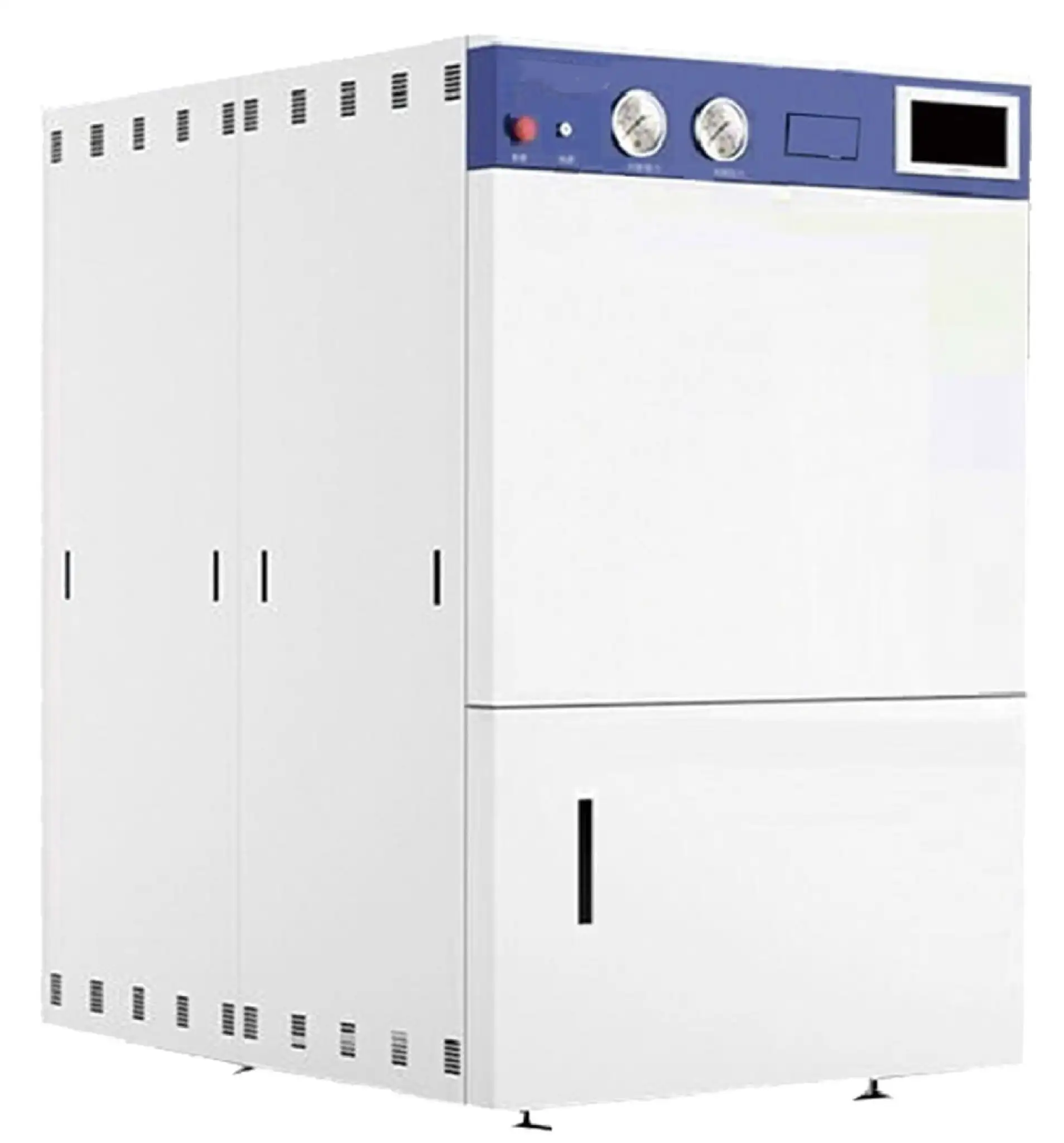
Specifications
| Model | BEO1F5 |
| Capacity (L) | 180 |
| Dimension (L*W*H) (mm) | 796x1485x1612 |
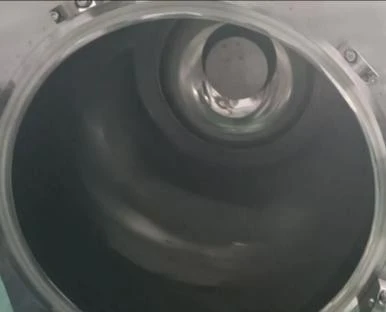
| Chamber dimension (mm) | Φ500x1150 |
| Net weight | 650kg |
| Power | 16KW |
| Chamber material | S30408 |
| Sterilization temp. | 115°C~135°C |
| Rated working pressure | 0.25MPa |
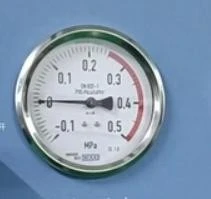
| Pressure gauge range | -0.1~0.5MPa |
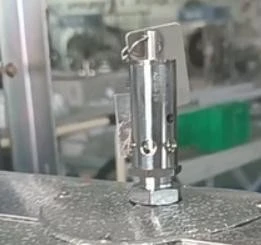
| Safety valve set pressure | 0.28MPa |
| Sterilization time range | 1~6000 min |
| Drying time range | 0~300 min |
| Pulse times | 1~99 times |
| Vacuum degree | ≤-93kPa |
| Vacuum leakage rate | <0.13kPa |
| Controller | PLC industrial control system |
| Sterilization mode | Liquid, Liquid with warming, Rubber, Hollow instrument, Sold 1, Sold 2, Wrapped instrument, Fabric,Self-defined, Safety valve test, BD Test, vacuum leakage test |
| Safety device | Evenly distributed inter lock, auto door lock, water level detection, safety valve, over pressure . .trouble shooting, electric protection |
| Accessory | Stainless steel baskets with wheels(x2), storage plate |
| Option | [Load thermometer(Floating PT100 sensor), printer, USB, trolley(2801. only),3Q adapting joint,IQ/OQ/PQ documents,walter Sllpp'}-" Pressure sensor |
| Installation requirements | |
| -Working power | Three-phase five-wire system 380N 50/60HZ |
| -Water source requirements for tap water | pressure 0.15~0.3MPa |
| -Requirements for softened water source | 0~0.3MPa (no lower limit requirement for conductivity) |
| -Drainage requirements | with sewage |
| Packing Dimension | 200*160*210 |
| CBM | 6.72 |
| Net Weight | 650 |
| Gross weight | 680 |
Features
Safety:
Evenly distributed inter lock
Pressure evenly distributed, safer than traditional door.
Auto door lock
Machine cannot start if lid is not locking well by checking mechanically and electrically.
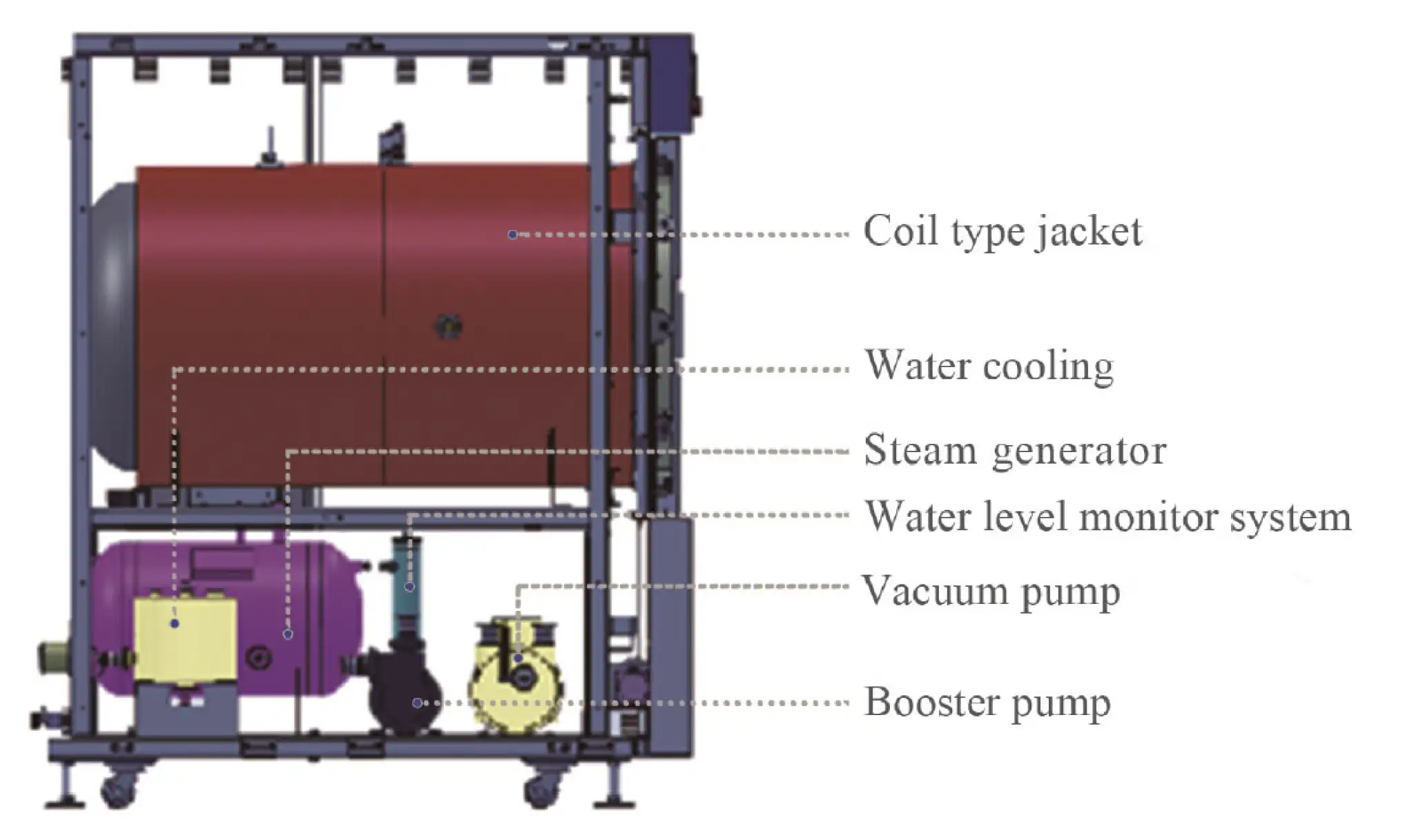
Water level monitor system
Automatic detection of steam generator water level, automatic supply in case of water shortage, no lower limit requirement for conductivity, suitable for users with pure water pipelines, superior to traditional conductivity water level detection methods.
Management
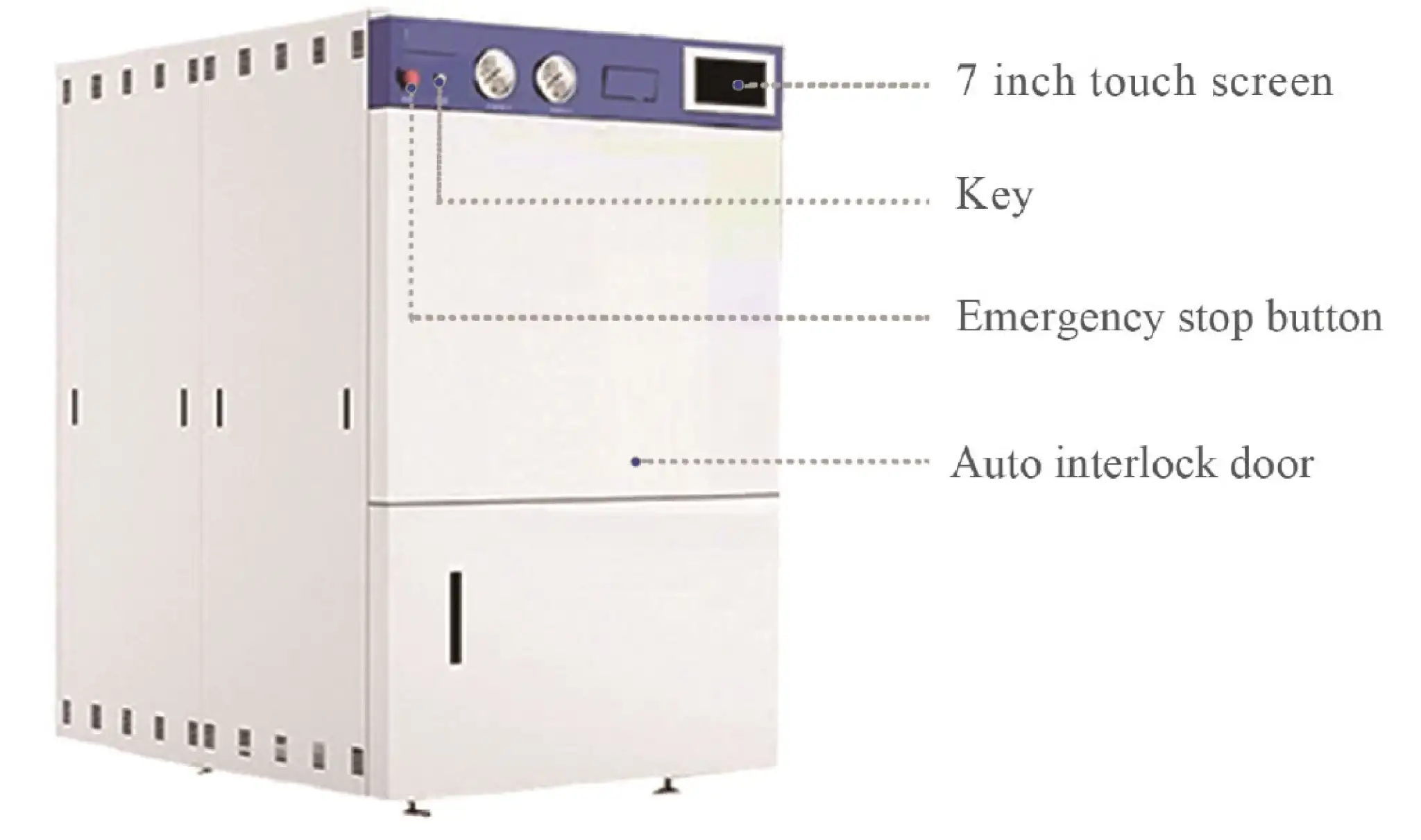
The instrument requires a key to power on for a good control of the instrument.
Emergency stop button
Can stop the machine by one button in an emergency situation.
Double protection for over pressure
Mechanical and electric sensing systems, once pressure is abnormal, the system will cut power, release the pressure and send out an alarm.
Automatic trouble shooting
System will monitor the working status, and will cut the power, send out alarm, and report the error information once any abnormal situation detected.
Temperature detection
The system monitors the temperature changes in the sterilization chamber in real-time. Once the temperature is too high or abnormal, the power is immediately cut off for protection.
Electrical protection
Equipped with a highly sensitive electrical protection system, effectively providing leakage, overcurrent, and short circuit protection.
Multiple monitoring system
Multiple pressure and temperature sensors to detect temperature and pressure in different parts.
5 level of permission management
The operation permissions for instruments are divided into five levels, with each level of user having an independent password and multiple IDs that can be assigned. Each level of user has limited access to certain usage permissions.
Support/Anti pressure system (Option)
A system to help prevent overflow of the sterilized liquid during the sterilization process and to help prevent bursting of the sealed bags/cans/bottles.
Advanced:
Automatic door
Simply push the chamber door lightly and the system will automatically lock; click the open door button, the chamber door will automatically open.

PLC Industrial control system
Professional industrial control system with high stability, achieving fully automatic and dynamic control of the sterilization process, and can be easily maintained, queried, verified, recorded, and extended for upgrading.

Separate steam generator
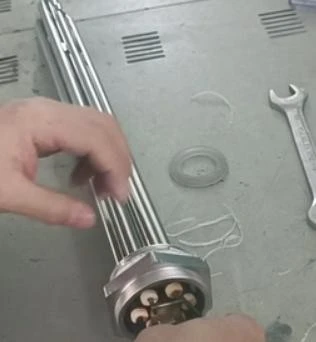
Adopting a high-power three-way heating device, it automatically generates steam to supply the sterilization chamber, and has functions such as automatic control of water inlet, heating, and prevention of dry burning and overpressure.

6 level of exhaust speed control
After sterilization, you can choose different exhaust speeds, and you can adjust it freely at any time of exhausting.

Drainage temperature can be set
Provide a large capacity water tank that can set the temperature for the discharge of sterilized water, so as to protect your sewer piping.

7 inch touch screen
LCD touch screen, using text, data, and graphical methods to dynamically display various states, and using touch control to facilitate human-machine dialogue and editing operation steps.
More Info
Fast cooling systemAfter sterilization, water will flow into the pipe around the chamber to cool the chamber rapidly, good for the liquid or media.
Pre vacuum + vacuum drying
Equipped with internationally renowned brand vacuum pumps, with good pre-vacuum effect and fast vacuum drying speed.
Operating Manual
Download1. Safe Operation Specifications
2. Main maintenance tools
3. Maintenance method of alarm fault code of control panel
4. Common fault maintenance
5. Description of instrument components
6. Replacement Methods of Main Parts
7. List of Common Accessorie
1. Safe Operation Specifications
1. Before maintenance, anti-static work should be done first. For example, wear anti-static work clothes, shoes and rubber gloves, and do not operate with wet hands to avoid electric shock and short circuit damage to parts;
2. Any electrical equipment and lines shall be deemed to be electrified and shall not be touched until they have been verified by themselves. When they need to be contacted, the power supply shall be cut off. After experiencing electricity and discharge (capacitive facilities), the electrical equipment shall be used to test whether they are electrified. Only after it is confirmed that they are not electrified can inspection and repair be carried out. During the electrical inspection, special electrical equipment shall be used and the measuring gear shall be adjusted to the appropriate gear. Before the electrical inspection, the test shall be carried out on the electrical equipment Determine whether the electrical testing equipment is in good condition. During the high-voltage electrical testing, insulating gloves must be worn, and it is forbidden to test with hands;
3. When it is necessary to contact strong electricity, pay attention to personal safety and take anti-electricity measures;
4. It is not allowed to disassemble and repair the instrument during its operation. It must wait until the instrument stops running and cut off the main power supply and water source of the instrument. When there is no pressure in the chamber, the evaporator shall drain water and stand for more than 3 hours. After the instrument is completely cooled, disassemble and repair it according to the safe operation procedures;
5. All wires and power terminals of electrical equipment that are temporarily removed must be wrapped with insulating tape, and no exposed parts are allowed. Power lines and pipes that are no longer used shall be removed;
6. The connectors of various electrical wiring shall ensure continuity, the wiring shall not be loose, the wire ends shall not protrude, and the insulation binding shall meet the requirements, and shall be neat and beautiful;
7. The tester shall not change the original structure and wiring mode of the instrument without the permission and approval of the electrical technical director of the headquarters;
8. After each maintenance, check whether the lines are connected incorrectly, and whether there are materials, spare parts, tools and other items
left in the electrical lines and electrical equipment to prevent accidents caused by loss in the equipment. Power on after confirmation;
9. After power-on, pay attention to observe at any time to see if there is any abnormal sound, peculiar smell and action. If there is any abnormal phenomenon, turn off the power immediately to stop the operation of the instrument to avoid causing more serious accidents;
10. In case of fire in electrical equipment, cut off the power supply immediately, use carbon dioxide dry powder fire extinguisher or carbon tetroxide dry powder fire extinguisher, and do not use water to put out the fire;
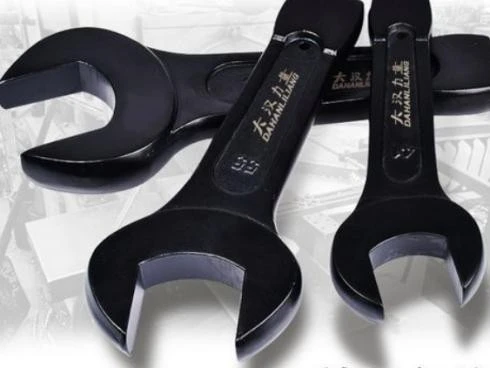
2. Main maintenance tools
| | |
|
Cross screwdriver | Cross screwdriver | Cross screwdriver | inner hexagon spanner |
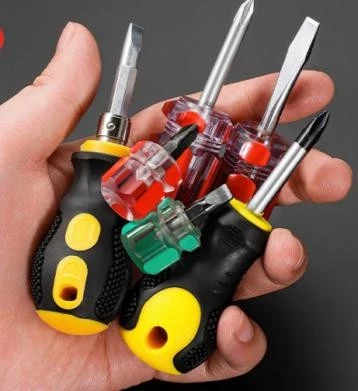
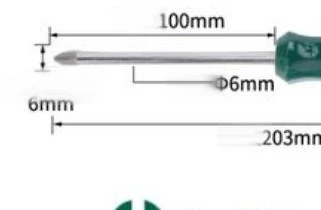
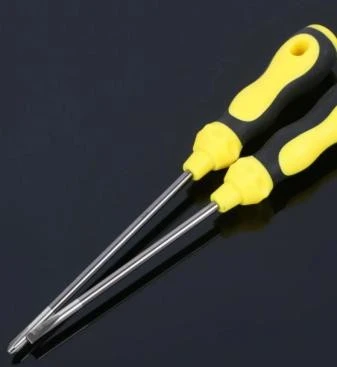
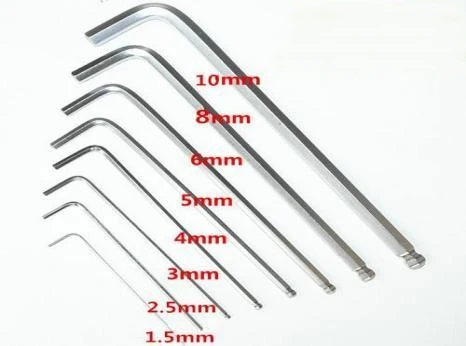
|
| | |
Diagonal pliers | Open-end wrench | Adjustable wrench | Electric soldering iron and soldering tin |
| | |
|
Sleeve | A multimeter | PTFE TAPE | Electrical tape |
| |
|
|
Electric drill | Needle nose pliers | Hot melt gun | 75mm and 50mm Open-end wrench |


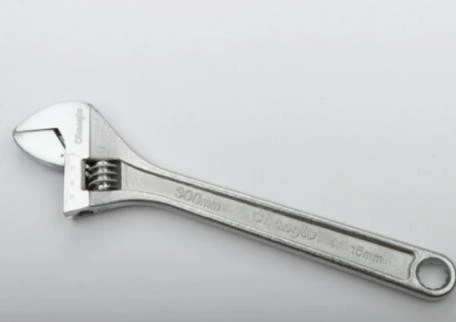
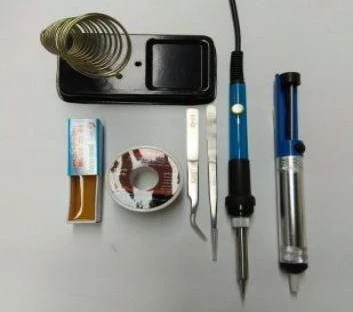
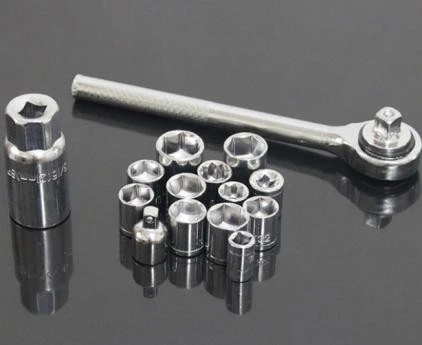
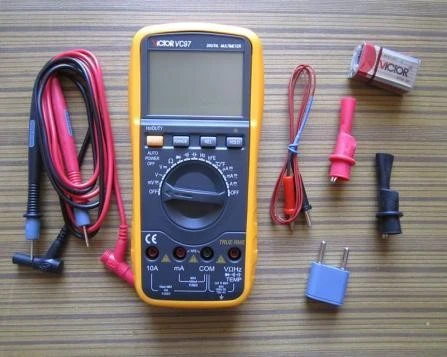
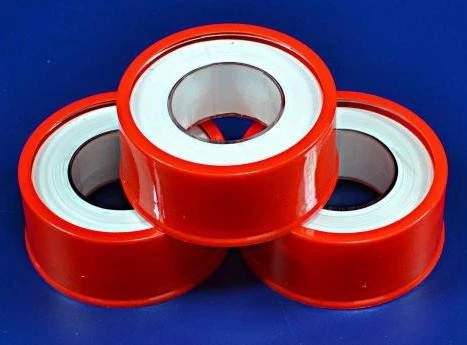
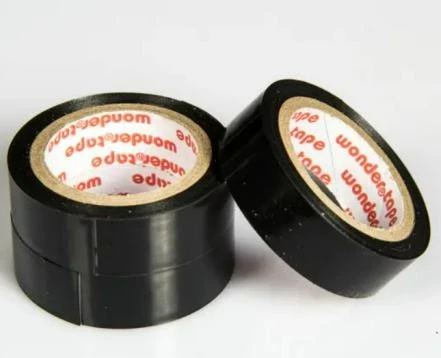

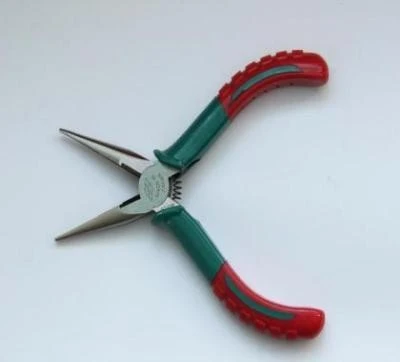
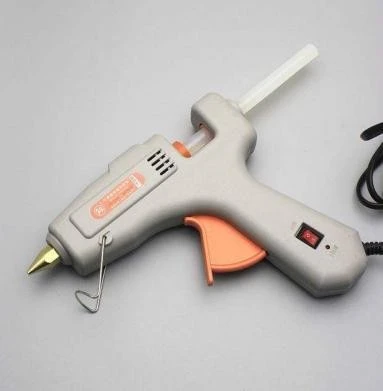
3. Maintenance method of alarm fault code of control panel
1. Fault code directory
E01 | E02 | E03 | E04 | E06 | E10 |
E11 | E12 | E16 | E19 | E21 | E22 |
E23 | E24 | E26 | E28 | E36 | E43 |
E46 |
2. Maintenance method of fault code displayed on control pane
Fault code | Fault description | Possible causes | Exclusion method | remarks |
code E01 | After starting the procedure, the sterilization chamber door is not locked or the chamber door interlock fails; | The cover is not closed in place and the cavity cover is not closed tightly during the user's use; The microswitch in the cavity cover is not actually stuck in place, or the microswitch is damaged; | Check that the indicator of the lid lock on the LCD screen flashes red, and then close the lid again; Remove the outer cover of the chamber, check the conduction of the microswitch when closing the door, and adjust the position of the microswitch; | real- time detectio n |
3.The fuse of the interlocking motor is burnt or the motor is damaged; 4.The intermediate relay controlled by the corresponding interlocking motor is burnt | 3. When opening the door, check whether the interlocking motor terminal is normally powered by AC220V, check whether the fuse is damaged and replace it; | |||
5. The wiring of the corresponding motor power supply circuit falls off, loosens, heats up and burns | 4. Check whether the intermediate relay coil is closed normally; | |||
6. The corresponding output point of the control motor on the PLC or the corresponding input point of the microswitch is damaged; | 5. Check whether the wiring from the power incoming line to the two main contacts of the intermediate relay and from the contactor to the terminal is good | |||
6. Check whether the corresponding output point of PLC is on, and | ||||
whether the input point inputs the ON signal, otherwise | ||||
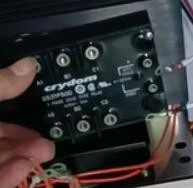
code E02 | After starting the procedure, no change of evaporator temperature is detected within a certain period of heating | Solid state relay fault; Heating pipe failure; Heating contactor fault; PLC output point fault | Observe whether the solid-state relay indicator flashes green normally, otherwise, the next step; Measure whether the resistance of each two wires of the heating pipe is about 10.2 Ω, otherwise replace the heating pipe; Check whether the input and output voltage of the contactor are normal, or replace the contactor; Check whether the corresponding output voltage of PLC is within DC24V, or replace the PLC module; | real- time detectio n |
code E03 | After starting the program, it is detected that the normally closed signal of temperature control switch and pressure | The temperature start value of the temperature control switch is not adjusted to about 260 °, or the temperature control switch is damaged; Pressure switch failure; The input points of | Check whether the temperature of the temperature control switch is set accurately and rotate it for adjustment; Check and measure whether the voltage at both ends of temperature control and pressure switch is normal | real- time detectio n |
switch becomes normally open; | temperature control and pressure switch controlled by PLC are damaged; 4. The temperature control switch is actually started, there is no water in the cavity, and the reason for pure water inlet valve, pipeline and pressure | and whether there is normal voltage. If yes, replace the temperature control switch and pressure switch; 3. Check whether the PLC input port is in the ON state, and if so, how to replace the PLC module; 4. Check whether the pure water is open, whether the pipeline is damaged by water leakage, and whether the pressure is normal; | ||
code E04 | ① : The temperature in standby is greater than the maximum working temperature set in the background; ② : The chamber temperature is greater than or less than the sterilization temperature limit value during sterilization; | Poor contact of temperature sensor or corresponding terminal of PLC; The sterilization process is reported to E04, mainly to confirm whether the cold air is discharged normally, whether the sterilization articles are sealed, and whether the instrument is leaking; If E04 fails to enter the sterilization stage during the heating process, the temperature compensation value of the inner chamber is usually insufficient, and the temperature and pressure cannot correspond | Check and lock the temperature sensor terminal wire, or replace the temperature sensor; Check whether the sterilization items and status are normal, run an empty process again, and compare whether there is a fault code; Check whether the cavity temperature display value is normal during no-load operation, or reset the inner chamber temperature compensation in the advanced parameters; | real- time detectio n |
code E06/07 | E06 The judgment condition is that the temperature sensor is open E07 judges that the condition is that the temperature sensor is short-circuited | The sensor is broken, or the wiring is loose or the contact is poor; The temperature port corresponding to PLC is broken, replace or repair the main board; | Check whether the terminal can be removed normally by replacing it with 120 Ω resistance (equivalent to 50 °C); If it is normal, the sensor is broken; 2. Replace the original position sensor with 120 Ω. If it cannot work normally, replace the PLC temperature module; | real- time detectio n |
code E10 | Abnormal interruption of sterilization process | The sterilization is not completed and the trip is interrupted; The sterilization is not completed and the power is cut off artificially; | Check whether the current is overloaded and restart sterilization; Press the confirmation key to remove the code and restart sterilization; | real-time detection |
code E11 | Abnormal water inflow; | The pure water inlet pipe and valve are not opened, and the water supply is abnormal; Whether the pure water pressure meets the pressure of 0.1-0.5MPA; The liquid level switch is damaged or dirty; Whether the input and output points corresponding to PLC are | Check whether the water inlet of the pure water pipeline is normal and whether the valve is open; Check whether the booster pump works normally and whether the pressure is normal; Check whether the liquid level switch is damaged and whether the inner wall is dirty, disassemble and clean it; | real-time detection |
damaged | 4. Check whether the PLC booster pump is damaged and whether the input of the PLC level switch is normal | |||
code E12 | ① : When the sterilization process is over and the temperature is lower than the cover opening temperature, the diaphragm switch is not closed (the top rod of the diaphragm switch does not fall off); ② : During the heating process, when the main control temperature is greater than the pull-in action temperature, the micro-pressure switch is still in the pull-in state (the top rod of the diaphragm switch is not pushed up) | If the E12 fault is reported during the heating process, confirm whether the pressure gauge shows that the pressure has reached 0.015MPa at 110 °C, and if it does not indicate that the temperature and pressure are not corresponding; If E12 fault occurs after sterilization; E12 will be reported immediately after startup and cannot be cancelled; When the temperature drops to the point where the cover cannot be opened, E12 will be reported; | The diaphragm switch is usually replaced; Start up and report E12. Use a multimeter to detect that the PLC has 24V output, which usually means that the connecting wire or diaphragm switch is broken. If there is no output, the PLC is broken; Pull the safety valve to see if there is pressure in the cavity. If yes, continue to pull the safety valve to relieve pressure. Otherwise, replace the diaphragm switch | real- time detectio n |
code E16 | E16 judges that the condition is that the article temperature sensor is open | The temperature sensor of the article is broken or has poor contact; | Check whether the terminal can be removed normally by replacing it with 120 Ω resistance; If it is eliminated normally, the sensor is broken; | real- time detectio n |
E17 judges that the condition is that the article temperature sensor is short-circuited | 2. The temperature port corresponding to the main board is broken, replace or repair the main board; | 2. Replace the original position sensor with 120 Ω. If the fault cannot be eliminated, replace the PLC or PLC for repair; | ||
code E19 | It is judged that the container level sensor is dirty | The liquid level sensor is dirty; PLC input point is damaged; | Remove the liquid level switch and clean it; Replace the PLC input point module; | real-time detection |
code E21 | Vacuum leakage fault: keep vacuuming, pressure does not drop | The instrument detects a leak: Check whether the sealing ring, solenoid valve, copper pipe joint and other positions of the instrument are leaking; The sealed cavity tube and sterilization bag of the instrument are loaded too much, and the air cannot be completely discharged by vacuuming; The vacuum pump does not work, the voltage supply is out of phase | Replace the heating or solenoid valve; Take out the load and compare it with no-load operation; Check the power supply of vacuum pump and run again; | real- time detectio n |
code E22 | Vacuum leakage fault: during the vacuum test, the cavity pressure increases too much in the first 5 minutes | During vacuum leak test: Check whether the sealing ring, solenoid valve, copper pipe joint and other positions of the instrument are leaking; The sealed cavity tube and sterilization bag of the instrument are loaded too much, and the air cannot be completely discharged by vacuuming; | Replace the heating or solenoid valve; Take out the load and compare it with no-load operation; Check the power supply of vacuum pump and run again; | real- time detectio n |
code E23 | Vacuum leakage fault: during sterilization, the cavity pressure is not within the range of saturation pressure (± 27kPa) | At sterilization stage: The pressure and temperature values do not correspond, usually the pressure or temperature compensation value is incorrect, and the compensation value shall be compared and set again during no-load operation; The sealed cavity tube and sterilization bag of the | Reset the compensation value during no-load operation; If there is water in the chamber, the steam will not be saturated. Open the drain valve; Check whether the sterilization articles are loaded too much and whether the sealed sterilization bag is open; | real- time detectio n |
instrument are loaded too much, and the air cannot be completely discharged by vacuuming; | ||||
code E24 | During the test of the safety valve in the chamber, the pressure relief value of the safety valve is reached after the pressure is increased, and the pressure relief of the safety valve is not detected; | The safety valve pipeline is blocked; Safety valve failure; | Check and clean the safety valve pipeline; Replace the safety valve; | real-time detection |
code E26/27 | E26 judges that the condition is that the inner chamber pressure sensor is open E27 judges that the condition is short circuit of inner chamber pressure sensor | The pressure sensor is broken or has poor contact; The corresponding pressure port of PLC is broken, replace or repair the PLC; | Check the PLC terminal and use a multimeter to measure whether there is DC24V. If yes, the pressure sensor is broken; Check the PLC terminal and use a multimeter to measure whether there is DC24V. If there is no DC24V, replace the PLC for repair; | real- time detectio n |
code E28 | Fault judgment conditions: ①: When the interlocking motor is not running, the interlocking in-place microswitch and the interlocking release in-place microswitch are detected to be connected at the same time; ②: When the interlock motor is | The interlock in place microswitch is damaged; Interlocking motor is stuck and does not operate; | Check whether the manual interlock in place switch and interlock release in place switch are normal, or replace the microswitch; Check whether the motor can rotate normally, or replace the interlocking | real-time detection |
started, it is not detected that the interlock in place microswitch is connected for a certain time; ③: The interlocking motor has not detected that the interlocking release in place microswitch is connected for a certain time at the beginning; | 3. Motor power supply line fault, PLC damage; | motor; 3. Check whether the PLC does not normally output 24V to the relay when opening or closing the cover interlock action, replace or repair the PLC, and the circuit does not supply 220V voltage to the motor, then check whether the circuit is abnormal | ||
code E36 | Optional: water source pressure sensor fault; | The tap water pressure is insufficient, check whether the water pressure is normal; Water source pressure sensor fault; The corresponding pressure port of PLC is damaged | Check whether the water source valve is open and whether the pressure is normal; Replace the water source pressure sensor; Replace or repair the corresponding port or module of PLC | real-time detection |
code E43 | Fault judgment condition: door opening and closing interlock system fault | The interlock motor is on, and the microswitch action of the open position is not detected; The door lock motor is opened, and the door pin microswitch action is not detected; The interlock motor is on, and the microswitch action of closing in place is not detected | The microswitch is damaged or not adjusted in place; The motor is stuck or damaged; | real- time detectio n |
code E46 | Fault judgment conditions: Evaporator pressure sensor fault; Open/short circuit Sandwich pressure sensor failure; Open/short circuit | The pressure sensor is broken or has poor contact; The corresponding pressure port of PLC is broken, replace or repair the PLC; | Check the PLC terminal and use a multimeter to measure whether there is DC24V. If yes, the pressure sensor is broken; Check the PLC terminal and use a multimeter to measure whether there is DC24V. If there is no DC24V, replace the PLC for repair; |
4. Common fault maintenance
1. No power on
Check whether the main power supply of the instrument is connected, whether the emergency stop interlock device is released, and whether the interlock key is released;


Figure 1
Step 1 Check whether the power supply is normal
Step 2 Check whether the instrument circuit breaker is powered on
Step 3 Check whether the emergency stop button is released and whether the interlock key is opened
(AC gear of multimeter measures 380V three-phase power supply) (AC gear of multimeter measures) (manual rotation)
B. Check whether the power supply of the instrument LCD is normal, and whether the buzzer is normal to prompt whether the plug between the startup and PLC is properly plugged in;
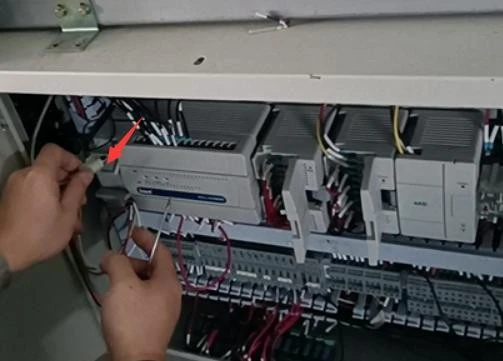
Figure 2
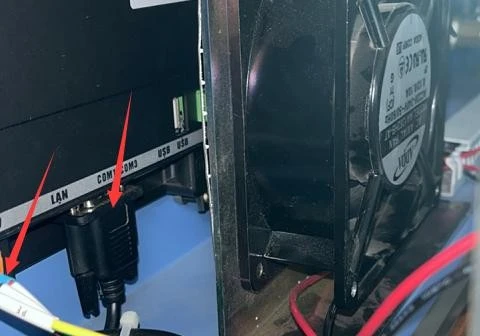
Figure 3
Step 1 Check whether the patch cord on the PLC falls off
Step 2 Check whether the plug wire on the back of the LCD screen falls off and whether the DC24V power supply terminal is loose
5. Description of instrument components
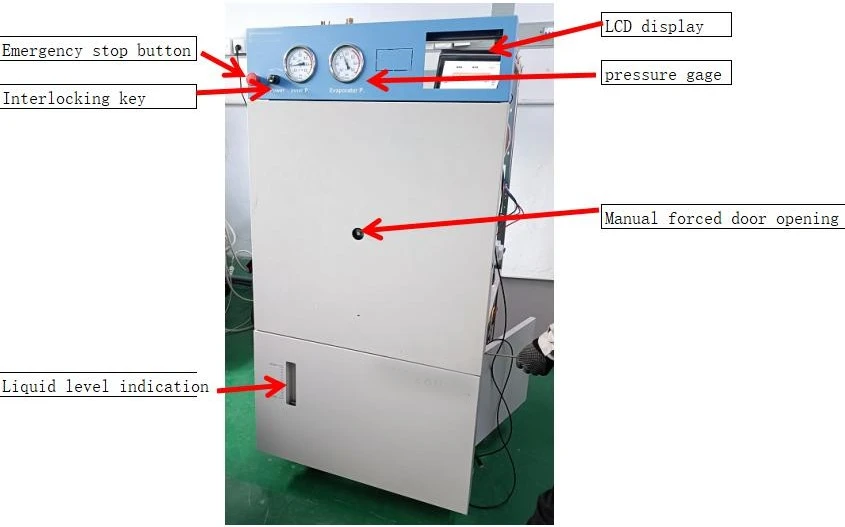
Figure 4
Front view
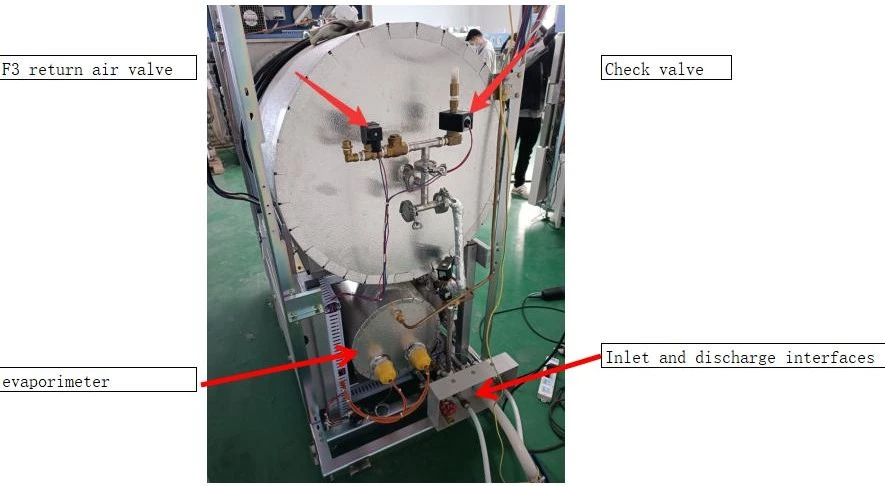
Figure 5
Dorsal view
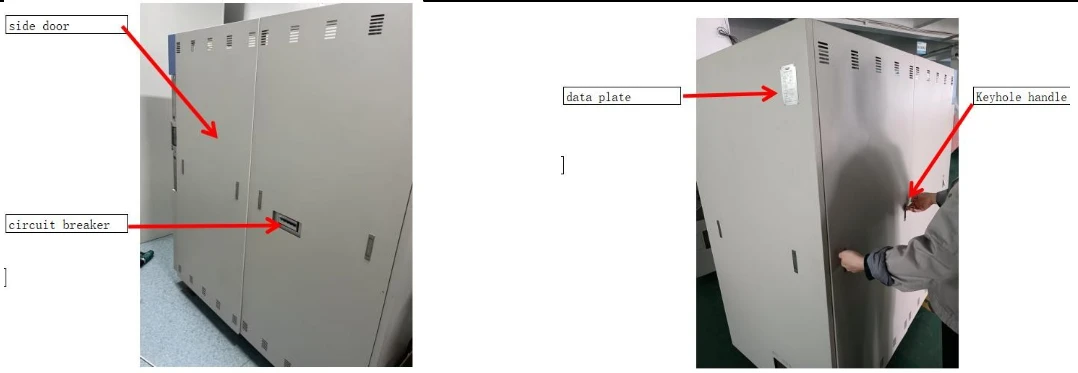
Figure 6
6. Replacement Methods of Main Parts
Before replacing parts, power off and close the water inlet valve to release the pressure in the inner chamber and evaporator, and drain the water in the evaporator at the same time. The instrument should be left standing for more than 3 hours:
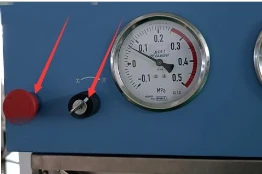
Figure 7
Step 1. Turn the interlocking key to turn off the power and press the emergency stop button
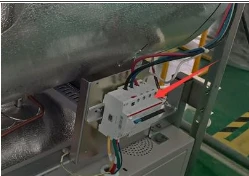
Figure 8
Step 2. Disconnect the circuit breaker of the instrument
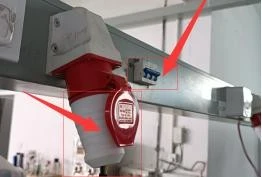
Figure 9
Step 3. Disconnect the power supply of the wall instrument and pull out the aviation plug
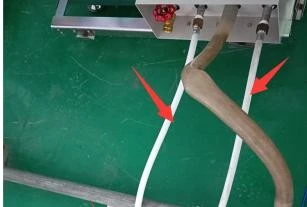
Figure 10
Step 4. Turn off the water supply of the instrument so that the instrument does not enter water
(Close the water supply valve of the instrument)
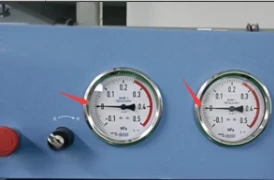
Figure 11
Step 5. Confirm that there is no pressure in the chamber (if there is, pressure relief is required)
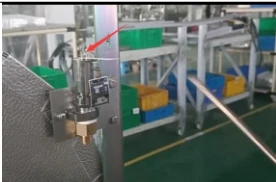
Figure 12
Step 6. Evaporator pressure relief
(Use a long metal rod or screwdriver to lift and pull the safety valve to relieve pressure, and pay attention to prevent scalding by steam)
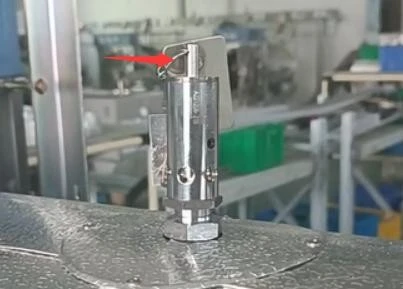
Figure 13
Step 7 Inner chamber pressure relief
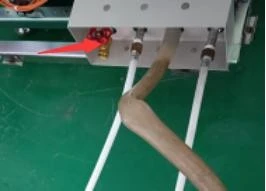
Figure 14
Step 8. Open the evaporator drain outlet and drain the evaporator water
(Use a long metal rod or screwdriver to lift and pull the safety valve to relieve pressure, and pay attention to prevent scalding by steam) (Note: after maintenance, check that the valve must be closed before operation)
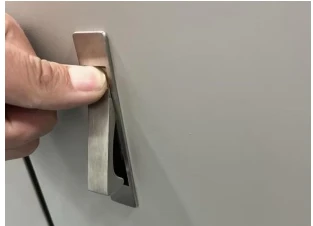
Figure 15
Step 9 Press the handle
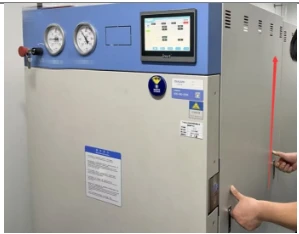
Figure 16
Step 10. Lift up the handle and remove the door panel
(The removal method of left and right rear door panels is the same)
1. Replacement of sealing ring
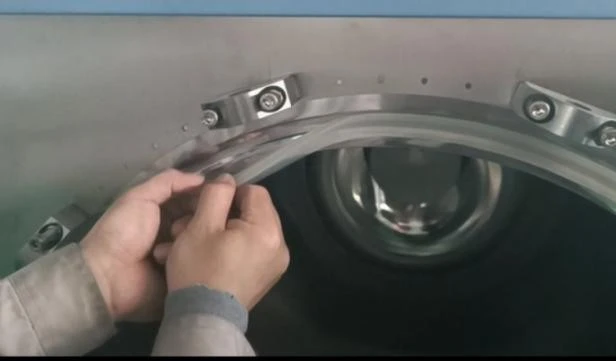
Figure 17
Step 1. Take out the seal ring as shown in the figure
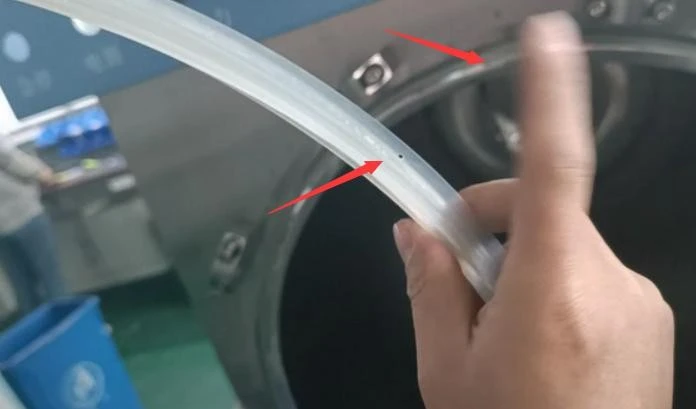
Figure 18
Step 2. Put on a new sealing ring (the whole ring is clamped into the groove in 4 equal sections, and the position with small holes is upward)
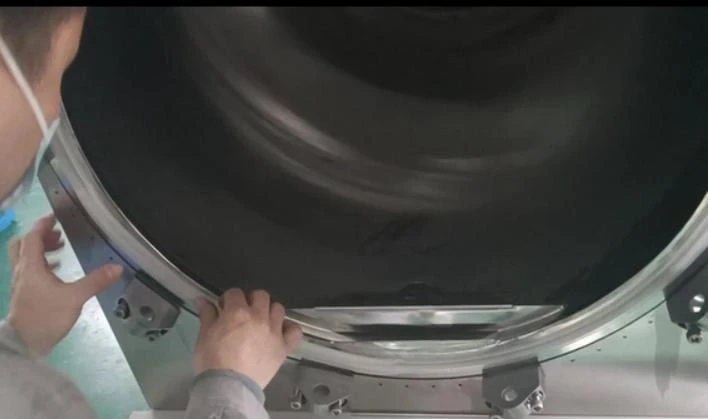
Figure 19
Step 3. Press the sealing ring edge flush
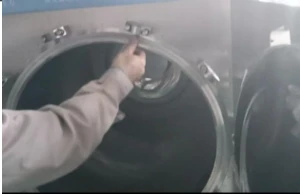
Figure 20
Step 4. Check whether the whole sealing ring is flush with the edge (it must be flush or there will be air leakage)
2. Replacement of pressure gauge
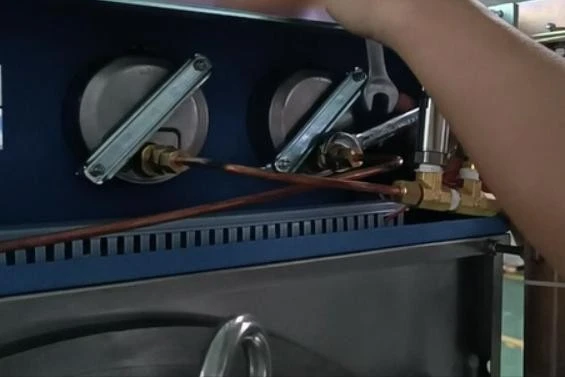
Figure 21
Step 1. Remove the copper pipe joint (25 # wrench fixed end seat, 18 # wrench nut)
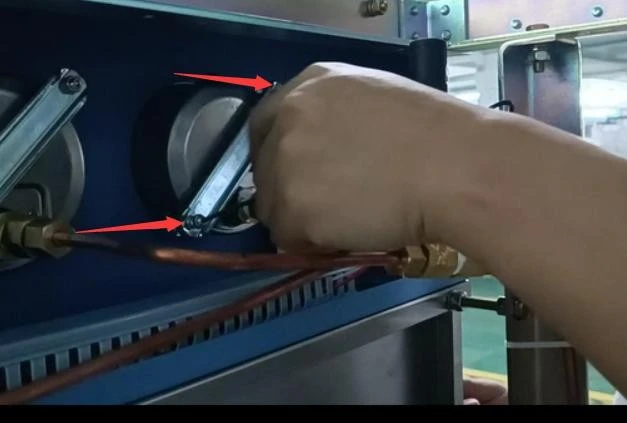
Figure 22
Step 2. Remove the clip and pressure gauge
(Unscrew the nut with a 12 # wrench and the clip with a small cross screwdriver)
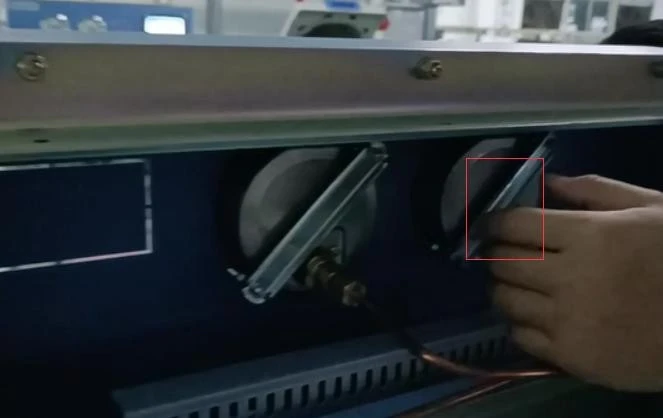
Figure 23
Step 4. Screw the connector of the new pressure gauge (25 # wrench fixed end seat, 18 # wrench nut)
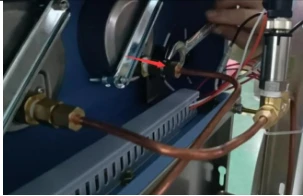
Figure 24
Step 4. Install a new pressure gauge and connect the copper pipe
(keep the front side upright) (Unscrew the nut with a 12 # wrench and the clip with a small cross screwdriver)
3. Replacement of safety valve
A. Installation of inner chamber safety valve
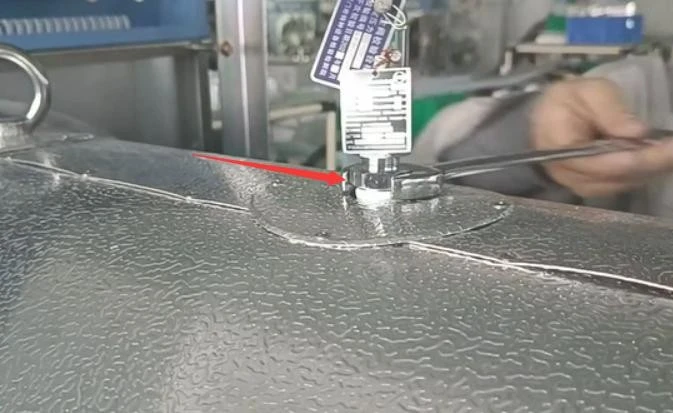
Figure 25
Step 1. Loosen the safety valve nut
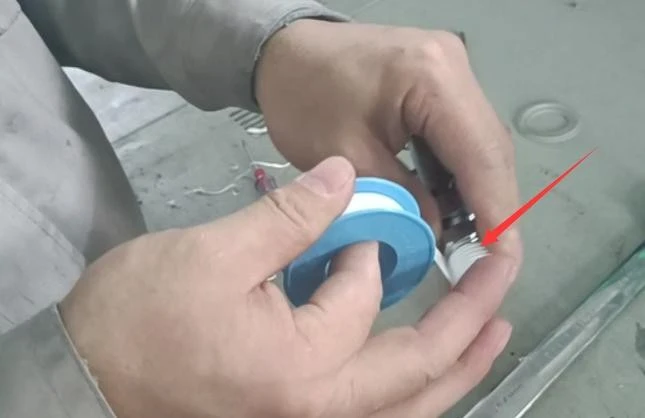
Figure 26
Step 2. Remove the safety valve (wrap the raw material belt)
(Pay attention to the position of the bottom nut with the 17 # wrench, otherwise the safety valve will be damaged)
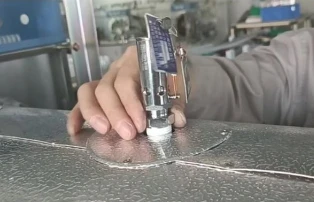
Figure 27
Step 3. Screw on the new safety valve (Unscrew the nut with 17 # wrench)
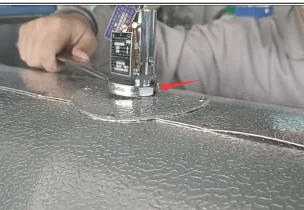
Figure 28
Step 4. Tighten the fixing screws of the safety valve (Turn the bottom nut with No. 7 wrench)
B. Installation of evaporator safety valve
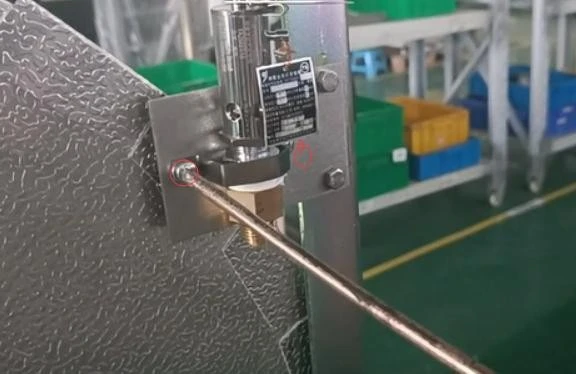
Figure 29
Step 1. Loosen the retaining nut of the safety valve
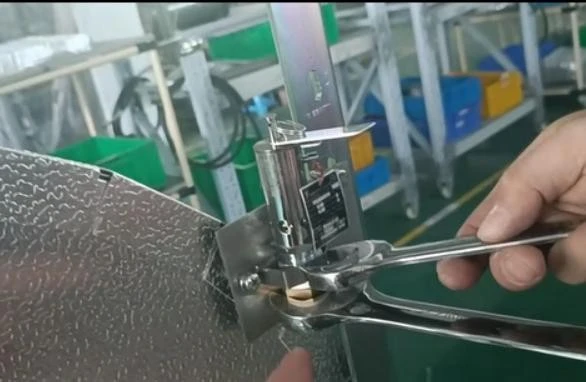
Figure 30
Step 2. Unscrew and remove the safety valve (wrap the raw material belt) (22 # wrench to fix the lower end seat, 17 # wrench to screw the middle nut)
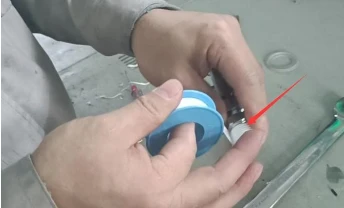
Figure 31
Step 3. Wrap the raw material belt
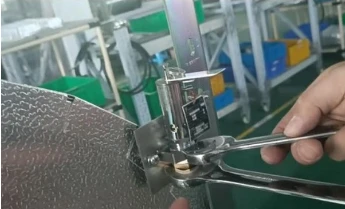
Figure 32
Step 2. Install the safety valve, tighten the safety valve, and screw down the screw to fix the safety valve (22 # wrench to fix the lower end seat, 17 # wrench to screw the middle nut)
4. Replacement of solenoid valve
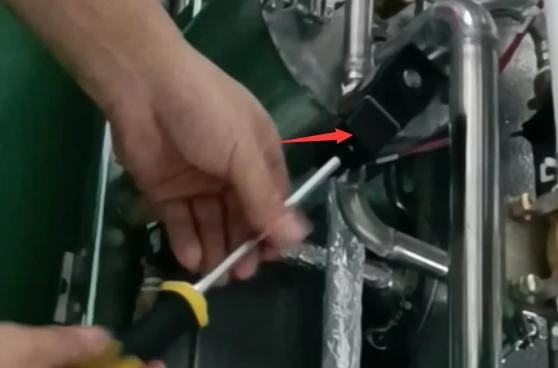
Figure 33
Step 1. Loosen the solenoid valve terminal valve (with a cross screwdriver)
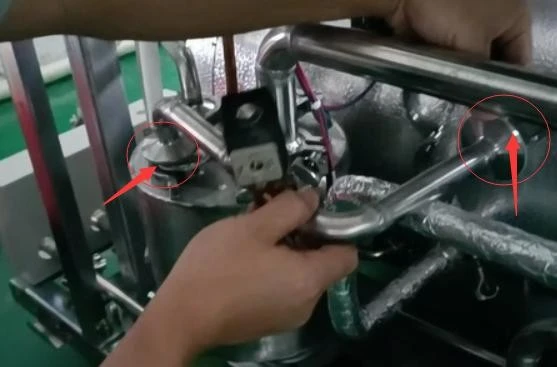
Figure 34
Step 2. Unscrew the copper pipe connector and remove the exhaust solenoid (No. 18 wrench turns the nut and No. 25 wrench fixes it)
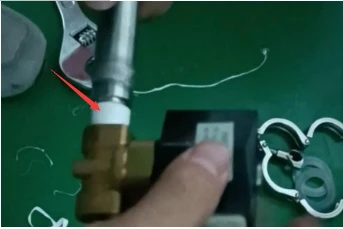
Figure 35
Step 3. Connect the copper pipe connector of the new solenoid valve (No. 18 wrench turns the nut and No. 25 wrench fixes it)
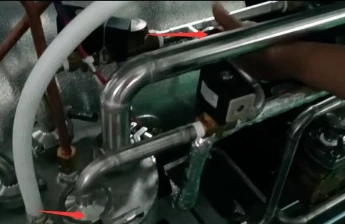
Figure 36
Step 4. Reinstall the solenoid valve and terminal (pay attention to the sealing ring of the stainless steel pipe) (Cross screwdriver, pay attention to the positive and negative wiring and
ground wire, and connect them according to the original wiring method)
5. Replacement of heating pipe
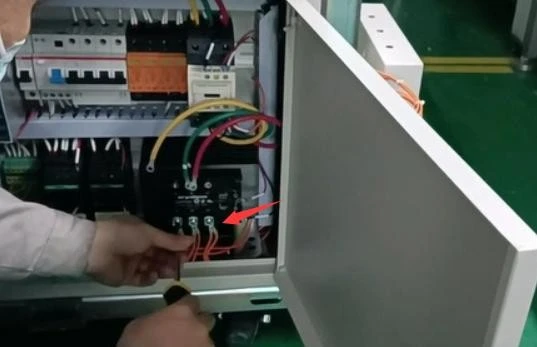
Figure 37
Step 1. Remove the three terminal wires of the heating tube
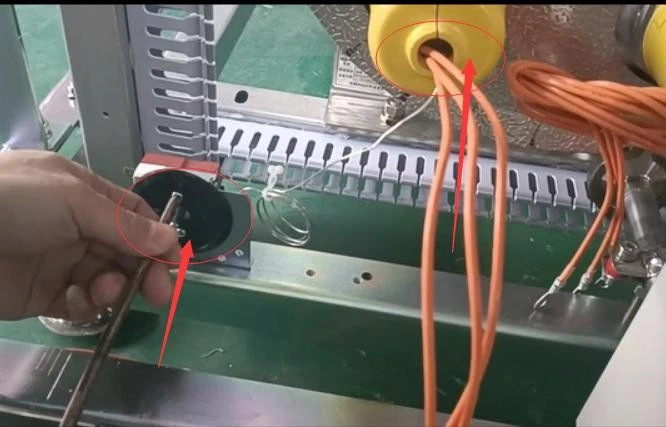
Figure 38
Step 2. Remove the temperature control switch (Mark must be made, and the wiring of new heating pipe cannot be wrong) (75mm and 50mm wrench)
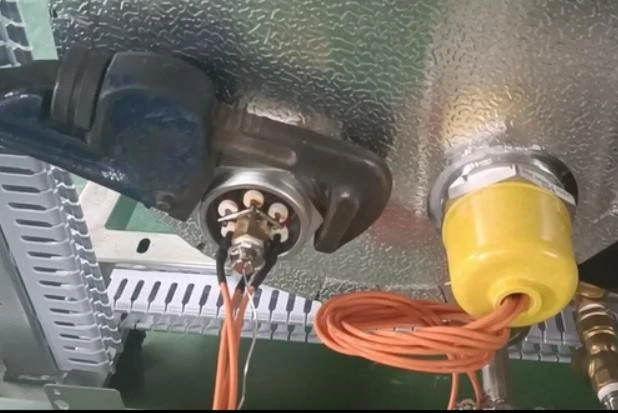
Figure 39
Step 3. Loosen the nut inside the chamber and take out the heating pipe
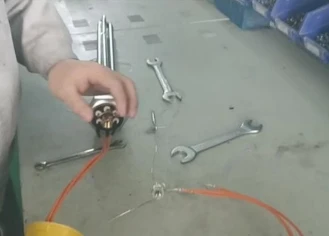
Figure 40
Step 4. Wrap the new heating tube with raw material tape and clamp the tem control switch probe at the end of the heating tube
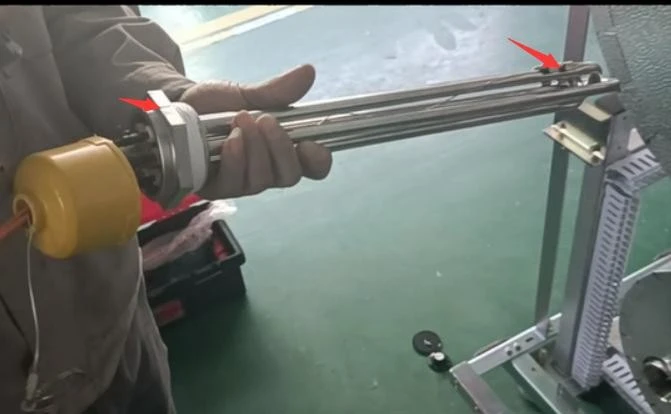
Figure 41
Step 5. Mark the probe height of the new heating tube temperature control switch upward
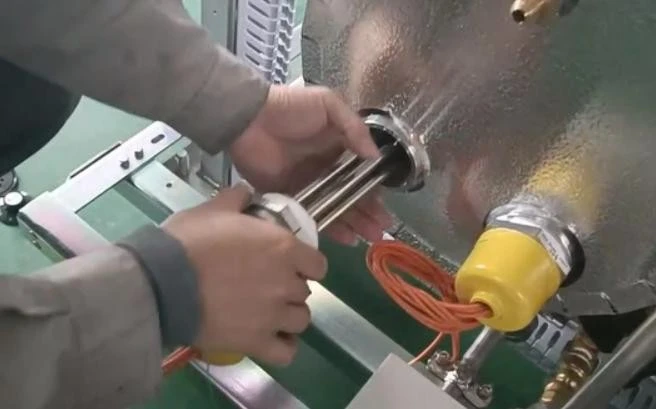
Figure 42
Step 6. Put in a new heating tube (the heating tube must be wrapped with raw material tape)
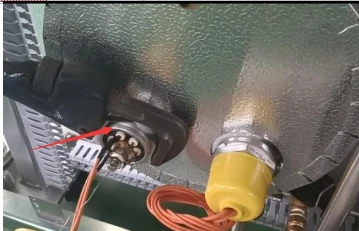
Figure 43
Step 7. Rotate and fix the new heating tube (the marked position is upward)
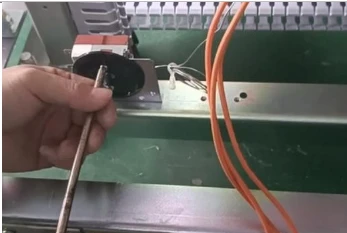
Figure 44
Step 8. Reinstall the temp control switch (Note that the scale of the temperature control switch chassis faces to the left and the temperature is adjusted to 250
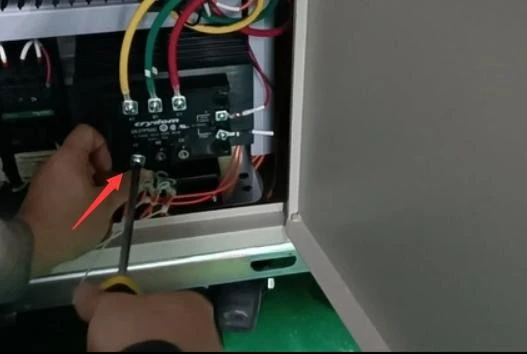
Figure 45
Step 9. Connect the heating pipe wire (note that the wire must be connected in the original way and cannot be connected incorrectly)
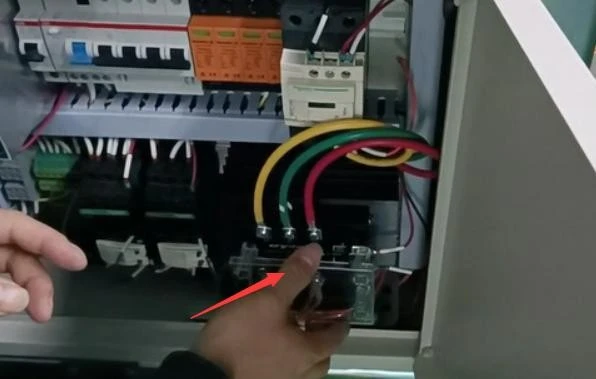
Figure 50
Step 10. Check that the wiring is normal, then run the test machine
6. PLC replacement
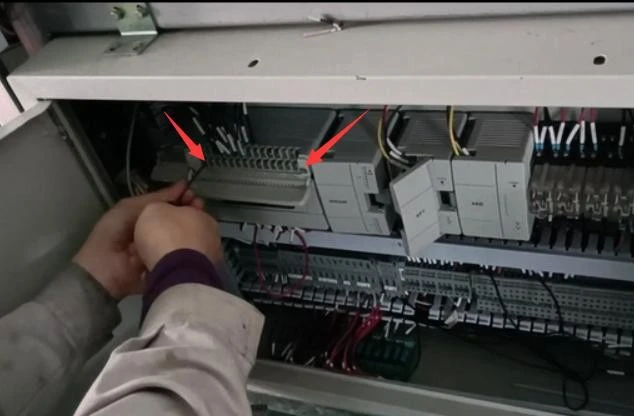
Figure 51
Step 1. Loosen the wiring block of PLC upper and lower ports
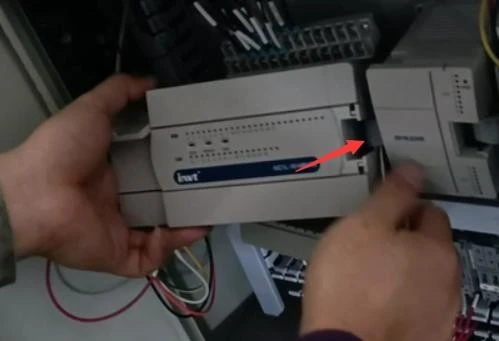
Figure 52
Step 2. Open the plug cover and unplug the plug cable between PLC and expansion module
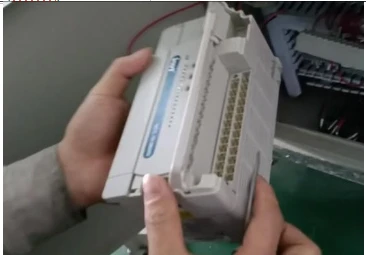
Figure 53
Step 3. Remove the PLC and unscrew the power supply terminal of the PLC;
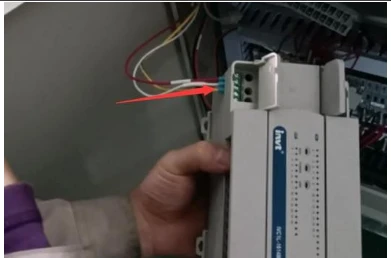
Figure 54
Step 4. Install the new PLC and power supply terminals according to the original connection method, and turn back the terminal block in turn;
7. List of Common Accessorie
Serial no. | Picture | Description |
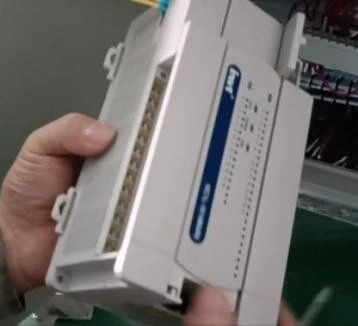
1 | PLC The original machine photo and software version number are required to order PLC accessories |
|
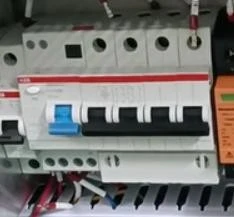
2 | circuit breaker |
|
3 | Pressure switch |
|
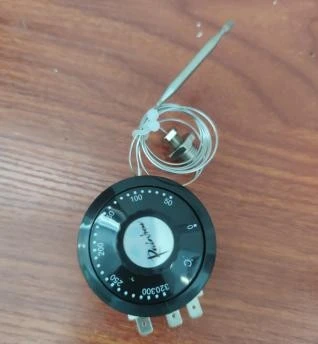
4 | temp control switch |
|
5 | Solid-state relay |
|
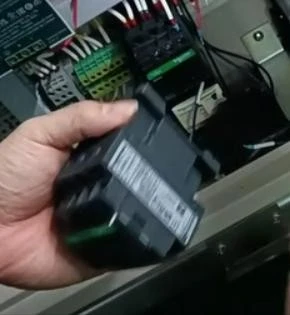
6 | KM1 contactor |
|
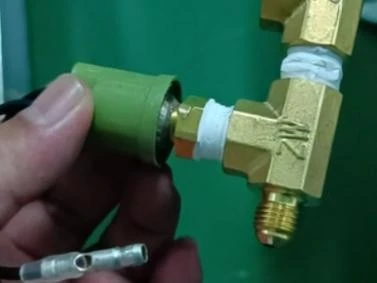
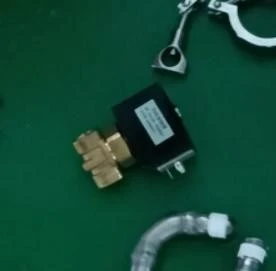
7 | Solenoid valve |
|
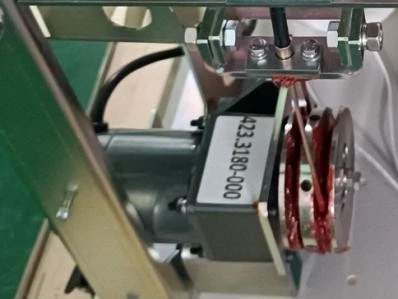
8 | Interlocking motor |
|
9 | seal ring |
|
10 | pressure gage |
|
11 | Safety valve |
|
12 | Heating pipe |
|