


Concentrator BFA1CE1 (BCON-109)
Sample Concentrator- Sea, Air, Door to Door Shipping
- 1 Year Warranty
- US & European Standards

Specifications
| Model | BFA1CE1 |
| Temp. Control Range | R.T. +5°C~150°C |
| Temp. Setting Range | 5°C~150°C |
| Temp. Stability@40~100°C | ±0.5°C |
| Temp. Stability@100~150°C | ±1°C |
| Block Temp. Uniformity@100°C | ±0.5°C |
| Block Temp. Uniformity@150°C | ±1°C |
| Temp. Display Accuracy | 0.1°C |
| Heating Speed | <30min (40°C to 150°C) |
| Time Range | 1min ~99h59min |
| Needle Plate Max. Lift Stroke | 285mm |
| Gas-in Joint Outer Diameter | Φ7mm |
| Nitrogen Pressure | <0.1MPa |
| Nitrogen Flow Rate | 0~10L/min |
| Needle Length | 150mm |
| Sample Capacity | 1 Standard Visible Block |
| Voltage | AC 220V / AC 110V, 50/60Hz |
| Power | 400W |
| Fuse | 250V, 3A/6A, Φ5x20 |
| Dimension (WxDxH) | W.220 x D.260 x H.525mm |
| Net Weight | 5.8kgs |
Description
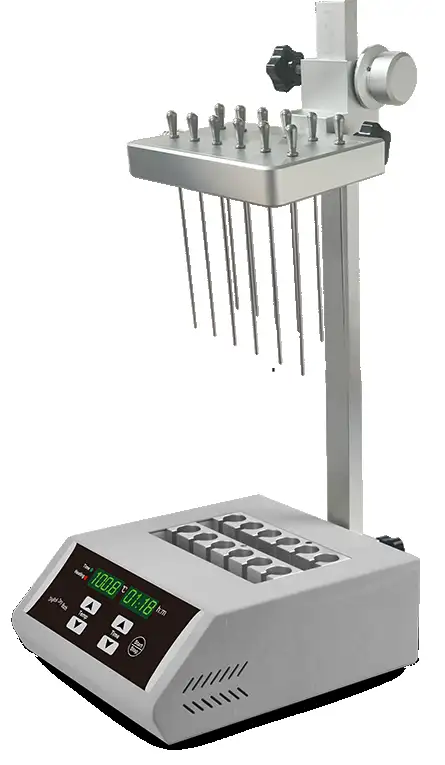
Sample Concentrator (visible) is mainly used for concentrating or preparing sample in batch. Such as drug screening, hormone analysis, liquid phase and mass spectrometry in the analysis of sample preparation. It works by blowing nitrogen, in the surface of sample which is being heated to accelerate evaporating and separating the solvent in the samples without oxygen.Features
Synchronously working with heating by dry bath in the bottom and nitrogen blowing on the surface accelerates liquid evaporationand sample concentration.
The length of a standard gas needle is 150mm.
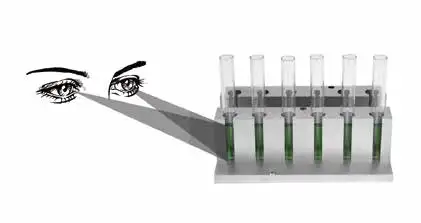
The height of the air chamber plate can be adjusted. The unique characteristics: Sample surface in the tube can be observed while concentrating.
Gas needle is controlled independently. Separately blow of each needle and flow regulating of each needle are available to avoid gas waste.
The entire equipment can be put into ventilation cabinet when the concentration sample in toxic solvents.
Built in overheat protection, automatic fault detection and fault beep alarm devices.
LED displays immediate temperature and diminishing time. Operation is simple and convenient.
Accessories For Purchase
| Images | Spec | Dia. of hole | Name | Block dimension |
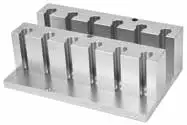 | 10 mm x 12 | 10.5 mm | Round bottom | 153.5 x 95.5 x 50 mm |
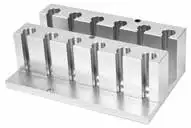 | 12 mm x 12 | 12.5 mm | Round bottom | 153.5 x 95.5 x 50 mm |
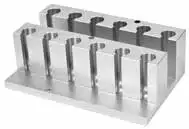 | 13 mm x 12 | 13.5 mm | Round bottom | 153.5 x 95.5 x 50 mm |
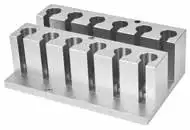 | 15 mm x 12(7ml tube) | 15.5 mm | Round bottom | 153.5 x 95.5 x 50 mm |
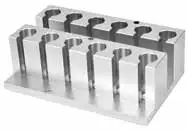 | 16 mm x 12(10ml/15ml tube) | 16.5 mm | Round bottom | 153.5 x 95.5 x 50 mm |
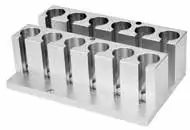 | 19 mm x 12 | 19.5 mm | Round bottom | 153.5 x 95.5 x 50 mm |
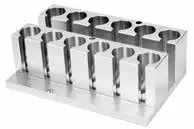 | 20 mm x 12 | 20.5 mm | Round bottom | 153.5 x 95.5 x 50 mm |
Operating Manual
Download1. Introduction
2. Specifications
2.1 The normal working condition.
2.2 Basic Parameters and Performance.
3. Preparations
3.1 Structure Description
3.2 Instrument Installation
3.3 Operation panel
4. Operation Guide
4.1 Temperature and time set
4.2 Operation and stop:
4.3 Temperature error adjustment
4.4 The exchange of the block
5. Error Analysis and Recovery Processing
6. Wiring Diagram
1. Introduction
Sample Concentrator (visible) is mainly used for concentrating or preparing sample in batch. Such as drug screening, hormone analysis, liquid phase and mass spectrometry in the analysis of sample preparation. It works by blowing nitrogen, in the surface of sample which is being heated to accelerate evaporating and separating the solvent in the samples without oxygen.
Feathers:
1. The heater causes the sample to be rapidly heated to the evaporation temperature, and at the same time, the gas is blown to the surface of the solution through the gas needle, which promotes the rapid evaporation of the solution and the concentration of the sample.
2. The height of the air chamber assembly is adjustable, and the standard air needle length is 150mm.
3. When the sample is concentrated, the liquid level position of the concentrated sample can be observed at any time.
4. Gas needle is controlled independently. Separately blow of each needle and flow regulating of each needle are available to avoid gas waste.
5. The entire equipment can be put into ventilation cabinet when the concentration sample in toxic solvents.
6. Built in overheat protection, automatic fault detection and fault beep alarm devices.
7. LED display immediate temperature and diminishing time. Operation is simple and convenient.
2. Specifications
2.1 The normal working condition.
The room temperature: 4C 45C
The relative humidity: ≤70%
The using power: AC220V / AC110V ~ 50-60Hz
2.2 Basic Parameters and Performance.
Model Parameters | BFA1CE1 |
Temperature Range | R.T.+5°C ~ 150°C |
Temp. Setting Range | 5°C ~ 150°C |
Temperature Accuracy (40~100°C) | ±0.5°C |
Temperature Accuracy (100~150°C) | ±1°C |
Temperature Uniformity (100°C) | ±0.5°C |
Blocks Quantity | 1 Standard Visible block |
Time Range | 1min~99h59min |
Needle Plate Max. Lift Stroke | 285mm |
Gas-in Joint Outer Diameter | Φ7mm |
Nitrogen Pressure | ≤0.1MPa |
Nitrogen Flow Rate | 0~10L/min |
Needle Length | 150mm |
Power | 400W |
Dimensions (mm) | 260 x 220 x 525 |
Weight(kg) | 5.8kgs |
Table 1
3. Preparations
This chapter introduces the instrument's mechanical structure, keyboard and each key's function and some preparations before power on. You should be familiar with this chapter before the instrument is first operated.
3.1 Structure Description
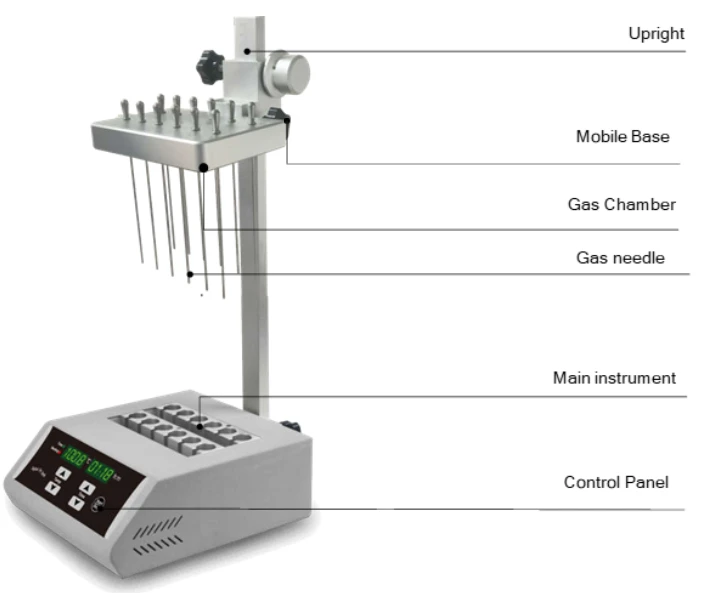
Figure 1
3.2 Instrument Installation
3.2.1 Assembly
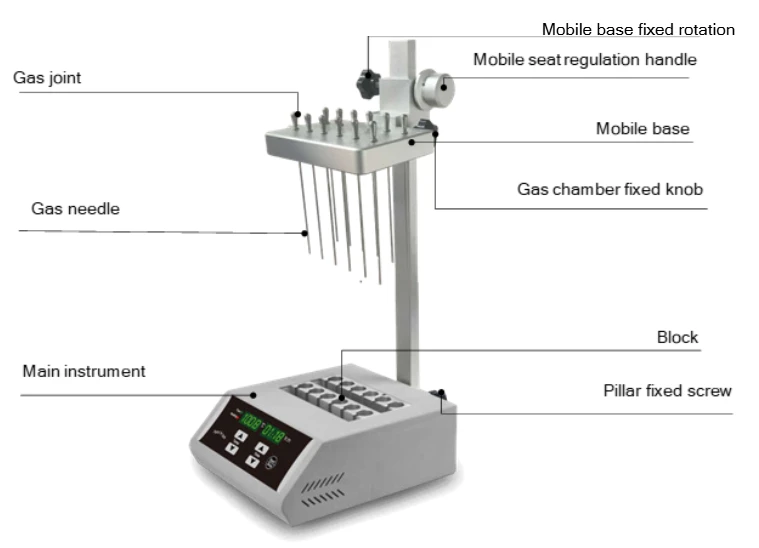
Figure 2
Installation steps:
1) Put the dry bath on the bench smoothly and solidly
2) Fully insert the column into a square hole of the column holder behind the host, then screw knob into the column mounts, and finally tighten the knob to secure the uprights
3) Screw fixed knob of the mobile seat into the threaded hole on the left side of the mobile seat, then hold knob of mobile seat and counterclockwise rotate the hand wheel adjustment. When reach the desired position, we can tighten the knob to fix mobile seat. Clockwise rotating the hand wheel adjustment, the mobile seat will decline (as shown in the picture).
Note: When move the seat, two hands must be used in conjunction with operating mobile seat fixed knob and hand wheel adjustment
4) Screw fixed knob of the gas chamber into the threaded hole on the left side of the movable block, then insert column of gas chamber into the corresponding hole of the front movable block. Fully inserted column of gas chamber, then tighten fixed knob. (as shown in the picture)
3.2.2 Gas Control Valve (optional purchasing auxiliary) 
Structure
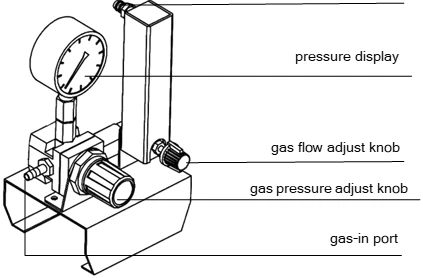
Figure 3
Pull out the gas pressure adjust knob, clockwise rotate the knob to increase pressure, anticlockwise rotate the knob to decrease pressure. Push back the knob to lock pressure.
Clockwise rotate the gas flow adjust knob to increase flow rate, anticlockwise rotate the knob to decrease flow rate till shut off it.
3.2.3 Installation of nitrogen flow rate adjusting valve
The composition of nitrogen flow rate adjusting valve.
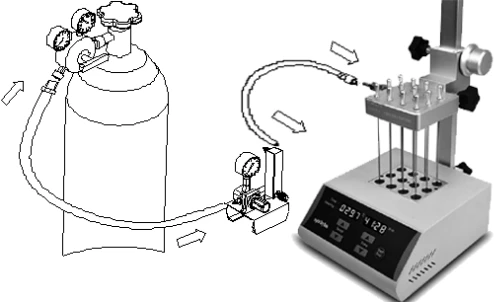
Figure 4
As the above picture, connect the outlet of the nitrogen flow regulator valve with outlet port of the host with a short hose (about 1.5m). See page 8 the no. 6, Connect the inlet of nitrogen flow regulator valve with outlet port of the host with a long hose (about 3m)
Note: Slowly open the valve of the nitrogen bottle to control the outlet pressure between 0.1MPa to 0.2MPa, and then open the valve adjusting knob to keep pressure value at 0.02MPa. According to the number of holes, we can adjust the pressure appropriately (usually between 0.02MPa and 0.05MPa optional).
3.3 Operation panel
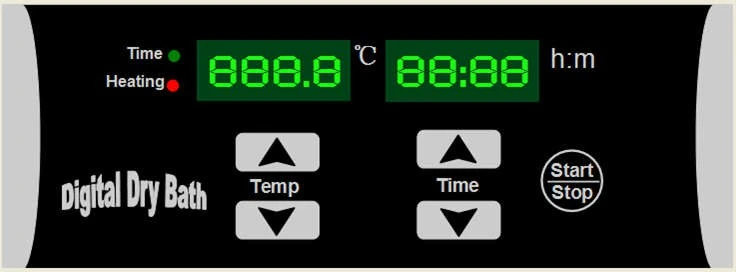
Figure 5
3.3.1 Button instruction
 Decreasing button: decrease the figure set;
 Increasing button: increase the figure set;
START/STOP : Run/stop button: Run when you press the button once after setting the temperature and the time. Stop when you press this button for 2s.
4. Operation Guide
4.1 Temperature and time set
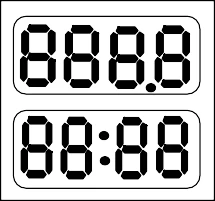
a). The LED will display "  " as the chart when the Instrument
powers on and the Instrument goes into the initial state with the sound of "du…".
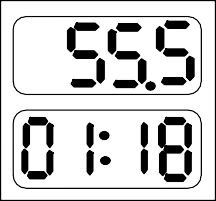
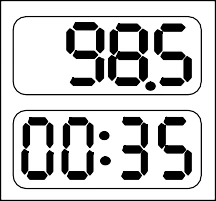
b). About 2s later, the figure 28.5 is the block's current temperature; 00:35 in the time display is the last set time.
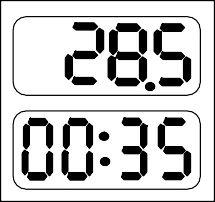
Press  or
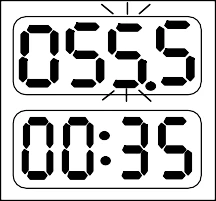
or  of the "Temp" key and keep off at once. Now, the value in the temperature display is the former setting temperature. As shown in the left drawing, the last digital of the setting temperature is flickering. If you want to set the temperature to 55.5°C, do as follows:
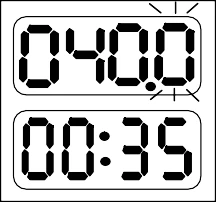
Keep pressing , when it reach 55.5°C, stop Pressing, it will auto save as 55.5°C
Keep pressing the above keys for 2 seconds. We can modify the value fleetly. It is very convenient.
c). Press or of the "Time" key and keep off at once, the value in the time display is the former setting time. Shown in the left drawing is 00:35 (35minutes). At same time, the last digital is flickering.
If you want to change the time to 01:20, do as follows:
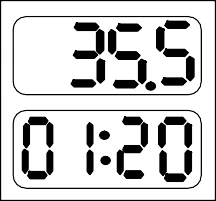
Keep pressing , when it reach 01:20, stop Pressing, it will auto save as 01:20.
Notes: If the time setting is 00:00, meaning the time of operation is forever, the Instrument run constantly in setting temperature.
4.2 Operation and stop:
a) After accomplishment of the temperature and time setting, press the button of START/STOP and keep off at once, the Instrument begins operating. The temperature rises with the sound of the "du...".
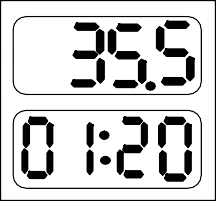
Meanwhile, there is current temperature in the temperature display, and the radix point is flickering regularly during the rise process.
When the temperature stops to rise, the flickering also stops. " : " in the time display begins flickering, then the counting down starts.
When the timing is stopped, the operation is also stopped. The buzzer alarms. Current temperature in the temperature display and "  " in time display mean "over", the accomplishment of the operation.
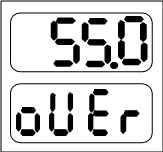
b). After accomplishment of the operation, the instrument is in standby mode waiting for new declaration. Then pressing the keys near "Temp" or "Time" can reset the temperature or the time. Pressing START/STOP, it will operate according to last setting.
c). Press START/STOP for 2s during the operation, it will stop running. Press this button again, operation will continue.
4.3 Temperature error adjustment
The temperature of the Instrument has been adjusted before it is sold out. In case there is deviation between the actual temperature and the displayed temperature, you can do as follow for temperature calibration.
NOTICE:
1) The instrument has 2 calibration temperature points to ensure the veracity.
It is linearly adjusted on 40C and 100C. The temperature accuracy will be within ±0.5C after temperature calibration.
2) Both the environmental and the block temperature should be lower than 35C when calibration.
Adjustment Methods:
a) Power on the instrument, it enters into waiting interface. Make sure the current temperature in display is below 35C. If the temperature is higher than 35C, please wait until it down below 35C.
b) Inject olefin oil into one of block well, and then put a thermometer into this well (the precision of the thermometer should be 0.1C and the temperature ball should be absolutely immerged into the olefin oil in the block well). Adiabatic material is needed on the block to separate it from the circumstance. (refer to below Figure 6)
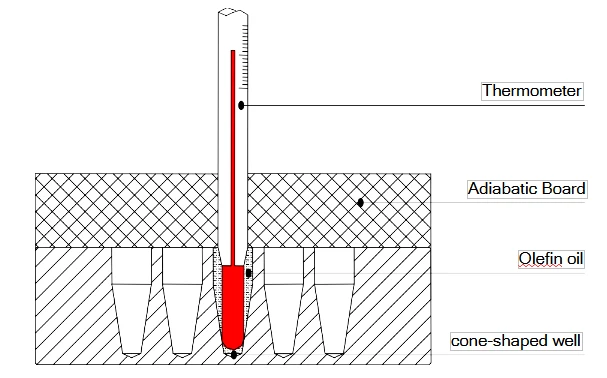
Figure 6
NOTICE: To ensure the calibration precision, read the actual temperature value after the temperature reaches calibration points for at least 20 minutes.
c). Press and simultaneously to enter the temperature calibration interface as the right chart. LED display " 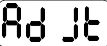 " in the time display, the temperature display the current temperature and the program auto control the temperature to 40C.
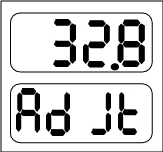
When the temperature reaches 40C, the decimal digit begins to flicker. Wait for at least 20 minutes, after 20 minutes of constant temperature, read the measured temperature of the thermometer.
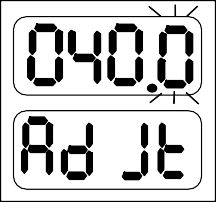
Notice! In order to ensure the temperature calibration accuracy, it is recommended that users read the temperature after 20 minutes of constant temperature
Measured temperature!
If the thermometer reads 39.6 °C, the actual temperature of thermometer is 39.6C, press or of temperature to amend the temperature value to 39.6, Press "Start/Stop" to confirm.
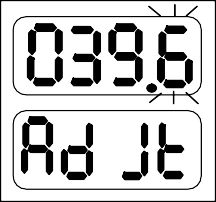
d). Then the instrument automatically heats up to 100°C, and waits for the temperature calibration value to be input after a constant temperature of 100°C. It is also required to read the measured temperature of the thermometer after 20 minutes of constant temperature.
Notice! In order to ensure the temperature calibration accuracy, it is recommended that users read the temperature after 20 minutes of constant temperature
Measured temperature!
If the actual temperature of thermometer is 101.5C, press or of temperature to amend the temperature value to 101.5, Press "Start/Stop" to confirm.
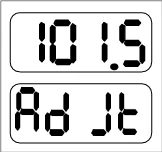
After temperature have been adjusted, press and simultaneously to exit the temperature calibration and return to waiting interface.
Notice:
After temperature calibration, the temperature display is the same as the practical temperature of block.
Press and simultaneously during the calibration to exit the adjustment procedure, the calibration is invalid.
4.4 The exchange of the block
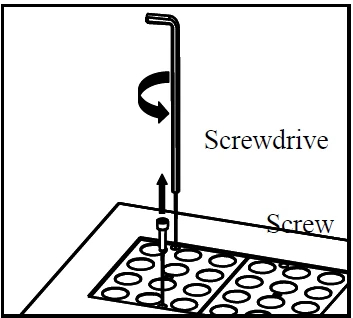
a) Pull out the two screws which fix the block to the heating board with the screwdriver.
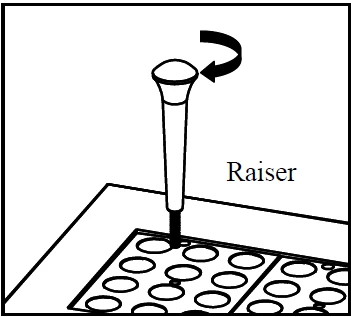
b) Fix the raiser in the center well of the block.
c) Pull out the raiser with the block.
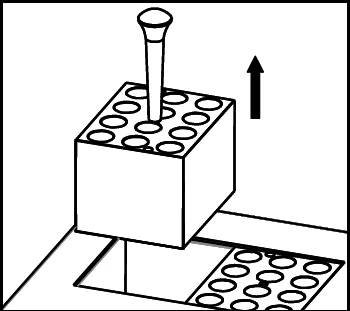
d) Screw the raiser out from the block, then fix the raiser to another block needed. Put the block in the instrument and fix it with screws.
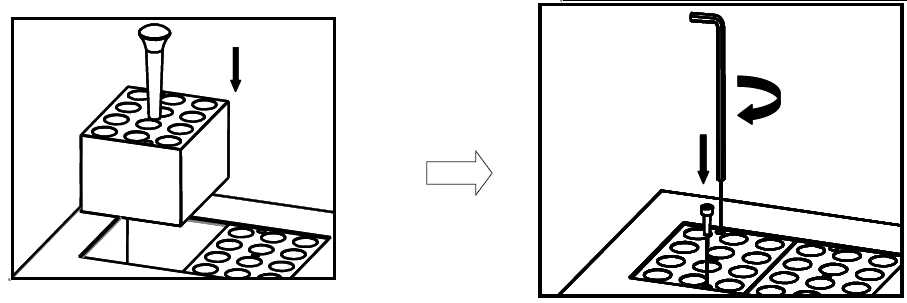
Notice: It is a little complicated to exchange the block, please be a bit patient.
5. Error Analysis and Recovery Processing
NO. | Fault phenomenon | Cause analysis | Recovery processing |
1 | No signals on the display when the instruction is powered on. | No power | Check the connection of power |
Broken fuse | Exchange fuse(250V 4A Φ5x20) | ||
Broken switch | Exchange the switch | ||
Others | Contact to the seller | ||
2 | The actual and displayed temperatures are quite different. | Broken sensor or loose contact of the block | Contact to the seller |
3 | " ERR " in the display with the alarm of "du..." | Broken sensor or the environmental temperature is below zero. | Contact to the seller |
4 | no heating of the block | Broken sensor. | Contact to the seller |
Solid state relay damage | |||
Broken heater | |||
5 | Key doesn't work | Key broken | Contact to the seller |
Table 2
6. Wiring Diagram
(Below diagram is just for reference. It is subject to change without prior notice.)
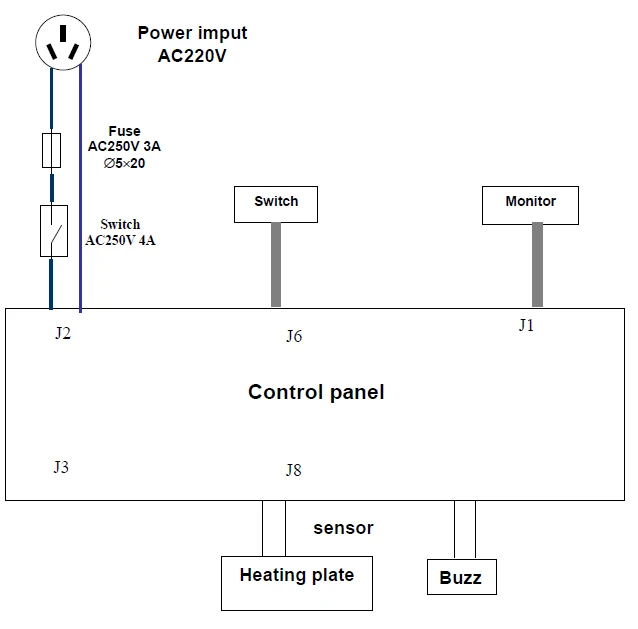
Figure 7