
Get Price
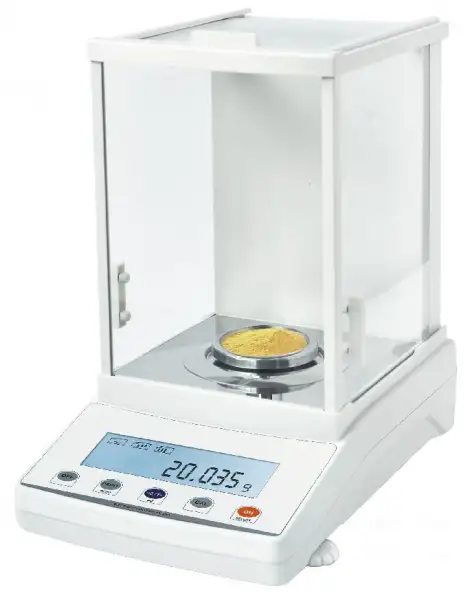
Precision Balance BFT-1604
- Electromagnetic force sensor (JA-N Internal calibration)
- Aluminum shell / Large space wind proof cover
- LCD (White back light with black font)
- Tare function / Counting / Unit conversion (g/mg/ct/oz...)
- Sensitivity / Speed set / Percentage
- Overload alarm / Fault alarm / Level indicator
- Option: Under weighing / Printer
- Up to 3-Year Product Warranty
- US & EU Compliance Standards
- Door-to-Door Shipping
Technical Specifications
Detailed operating and construction parameters for this model.
| Model | BFT-1604 |
| Capacity | 600g |
| Readability | 0.001g |
| Min Weighing | 0.004g |
| Repeatability | ±0.002g |
| Linearity | ±0.003g |
| Stable Time | ≤3s |
| Pan Size | Φ80mm |
| Appearance Size | 365*210*355mm |
| Draft Shield Size | 175*165*230mm (Inner diameter) |
| Communication | RS232 (Standard) USB (Optional) |
| Temperature | 15-35°C |
| Calibration | Calibration |
| Cal. Weight | 200g |
| Option | Printer/Under weighing |
| Packing Size | Inside:440*295*430mm Outside:490*335*485mm |
| Gross Weight | 10kg |
Product Features
Key design, performance, usability, and safety advantages.
Accessories For Purchase View compatible optional accessories and additional items available separately.
| Images | Name | Description | Information |
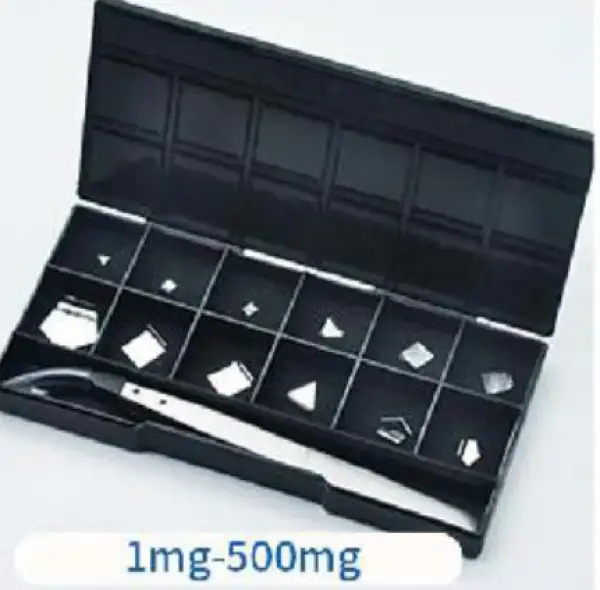 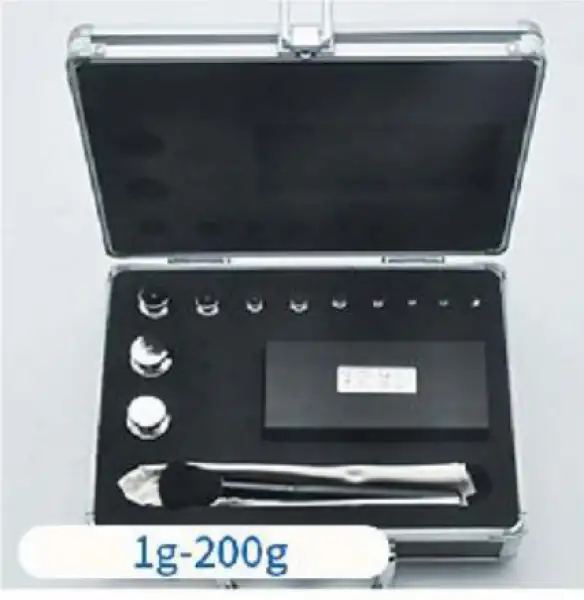 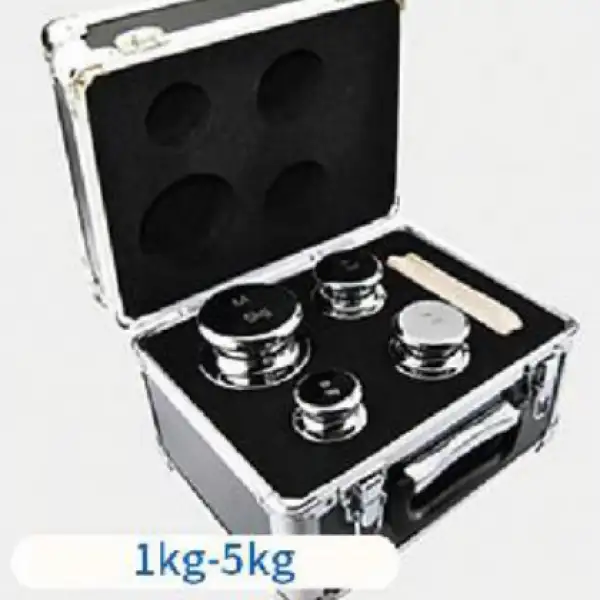 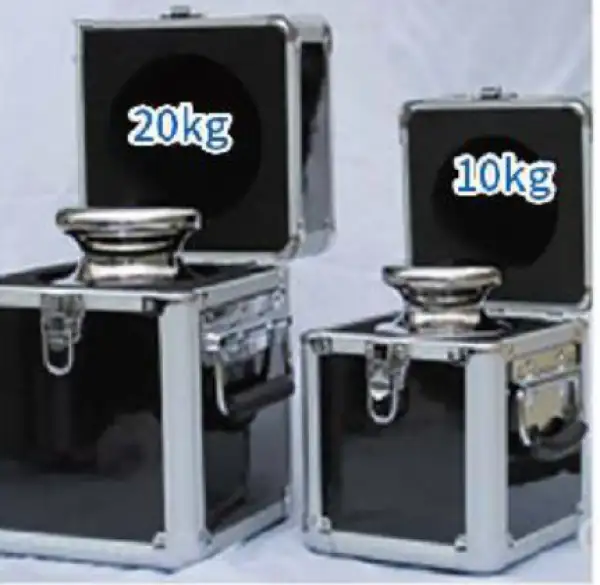 | Weight set | Recommend corresponding accuracy calibration (1mg-20kg) | M1 levelSuitable for 0.1g-0.01g F2 levelSuitable for 0.01g-0.001g F1 levelSuitable for 0.001g-0.0001g E2 levelSuitable for over 0.0001g |
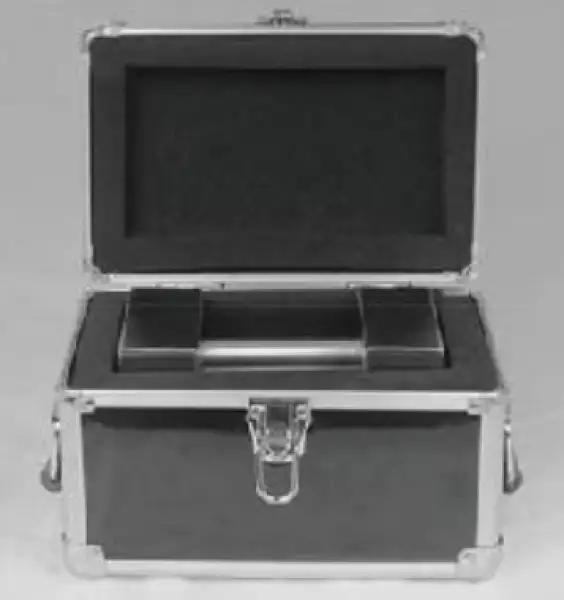 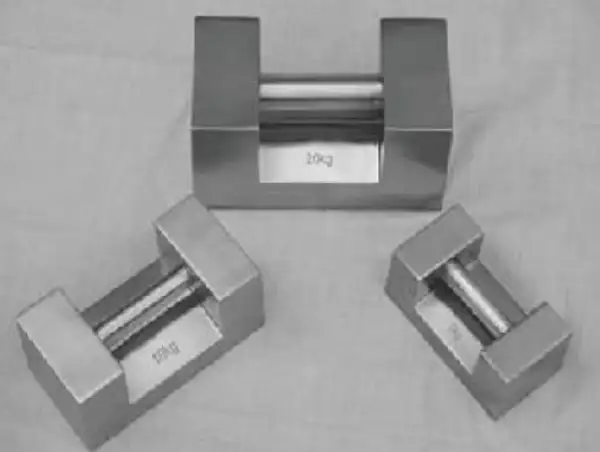 | Weight set | Lock type series weights (5kg-20kg) | M1 levelSuitable for 0.1g-0.01g F2 levelSuitable for 0.01g-0.001g F1 levelSuitable for 0.001g-0.0001g |
Operating Manual View instructions, operating procedures, safety information, and maintenance guidance.
1. Know your balance
2. Specification
3. Features
4. Unpacking the balance
5. Calibration of the balance
6. Locating the balance
7. Setting Up The Balance
7.1 Assembling the balance
7.2 Levelling the balance
8. Operation Settings
8.1 Sensitivity Setting
8.2 Speed Setting
8.3 Weighing Unit Setting
8.4 Counting Function
9. Fault Judgement
10. Data Output
1. Know your balance
Thank you for selecting the Precision Balance.
This Instruction Manual will guide you of the installation, accessories, trouble-shooting, after sales service information, general maintenance of the balance, etc. it will also guide you through the various applications.
Please read this Manual thoroughly before starting the operations. If you need any clarifications, feel free to contact us.
The balances are ideal for laboratory and general purpose weighing. The balances can also be used for some advanced weighing functions.
2. Specification
Model | Range | Division | Repeatability | Linearity | Pan Size |
BFT-1606 | 1200g | 1mg | 3mg | 3mg | Ø 100mm |
BFT-1605 | 1000g | 1mg | 3mg | 3mg | Ø 100mm |
BFT-1604 | 600g | 1mg | 3mg | 3mg | Ø 80mm |
BBAL-104 | 500g | 1mg | 3mg | 3mg | Ø 80mm |
BBAL-103 | 300g | 1mg | 3mg | 3mg | Ø 80mm |
BFT-1601 | 200g | 1mg | 3mg | 3mg | Ø 80mm |
Table 1
Model | BFT-1601 | BBAL-103 | BBAL-104 | BFT-1604 | BFT-1605 |
Range | 200g | 300g | 500g | 600g | 1000g |
Division | 1mg | ||||
Repeatability | 3mg | ||||
Linearity | 3mg | ||||
Resp. Time | ≤ 4 Sec. | ||||
Pan Size | Ø80mm/100mm | ||||
Tare Range | Full | ||||
Interface | RS-232 bi-directional | ||||
Overall Dimensions | 340 x 215 x 350mm | ||||
Operating temperature | +10°C to 40°C | ||||
Power Supply | External Power Adapter as standard (Input Voltage220 V) | ||||
Net Weight | 7.5 kg | ||||
Table 2
3. Features
Stainless Steel Pan
Super bright LCD display with backlight
RS232 Interface
Mains adapter supplied as standard
Windshield supplied as standard
Height adjustable feet
Auto Calibration
Selectable measure units:mg, g, oz, ct
Memory for accumulated time
Weighing function
Net weight / tare
Below balance weighing Piece counting
4. Unpacking the balance
Remove the balance from the packing by carefully lifting it out of the box. Inside the box you will find everything needed to start using the balance.
5. Calibration of the balance
The balance need calibration when it not accurate, the step as:
Keep the balance in the stable environment and stable table, Warm up the balance more than 1hours.
Press the"CAL" key, and it will show and shine: CAL-XXX.XXXX, put on the same value weight. Then the value will keep stable.
Then there show the value of the weight, then move away weight.
Calibration finish.
6. Locating the balance
The balance should not be placed in a location that will reduce the accuracy.
Avoid extremes of temperature. Do not place it in direct sunlight or near air conditioning vents.
Avoid unsuitable tables. The table or floor must be rigid and not vibrate.
Avoid unstable power sources. Do not use near large users of electricity such as welding equipment or large motors.
Do not place near vibrating machinery.
Avoid high humidity that might cause condensation. Avoid direct contact with water. Do not spray or immerse the balances in water.
Avoid air movement such as from fans or opening doors. Do not place near open windows or air-conditioning vents.
Keep the balance clean. Do not stack material on the balances when they are not in use.
7. Setting Up The Balance
7.1 Assembling the balance
Locate balance on solid surface, free from vibration
Open the sliding door and gently place the stainless steel top.
Level balance using the adjustable feet and the bubble level
Connect the power to the balance
For best performance, let the balance warm up for 30-60 min. and calibrate before using
7.2 Levelling the balance
After placing the balance in a suitable place, level it by using the bubble level. To level the balance turn the two adjustable feet at the rear of the balance until the bubble in the bubble level is centred.
8. Operation Settings
8.1 Sensitivity Setting
Keep pressing ON, when"Stab"is shown in the display,. Then operation as blow:
 Poorest Sensitivity
 Poor Sensitivity
 Normal Sensitivity
 High Sensitivity
press →0/T← to save setting
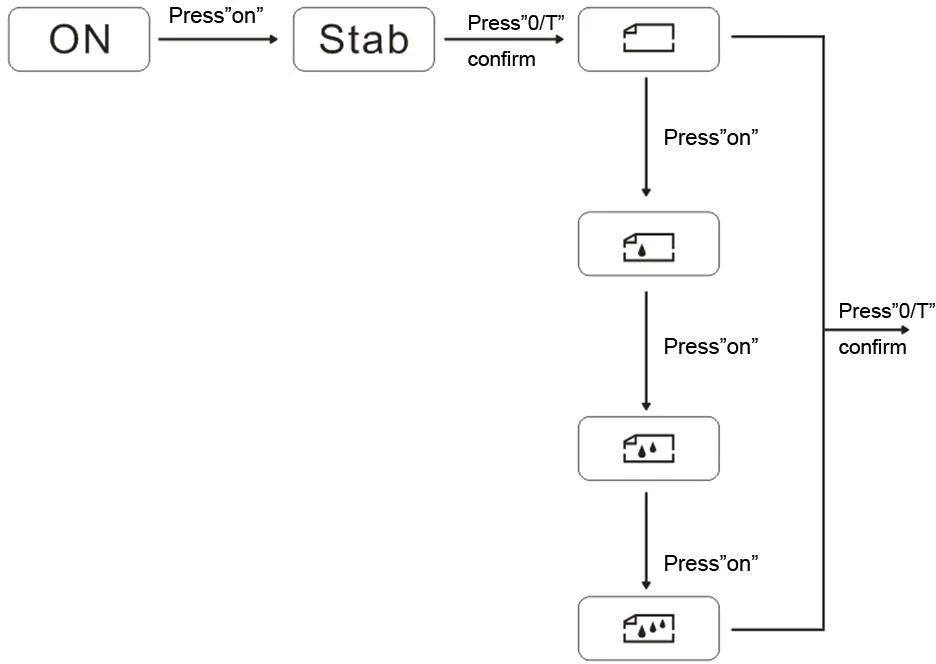
Figure 1
8.2 Speed Setting
Keep pressing ON, when "speed"will show in the display,
Highest Speed
 High Speed
 Normal Speed
 Low Speed
press →0/T← to save setting
8.3 Weighing Unit Setting
Keep pressing ON, when Unit is shown ,Then operation as blow:
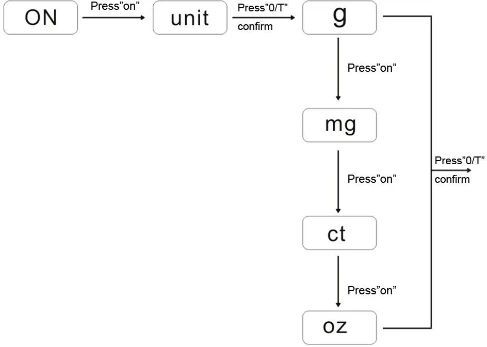
Figure 2
8.4 Counting Function
There are counting functions in the balance, and you can use this to count the quantity. And please keep the products the same weight, and the minimum weight must be ≥0.5mg.
The details operation as blow:
1. Press "ON"key , enter the menuthen press "ON"key,until it show" COU";
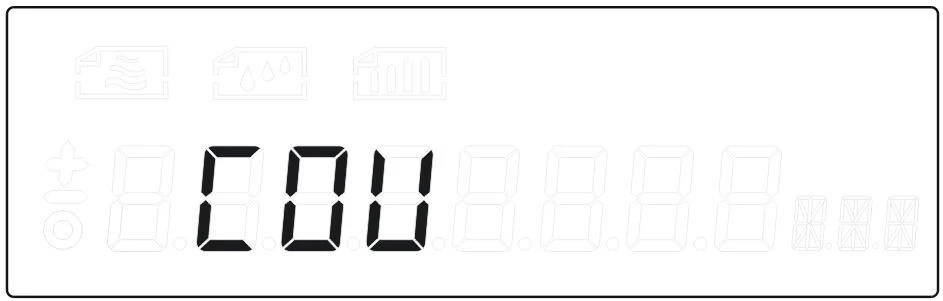
Figure 3
2. Press"0/T"to enter the counting function,it show" COU 5pcs";
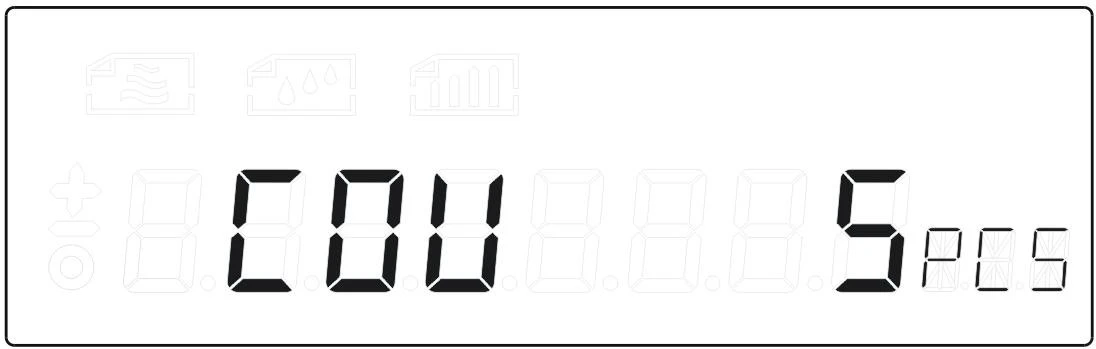
Figure 4
3. Press"ON"choose the quantity for sample,and put on the same weight,press"0/T"enter:
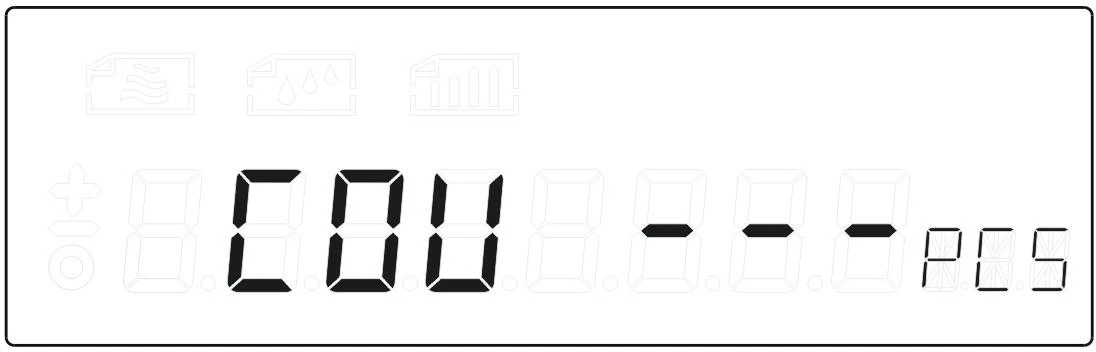
Figure 5
4. It will show the number after COU,then you can begin the counting
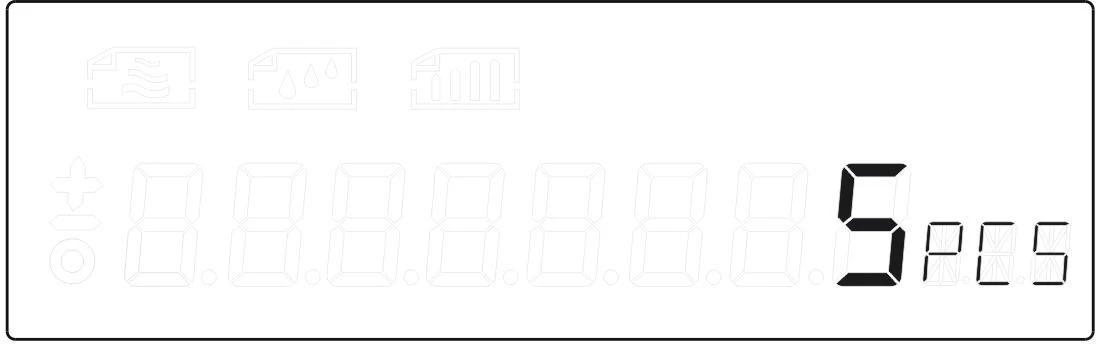
Figure 6
5. After the counting press"ON"and choose"weight,press"0/T"back to the weighing .
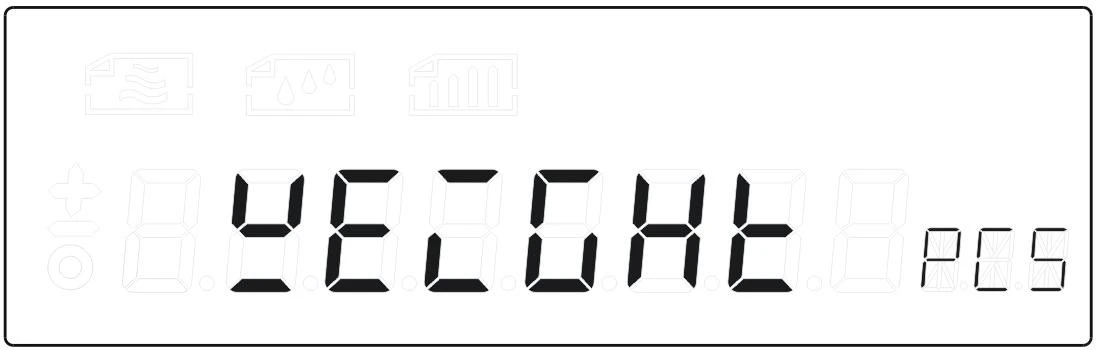
Figure 7
9. Fault Judgement
If you come across any problem, you can check it by yourself and find the reasons.
FAULT | RESON | EXCLUDE |
No display | Not connected to the power supply; Fuse is broken; Power transformer damage; | Plug in the power line; Replace the fuse; Replacement of power transformer; Contact factory |
Weighing unstable | Bad working conditions; The wind screen is open; Something between the table and balance; The power unstable; Weighing unstable; | Keep the environment stable, close the windows and doors; Close the glass door; Take away the things; Connect the stable power; |
The weighing digits is wrong | The balance is not calibration. Not tear before weighing. No adjust the level. | Calibration. Tare before weighing. Adjust the level feet. |
Table 3
10. Data Output
1 | Model or a decimal point |
2 | A space or a decimal point |
3 | A space or * |
4 | + or - or a decimal point |
5 | data |
6 | Data or a decimal point |
7 | Data or a decimal point |
8 | Data or a decimal point |
9 | Data or a decimal point |
10 | Data or a decimal point |
11 | Data or a decimal point |
12 | Data |
13 | Unit 1 |
14 | Unit 2 |
15 | Unit 3 |
16 | Enter |
17 | Wrap |
Table 4