
Get Price
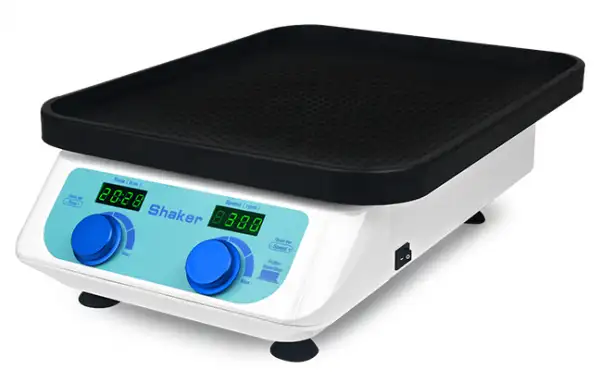
Orbital Shaker BSOT-206
Decolorization shaker is widely used in coomassie blue dyeing and decolorization shaking, electrophoresis gel fixing, silver nitrate dyeing fixing, dyeing, development and so on.
- Compact appearance, space saving, powerful function and strong compatibility.
- Suction cup type machine feet, super shockproof, high speed and smooth, no noise.
- Large platform design, placing more samples, strong load capacity.
- Three models are available, the configuration performance is from low to high, to meet more choices.
- Up to 3-Year Product Warranty
- US & EU Compliance Standards
- Door-to-Door Shipping
Technical Specifications
Detailed operating and construction parameters for this model.
| Model | BSOT-206 |
| Speed Range | 50~300rpm |
| Time Range | 1min~99h59min |
| Digital Display | Time/speed display |
| Radius of gyration | 10mm |
| Max Load Capacity | 3Kgs |
| Motor Parameters | DC external rotor motor |
| Platform Size | 330x430mm |
| Beep Alarm | Yes |
| Voltage | AC110/220V,50/60Hz |
| Power | 30W |
| Fuse | 250V,1A,φ5x20 |
| Dimension | W.330xD.490xH.145mm |
| Net Weight | 9.8kgs |
Product Features
Key design, performance, usability, and safety advantages.
Accessories For Purchase View compatible optional accessories and additional items available separately.
| Images | Name | Description |
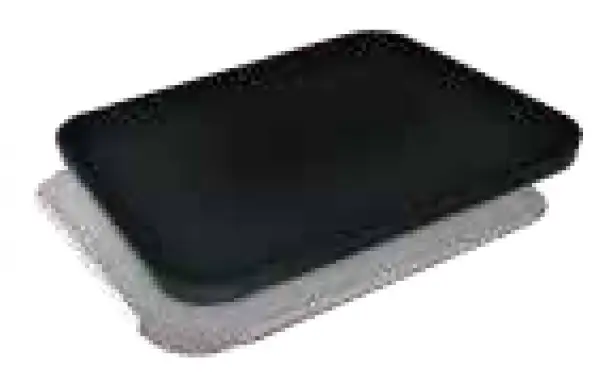 | Platform TS-A | Stainless steel platform and rubber mat combination |
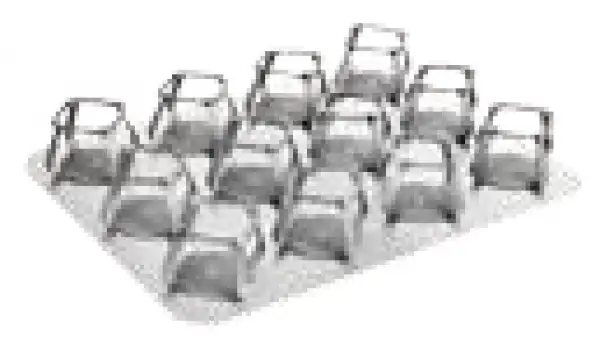 | Conical Flask Stand TS-B | 250ml can put 12pcs |
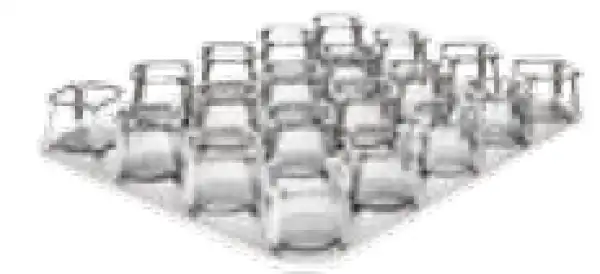 | Conical Flask Stand TS-C | 100ml can put 20pcs |
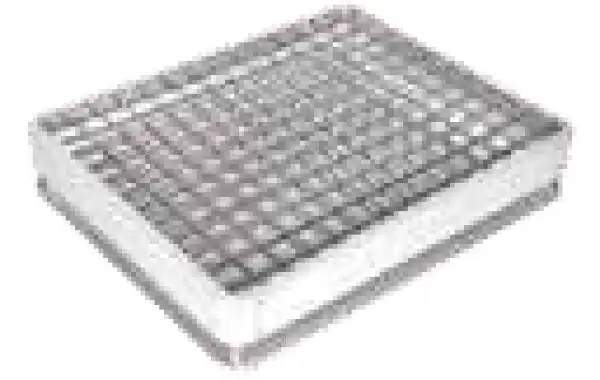 | Universal Platform TS-D |
Operating Manual View instructions, operating procedures, safety information, and maintenance guidance.
1. Safety Warnings and Guidelines
1.1 Important operation information of the security
2. Security
3. Instruments Maintenance
4. After Service
5. Introduction
6. Features
7. Specifications
7.1. The Normal Operation Condition
7.2. The Basic Parameters and Specifications
8. Preparation
8.1 Structure Description
8.2 Keyboard and Display Panel
8.3 Key Function
8.4 Power Connection
8.5 Platform Installation
8.6 Platform installation steps
9. Operation Guide
9.1 Speed and time settings
9.2 Start/Stop
10. Failure Analysis and Trouble Shooting
11. Wiring Diagram of Decolorization shaker
1. Safety Warnings and Guidelines
1.1 Important operation information of the security
Users should have an entire conception of how to use the instrument properly before operating it. Please read this operation manual carefully before using the instrument.
 It is forbidden operating before read the operation manual. Read the guidelines and directions below and carry out the countermeasure according to them.
2. Security
The operation, maintenance and repair of the Instrument should comply with the basic guidelines and the remarked warning below. Otherwise, it will affect the scheduled using life of the Instrument and the protection provided.
This product is a normal and an indoor Instrument which conforms to Standard B style- I type- GB9706.1.
Before operation, read the manual carefully. These units are designed for using in the laboratory environments by who're knowledgeable in safe laboratory practices.
The operator should not open or repair the instrument by himself. Otherwise, the instrument will lose the qualification of repair guarantee or cause accidents. The company will repair the instrument based on warranty description.
Before connecting the power supply, make sure that the voltage of the power supply is consistent with the voltage required by the instrument.And ensure that the rated load of the power socket is not less than the requirements of the instrument. If the power cord is damaged, it must be replaced.Replace with a power cord of the same type and specification.Do not press anything on the power cord when this instrument is in use.Do not place the power cord where people are walking.
Be sure to hold the plug when pulling out the power cord. Make sure that the plug is fully plugged into the socket and do not pull the power cord when pulling out the plug.
The instrument should be put in the place where of low humidity, little dust, no water, no sunshine or hard light, and of good aeration, no corrosively gas or strong disturbing magnetic field, and far away from central heating, camp stove and other hot resource. Do not put the instrument in wet and dusty place. The vent on the instrument is designed for aeration. Do not wall up or
Power off when operation finished. If do not use the instrument for a long period, pull off the connector plug, cover a piece of cloth on the instrument to prevent from dust.
Pull the connector plug from the jack at once in the following case, and contact the vendor.
• There is some liquid flowing into the instrument;
• Drenched or fire burned;
• Abnormal operation: such as abnormal sound or smell;
• Instrument dropping or outer shell damaged;
• The function has obviously changed.
3. Instruments Maintenance
The instrument and the accessories should be cleaned by cloth drenched with alcohol.
If the surface of the instrument is smudged, it can be cleaned with a soft cloth dampened with a cleaning paste.
4. After Service
1. Warranty Description
Within one month of delivery, the company is responsible of exchange for breakdown caused by material or manufacture. Within 12 months of delivery, the company is responsible of free repair for breakdown caused by material or manufacture. Proven with defect under warranty, the company will exchange the instrument or free repair it alternatively. Instrument under warranty period should be delivered to the appointed maintenance department by user. Freight from user to maintenance department will be borne by user. Freight for instrument resent to user will be borne by the company. Repair out of warranty will be charged reasonable cost.
2. Warranty Coverage
Breakdown due to improper use, operation in inappropriate conditions, maintain or refitting without authorization are not in warranty coverage.
5. Introduction
Decolorization shaker is widely used in Coomassie blue dyeing and swaying during decolorization, fixation of electrophoresis gel, fixation, dyeing and saliency in silver nitrate dyeing. Development and fixation of X-ray film in autoradiography experiments. After electrophoretic transfer, further process of cellulose membrane. Such as molecular hybridization, antigen-antibody reaction and staining, and can be used for cell culture and cell membrane transfer.
6. Features
1. Compact appearance, space saving, powerful function and strong compatibility.
2. Suction cup type machine feet, super shockproof, high speed and smooth, no noise.
3. large platform design, placing more samples, strong load capacity.
4. Three models are available, the configuration performance is from low to high, to meet more choices.
7. Specifications
7.1. The Normal Operation Condition
Ambient Temperature: 4C 45C Relative Humidity: ≤70%
Power: AC110 / 220V, 50/60Hz
7.2. The Basic Parameters and Specifications
Type | BSOT-206 |
Speed Range | 50~300rpm |
Time Range | 1min~99h59min |
Digital Display | Time/speed display |
Radius of gyration | 10mm |
Max Load Capacity | 2.5Kgs |
Motor Parameters | DC motor stepless speed regulation |
Platform Size | 330mmx430mm |
Voltage | AC110/220V,50/60Hz |
Power | 30W |
Fuse | 250V,1A,φ5x20 |
Dimension | 330mmx490mmx145mm |
Net Weight | 9.8Kgs |
Table 1
8. Preparation
Mainly describes the instrument's mechanical structure, the keyboard and functions of each key, as well as preparations before power on. Please learn this chapter well before the orbital shaker is to be operated at the first time.
8.1 Structure Description
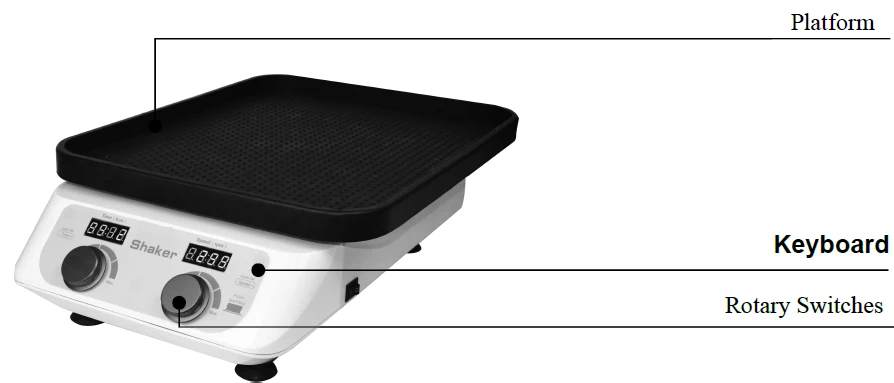
Figure 1
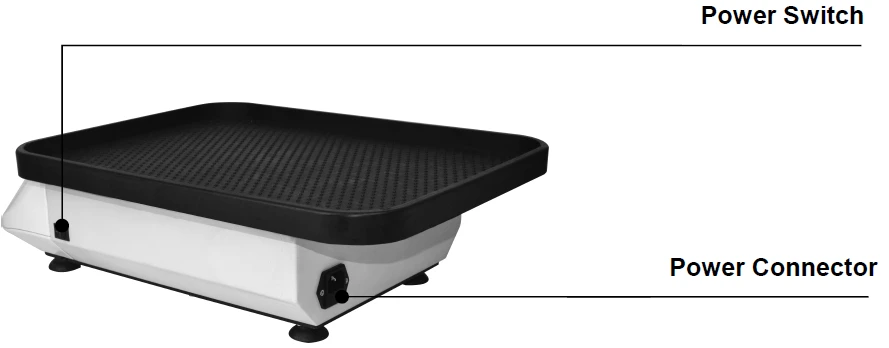
Figure 2
8.2 Keyboard and Display Panel
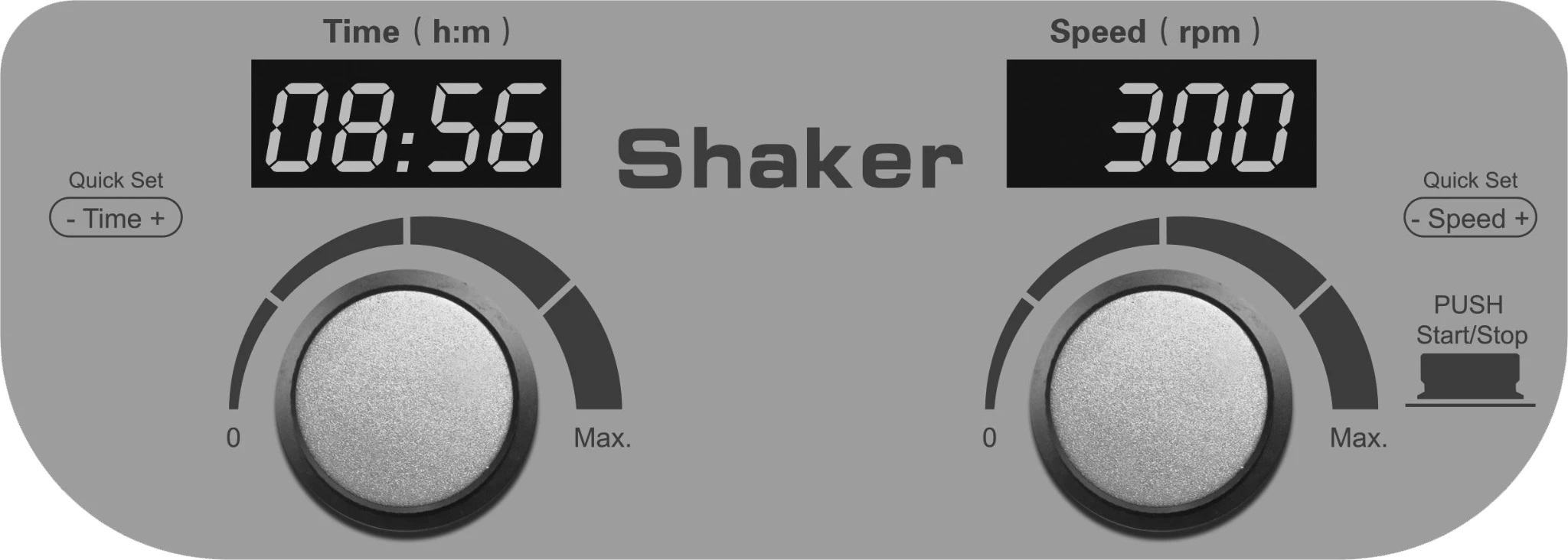
Figure 3
8.3 Key Function
 Left side : Turn the knob to the right to increase the time. Rotation to the left is the opposite.
Right side : Turn the knob to the right to increase the speed. Rotation to the left is the opposite. Press the knob to start the operation, press the knob again, and the instrument stops running.
8.4 Power Connection
Place the instrument on a stable, horizontal work table. Insert the cylindrical socket of the power cord into the power input socket at the back of the instrument as shown. Connect the other end of the power cord to the power grid. The grid voltage is required to be in the range of 110-220V.
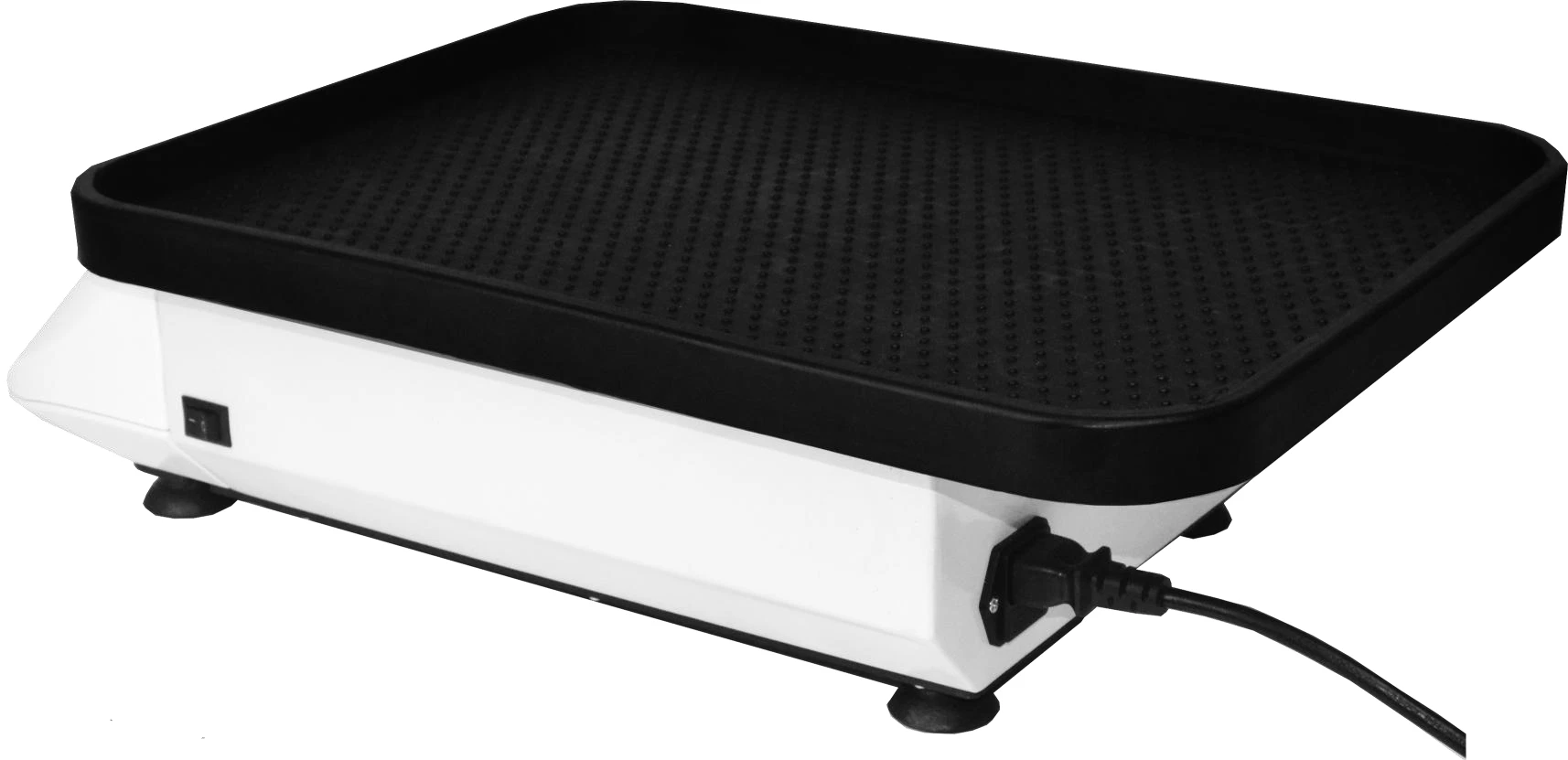
Figure 4
AC110V or 220V 50/60Hz
8.5 Platform Installation
The decolorization shaker series can be equipped with four type of platforms: TS-A, TS-B, TS-C, TS-D.
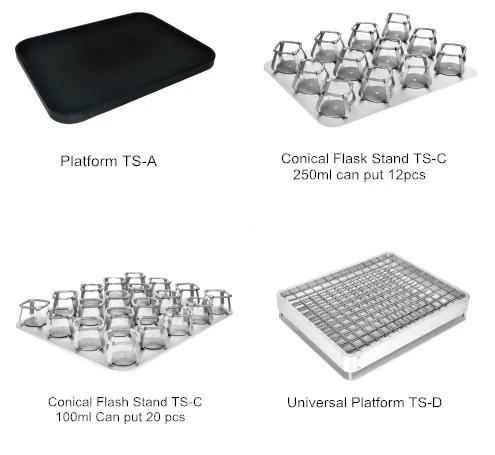
Figure 5
8.6 Platform installation steps
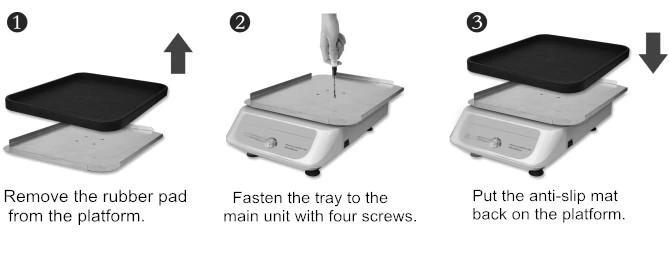
Figure 6
9. Operation Guide
9.1 Speed and time settings
1. Turn on the power switch, the instrument enters the initialization, and the display is as shown on the right, accompanied by the sound of "di"
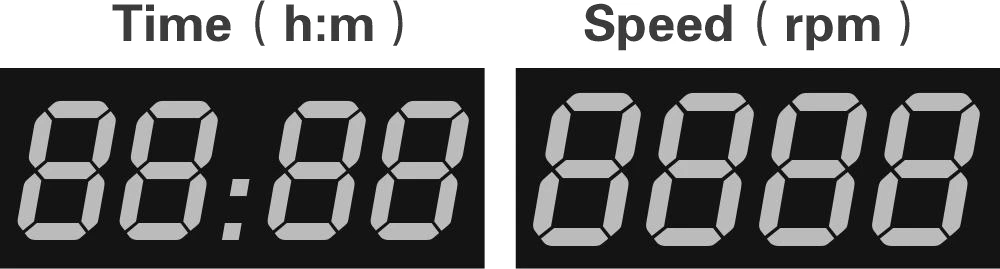
Figure 7
2. Speed setting:
Turn the right knob to set the speed value immediately. After stopping the knob, the instrument automatically confirms the execution of the new set value and saves the set value, as shown on the right. If you want to increase the range of modification, turn the knob quickly.
As shown on the right, it is 300.
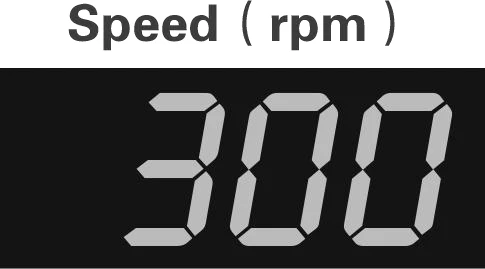
Figure 8
3. Time setting:
Turn the left knob to set the time. After stopping the rotation knob, the instrument automatically confirms the execution of the new set value and saves the set value. As shown on the right. If you want to increase the range of modification, quickly turn the knob. As shown in the figure on the right is 8:56, there will be a buzzer at the end of the operation.
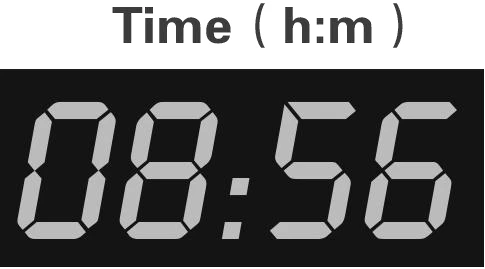
Figure 9
Note: When time is set to 00:00, the time run value is infinity.
9.2 Start/Stop
1. Short press the right knob to run the current program. The timer ends, the operation stops, and the buzzer sounds an alarm.
2. After the end of the operation, the instrument waits for the command at the end interface. At this time, turn the knob to the right to reset the speed or time; directly press the right knob to start the program according to the last set speed time parameter.
3. During operation, short press the right knob to stop. Press this button again to restart the operation.
10. Failure Analysis and Trouble Shooting
Failure Analysis and Processing Procedures
No. | Phenomenon | Possible Causes | Processing Procedure |
1 | No signal display when power on. | No power | Check the power |
Broken switch | Exchange the switch | ||
Others | Contact with the seller | ||
2 | Shaking heavily | Samples placed imbalanced | Place the samples evenly |
3 | Actual speed and displayed speed are not matching | Broken controller | Contact with the seller |
4 | Err displays | Speed out of control | Contact with the seller |
5 | Knob does not work | Broken button | Contact with the seller |
Table 2
11. Wiring Diagram of Decolorization shaker
(Below diagram is just for reference. It is subject to change without prior notice.)
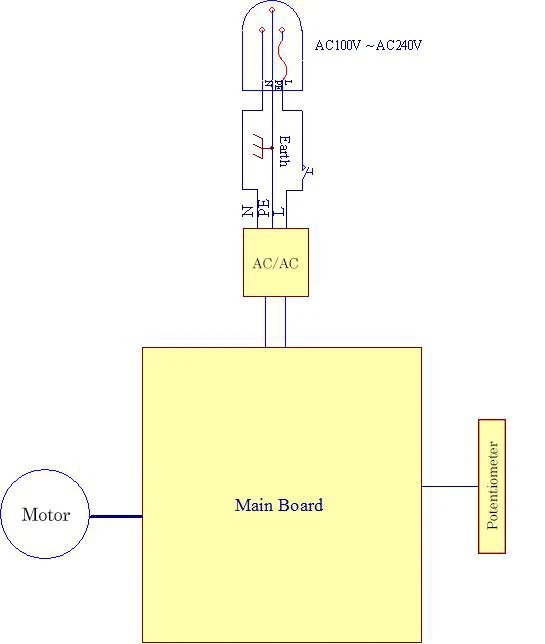
Figure 10