
Get Price

Moisture Analyzer BANA-505
- 7 Inch touch screen
- Automatic door / Transparent window
- Highlight halogen lamp
- Polymer materials / Heat resistant molding
- Dual motor drive / Double fan design
- Temp. control / Stainless steel chamber
- Real-time dynamic curve / Date and Time
- Temperature / Time set
- Up to 3-Year Product Warranty
- US & EU Compliance Standards
- Door-to-Door Shipping
Technical Specifications
Detailed operating and construction parameters for this model.
| Model | BANA-505 |
| Capacity | 110g |
| Readability | 0.001g |
| Operating Temp | 5°C-35°C |
| Pan Size | Φ100mm |
| Heating Source | Halogen lamp |
| Temp. Sensor | PT100 |
| Temp. Range | 40°C-230°C |
| Temp. Step | 1°C |
| Moisture Range | 0.00%-100.00% |
| Moisture Readability | 0.01% |
| Dry Range | 100.00%-0.00% |
| Dry Readability | 0.01% |
| Temp Setting | 40°C-230°C By 1°C Step |
| Time Setting | 1-99min By 1s |
| Number Of Storage | 20 |
| Number Of History | 20 |
| Heating Unit | 220V ±15% 50Hz |
| Balance power | Input:220V 50Hz / 110V 60Hz Output:9V |
| Machine power | Input: 220V 50Hz / 110V 60Hz Output:24V Dual-drive |
| Host Dimension | 415*215*195mm |
| Indicator Dimension | 200*135*80mm |
| Operation Height | 275mm |
| The Chamber Height | 35mm |
| Display | 7 Inch touch panel |
| Interface | RS232(Standard) |
| Communication Mode | Cable |
| Rechargeable Battery | No |
Product Features
Key design, performance, usability, and safety advantages.
Accessories For Purchase View compatible optional accessories and additional items available separately.
| Images | Name | Size | Material | Mat |
 | Aluminum sample tray 2 | Outer circle Φ 100mm Inner circle Φ 92mm Plate height 6mm | Aluminum | 80 pieces/box |
 | Temperature kit |
Operating Manual View instructions, operating procedures, safety information, and maintenance guidance.
1. Instruction
1.1 Security
2. Installation
2.1 Standard Packing List
2.2 Operating Requirement
2.3 Installation of accessories
3. Home Page
3.1 Start Page
3.2 Test Page
4. Home Page
4.1 Parameters Setting
4.2 History
4.3 Printer
4.4 Calibration
4.5 Language
4.6 System Setting
4.7 System Information
5. Schedule: assembly drawing
6. Automatic Open.
7. Tips
1. Instruction
1.1 Security
Please reading the following before you use the Moisture analyzer
 a. The instrument can use for test the moisture of the sample,each improper operation may result in personal injury and equipment damage
b. Please access the AC power accordance with the manual;
c. Please make sure the power cord does not interfere with people action;
d. Do not use the instrument under the hazardous,wet or unstable environment;
e. Unplug the power before you clean the analyzer;
f. Please keep enough space around the instrument,and keep the top of the space at least 1m;
g. During a special experiment, please wear protective equipment by yourself;
h. Please do not change the instrument's components and any other aspects.
Maintenance of this equipment by the factory authorized professionals.
Moisture analyzer use Halogen lamp.
 i. Do not put the flammable materials around the instrument;
j. Do not touch the halogen lamp when it on working. Special attention to the dangers of some sample;
k. Before you test the moisture of dangerous good,please take Full investigation
 Full investigation
Inflammable and explosive materials:Heating the inflammable and explosive materials will produce flammable gases or vapors, so need to lower the temperature in a dry environment. In case of fire or explosion. Toxic and corrosive substance: Keep the samples of toxic or corrosive ingredients in well-ventilated environment.
2. Installation
2.1 Standard Packing List
Please check whether the packaging and accessories is complete when you open it
Standard | Quantity | Note |
Moisture Analyzer Mainframe | 1 set | |
Wind Cover | 1 piece | |
The sample pan holder | 1 piece | |
Tray handle | 1 piece | |
Power cord | 1 piece | |
Aluminum sample pan | 1 set | 80pcs |
100g standard weight | 1 piece | |
Product Manual | 1 piece | |
Product certification | 1 piece | |
Warranty card | 1 piece |
Table 1
2.2 Operating Requirement
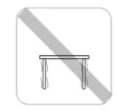
Figure 1
Operating table
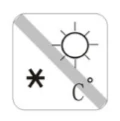
Figure 2
Temperature stable dry, without strong vibration,without strong magnetic field

Figure 3
good ventilation should be stable
2.3 Installation of accessories
| | |
Place the wind cover, aligned holes. | Place the sample pan holder, rotate until positioning. | Put the aluminum sample pan on the bracket. |
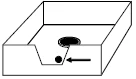
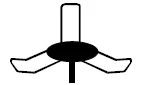
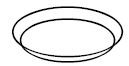
Table 2
3. Home Page
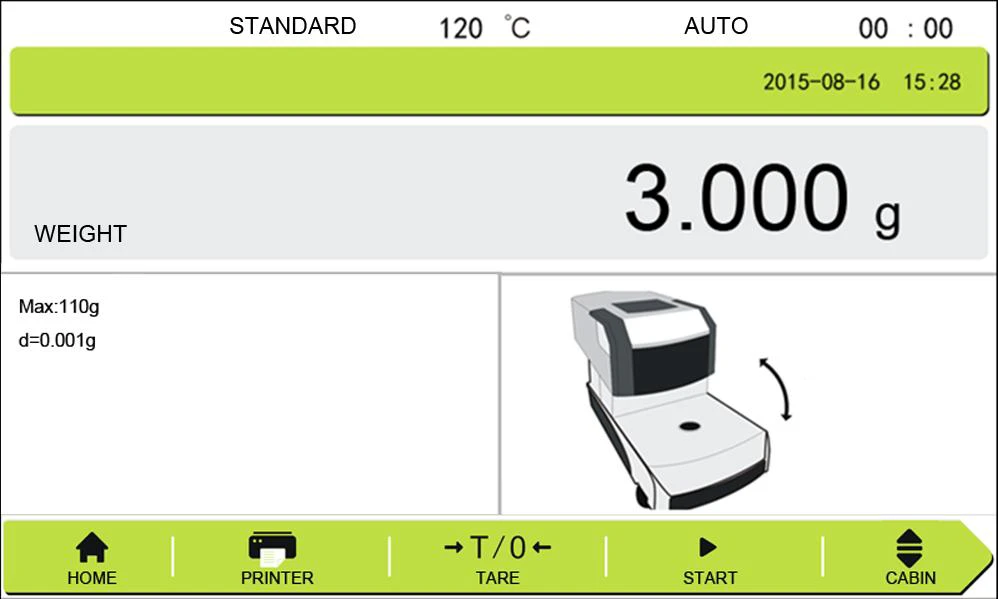
Figure 4
3.1 Start Page
Turn on the instrument will enter the start page.
Print: Print the history of the testing;
Menu:Set the parameters of testing;
Tare: Keep the 0.000 before weighing;
Start: Start the testing.
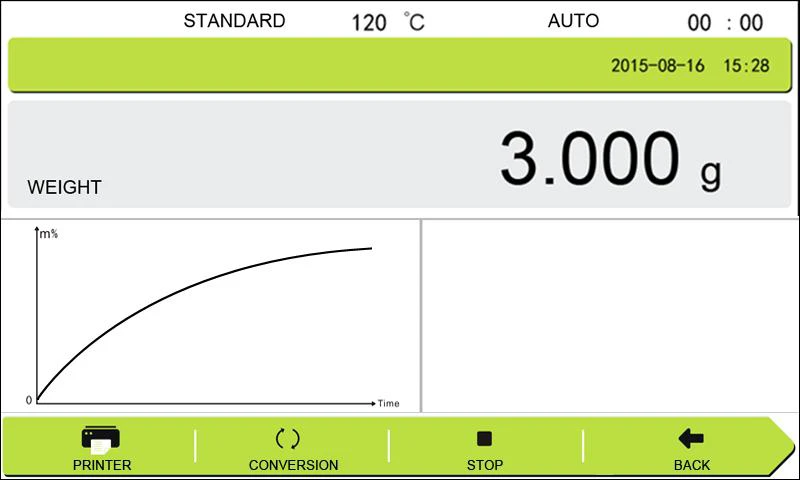
Figure 5
3.2 Test Page
Print: Print the history of the testing;
Conversion:Choose the result display for :Moisture/Sample weight/dry%;
Stop:Stop the testing;
Back: Back to start page.
4. Home Page
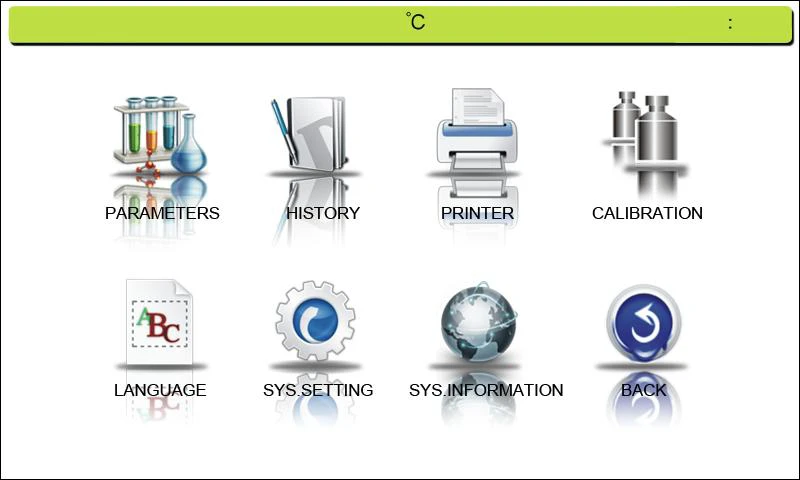
Figure 6
This page for choose the different function and setting as required.
4.1 Parameters Setting
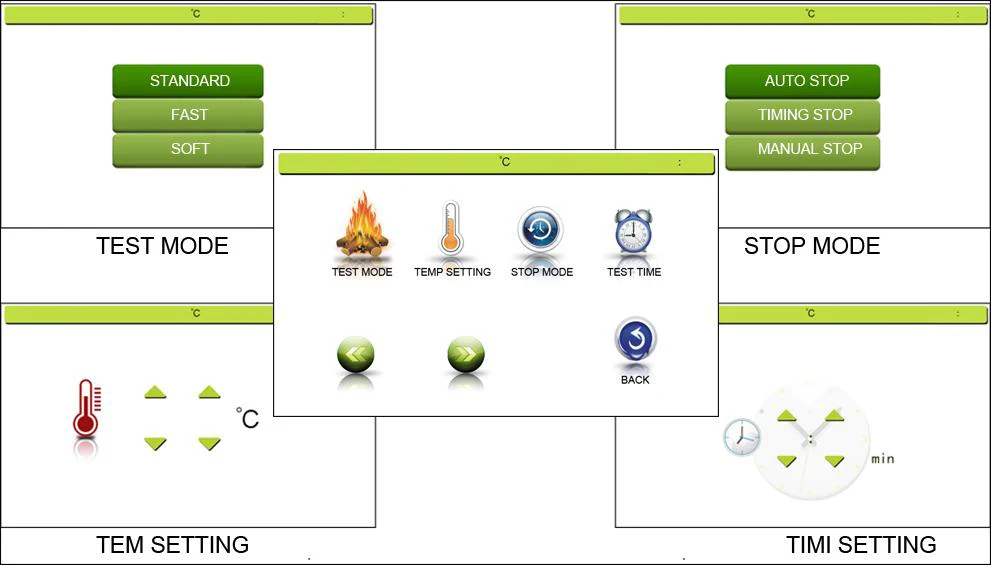
Figure 7
Stop Mode:
Auto Stop: The testing will stop when it differentiate the moisture testing finish.
Timing Stop:You can setting the testing time as your required.
Manual Stop: The testing will not stop until you press the stop key.
Testing Mode:
Auto Mode:The mode suit for most sample for common moisture test;
Soft Mode:Some fusible and volatility things can choose this mode;
Fast Mode:Some stable and thermostability things can choose this mode.
Temperature Setting:
You can choose the temperature as you need.
Temperature range: 40~199°C
Temperature step:1°C
Timing Setting:
The mode just suit for the timing stop mode.
4.2 History
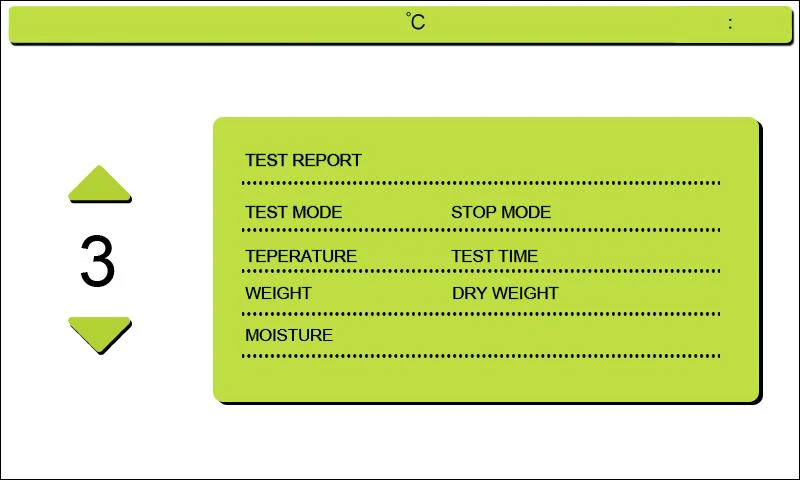
Figure 8
Operator can choose the history and print the result.
4.3 Printer
The baud rate and communication mode.
Baud rate: 1200/2400/4800/9600
Communication mode: Continuous/Point output
4.4 Calibration
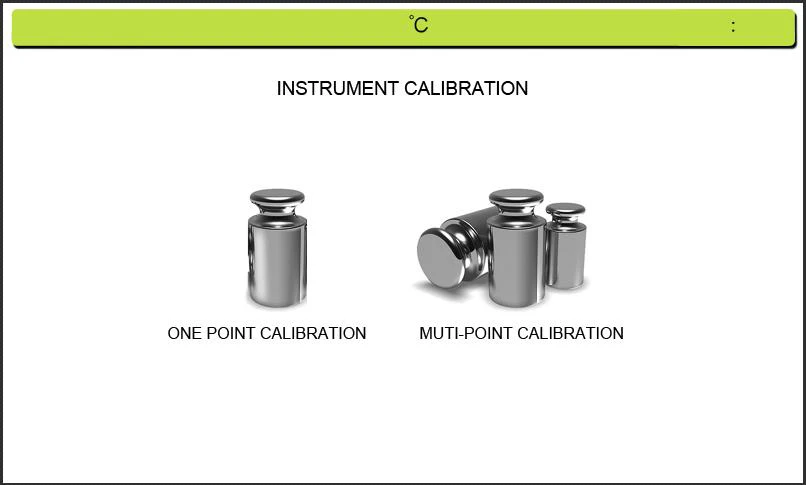
Figure 9
When the instrument error or improper operate. Calibration weights can be adjusted with accuracy.Press "One point calibration" and does not release until it display"-cal-",Then flashing put on the "100.000", put on the calibration weight, then it will display "= = = = = =", until it display "100.000",and will show remove the weight, it will display "= = = = = = "again, Waiting it show" 0.000 ", the calibration is completed. When the instrument can not work, you can also choose the multi-point calibration, and according the note,operation the calibration.
4.5 Language
Enter the language page.

Figure 10
4.6 System Setting
The function include: Time/Date,T-calibration and Factory setting.
4.7 System Information
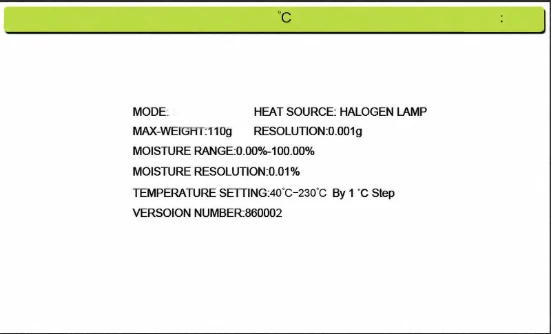
Figure 10
Mode | BANA-505 | BANA-507 |
Specification | 110g/1mg | 210g/1mg |
Readability | 1mg | |
Pan size | Φ 100 | |
Heating mode | Halogen lamp | |
Display | 7 inch touch screen | |
Temperature Setting | 40°C~230°C | |
Time Setting | 1~99 minutes | |
ATRO | 100%~999% | |
ATRO | 0%~999% | |
History store | 20 set | |
Power supply | 220V | |
Table 3
5. Schedule: assembly drawing
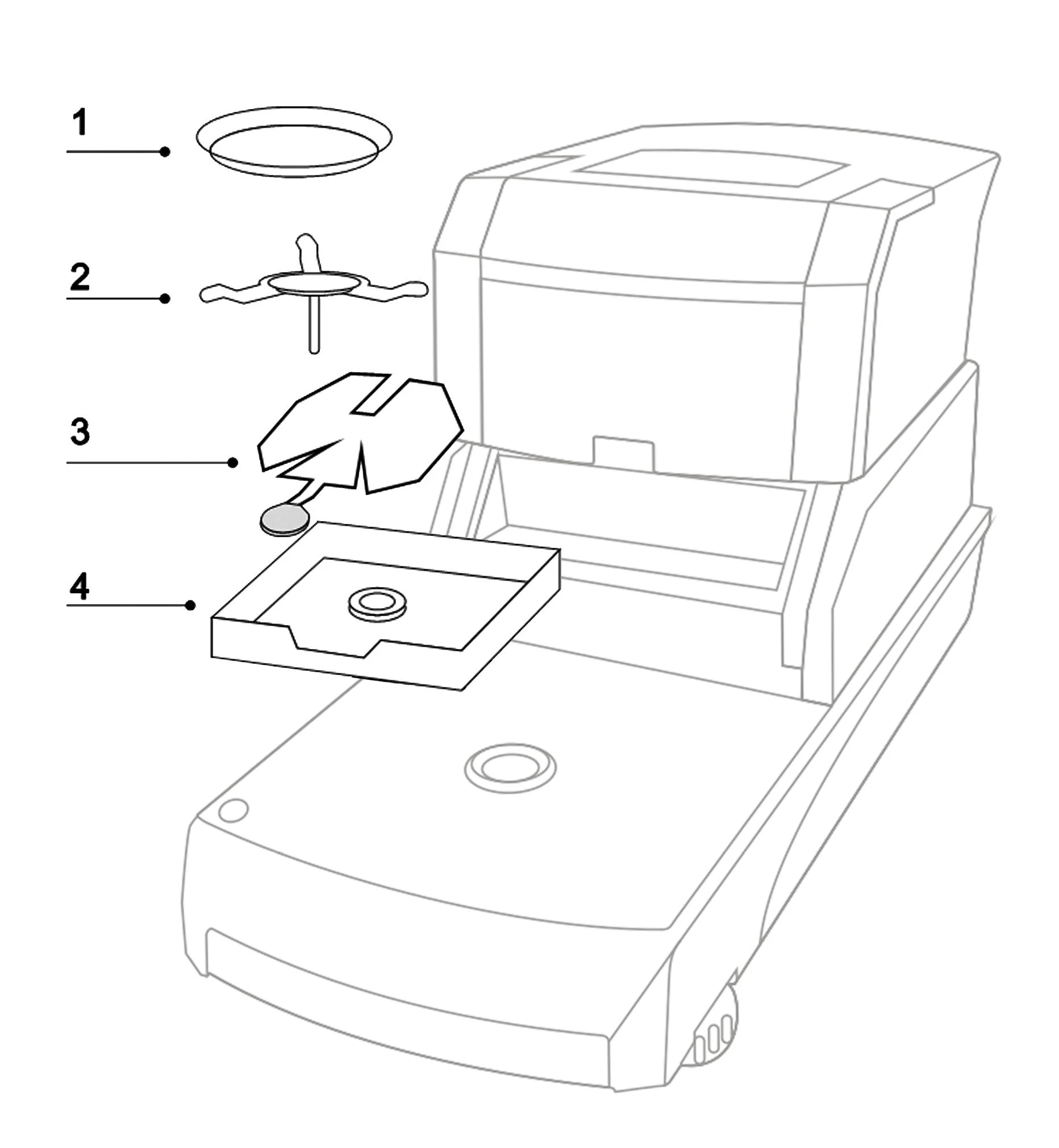
Figure 11
Please installation the instrument according the picture
Installation order from top to bottom :1 --2--3--4--5
1. Aluminum scale pan
2. The triangle scale frame
3. Scale pan brackets
4. Wind cover
6. Automatic Open.
1.Press  the chamber will opening automatic
2.When something make the open error,the display will show the open error, so please restart again;
3.Please do not open and close by hand, it will broke the motor, if something make machine can not open,please contact factory or saler.
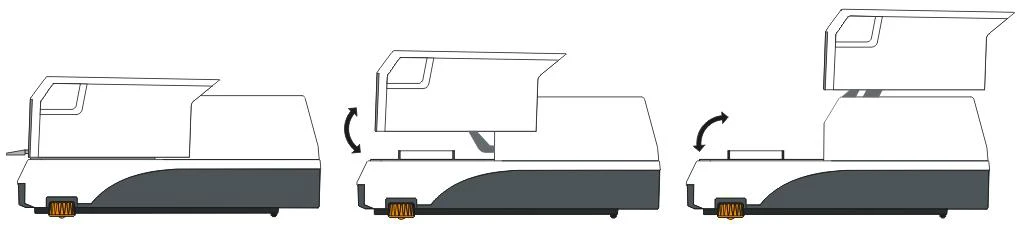
Figure 12
7. Tips
1. Warm-up the analyzer 30 minutes and take the first time calibration;
2. After the end of a water calibration experiments;
3.Each time the switch machine, please interval of 5 seconds;
4 .Cover the heater, do not leave the weight on the pan, or halogen lamps will be crushed;