
Get Price
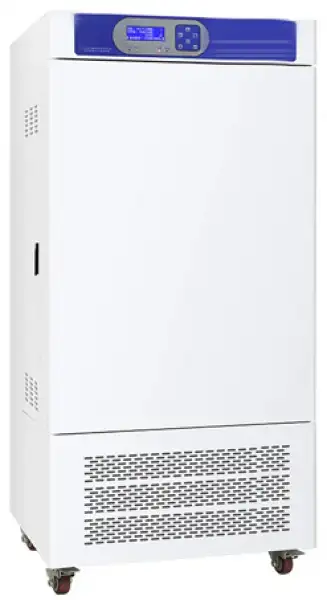
Climatic Chamber BCCL-102
- Balanced refrigeration, small temperature fluctuations, and set the automatic defrost, multiple layers of security protection, required to meet the long-running, with the well-known international brand compressor with delay protection function and smooth running.
- Introduction of green philosophy, the use of Freon R134 refrigerant and make the system more energy efficient, healthier environment.
- The temperature control system with upgraded LCD display, programmable microcomputer intelligent PID control technology, with timing, ultra-high temperature alarm function.
- The unique air circulation, soft wind, to ensure temperature uniformity.
- Illumination five levels can be adjusted, liner is made of mirror stainless steel, up and down pitch adjustable shelf.
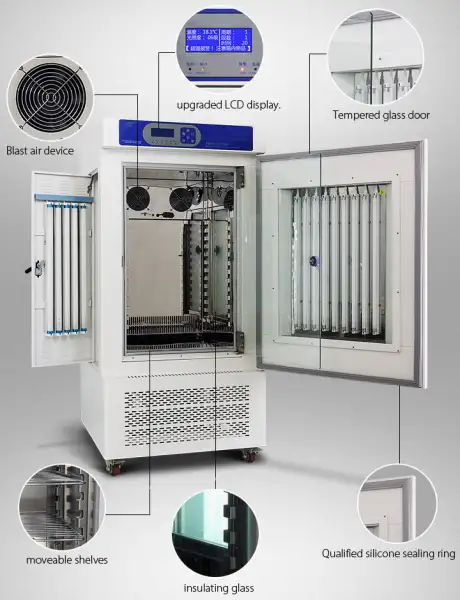
- The double door design, built-in tempered glass viewing window, the items inside can be clearly observed.
- Artificial climate chamber with built-in high-capacity intelligent humidification systems, and automatic replenishment by the external tank.
- Mirror stainless steel
- Up to 3-Year Product Warranty
- US & EU Compliance Standards
- Door-to-Door Shipping
Technical Specifications
Detailed operating and construction parameters for this model.
| Model | BCCL-102 |
| Temp range (°C) | With illumination 10~50°C, With no illumination 5~60°C |
| Temperature uniformity values (°C) | ±1 |
| Illumination (LX) | 0~15000 |
| Illumination set range | Five level (20%, 40%, 60%, 80%, 100%) |
| Timing range | 0~99h |
| Power (W) | 1000 |
| Voltage (V) | 220 |
| Accuracy (°C) | ±0.1 |
| Volume (L) | 250 |
| Inner size (mm) (H*W*D) | 1000x550x450 |
| Overall dimension (mm) (H*W*D) | 1775x785x750 |
| Packing size (mm) (H*W*D) | 1925x860x830 |
| Net weight (KG) | 155 |
| Shipping weight (KG) | 165 |
Product Features
Key design, performance, usability, and safety advantages.
Balanced refrigeration, small temperature fluctuations, and set the automatic defrost, multiple layers of security protection, required to meet the long-running, with the well-known international brand compressor with delay protection function and smooth running.
Introduction of green philosophy, the use of Freon R134 refrigerant and make the system more energy efficient, healthier environment.
The temperature control system with upgraded LCD display, programmable microcomputer intelligent PID control technology, with timing, ultra-high temperature alarm function.
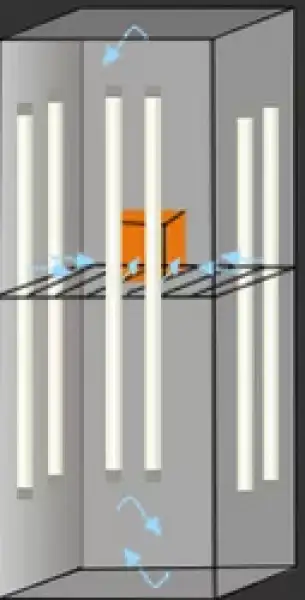
The unique air circulation, soft wind, to ensure temperature uniformity.
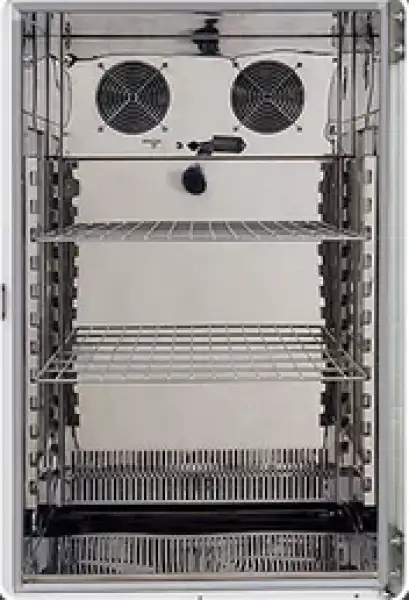
Illumination five levels can be adjusted, liner is made of mirror stainless steel, up and down pitch adjustable shelf.
The double door design, built-in tempered glass viewing window, the items inside can be clearly observed.
Artificial climate chamber with built-in high-capacity intelligent humidification systems, and automatic replenishment by the external tank.
Mirror stainless steel
High temperature resistance, fire resistance, corrosion resistance, can be recycled.
Professional lighting system:
Using a three-surface light source, use mirror stainless steel in the cavity as reflective material, so that the lighting effect is better, and the light source classification is adjustable.
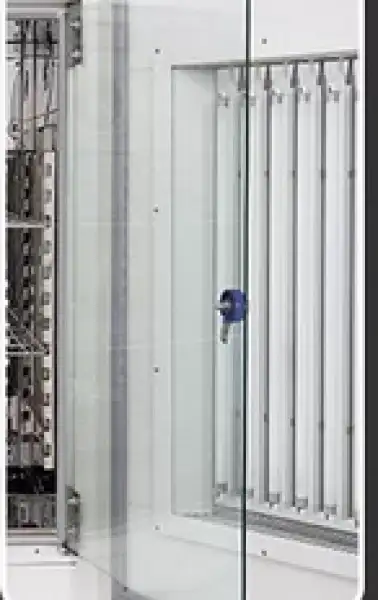
Double door:
Internal toughened glass door, easy to observe, outer silicone seal ring, good sealing.
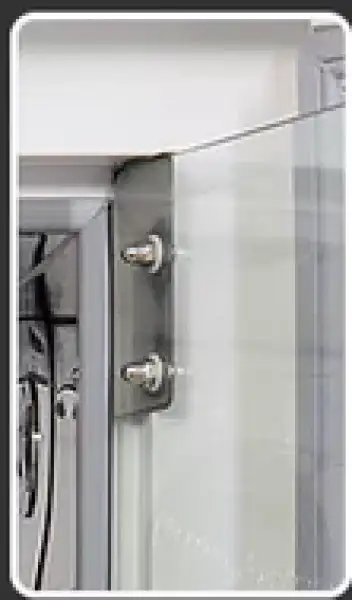
Silicone sealing ring:
High quality silicone seals, high temperature, good sealing.
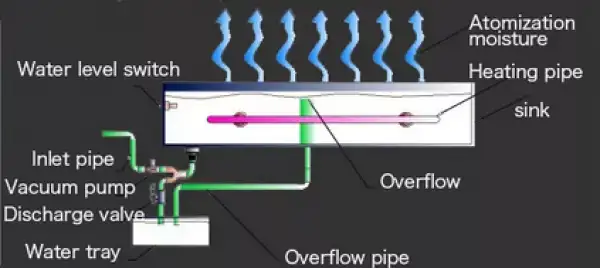
Humidifying system:
Original Humidification Design, Automatic Water Filling Design, Automatic Water Level Control, Precise Addition and Control of Humidity, SUS304 Stainless Steel in the Inner Chamber and Water Tank, Guaranteed Atomization Quality and Persistence.
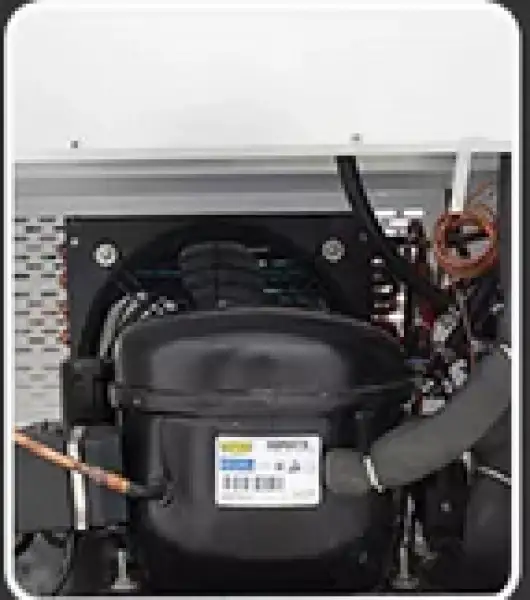
Fluorine-free balanced refrigeration system:
Using fluorine-free R134 refrigerant, energy-saving and efficient, green, with inlet and outlet.
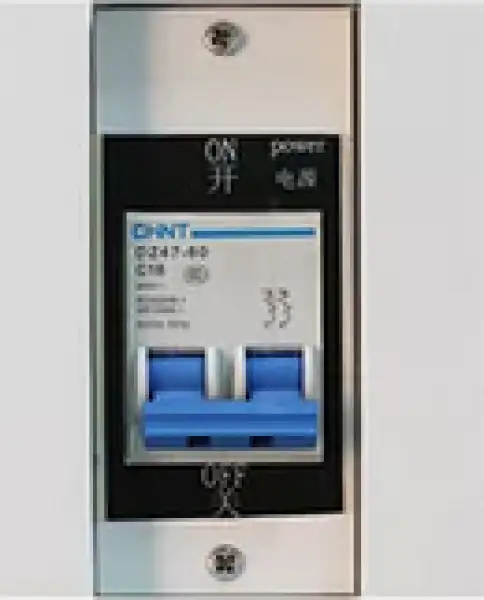
Switch:
There is a power switch on the side, safe use of electricity.
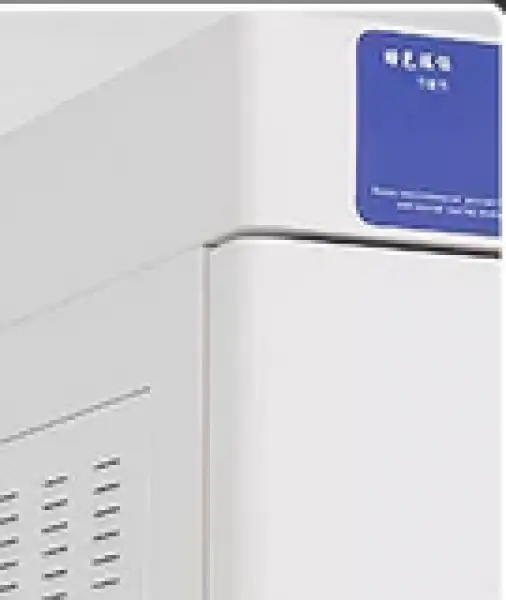
Cold rolled steel plate:
Shell using environmentally friendly electrostatic treatment, high quality cold rolled steel plate.
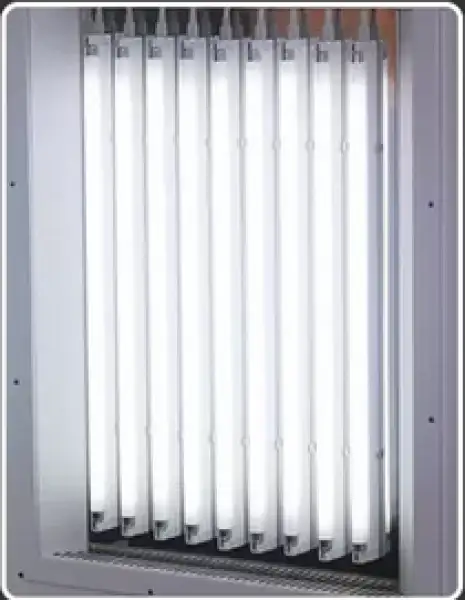
Lighting tube:
High-intensity fluorescent lamp, adjustable in illuminance.
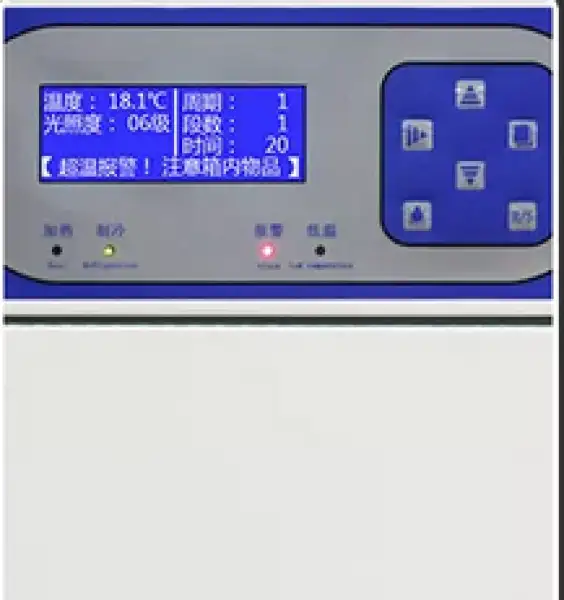
Intelligent temperature controller:
Intelligent LCD temperature controller, intuitive display, stable measurement and control, easy to operate.
Applications Explore common laboratory, research, industrial, and process applications.
Applies to plant seed germination, seedling cultivation, the cultivation and preservation of bacteria, microbes, small animals, insects, feeding, product quality testing and other uses of light, constant temperature experiments. Simulate natural climate and environment, through the light control simulation during the day and night, the humidity inside (this feature is limited to artificial climate incubator, the temperature can be adjusted to a constant temperature degree is an ideal environment test equipment for such as biology, medicine, agriculture and animal husbandry, forestry, environmental science research departments.
Accessories For Purchase View compatible optional accessories and additional items available separately.
| Images | Name |
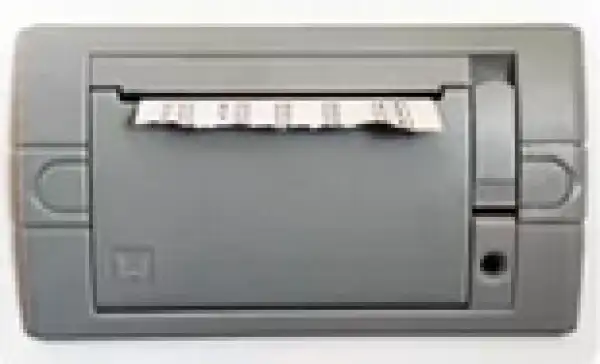 | portable printer |
| RS232 port | |
| gas outfit | |
| electric outfit |
Operating Manual View instructions, operating procedures, safety information, and maintenance guidance.
1. Application
2. Product Drawing
3.Structure
4.Working principle
5.Run Preparation
6. Technical Parameters
7. Equipment installation
8. Panel Instruction
8.1 Display window
8.2 Button definition
8.3 Operation and usage
8.4. fault reminder:
9. Notice and Maintenance
10. Trouble shooting
11. Packing List
1. Application
Application BCCL100 series is a high precision constant temperature equipment with hot and cold and lighting control function, can be used for plant cultivation, breeding experiment, bacteria, mold, microbial cultivation and preservation. this is the ideal test equipment for biological engineering, medical, health institution ,drug testing, animal husbandry, fishery and other scientific research units.
2. Product Drawing

Figure 1
2. Electrical Box 3. LCD display 4.Axial Flow Fan 5.Temperature Sensor
6. Evaporator 7. shelf 10 .input and output port of fresh air 15. Compressor
16. condenser 17. Glass window 18. Out Door 19. Lamp 20. glass window knob
21. power switch 22. Hollow glass 23. side door lamp 24. side door lock 25. wheels
3.Structure
The machine is made of high quality steel. It is with built-in interior glass door and lighting in the chamber. Interior is made of stainless steel material, match with the moveable shelves, the machine is durable and easy to clean.With Three surface light structure and multispectral daylight lamp, electric humidification, electric heating and cooling system.
To ensure that the temperature accurate. Special air duct design to ensure that the temperature in the cabinet small fluctuations, uniformity, meet the demand of training and experiment.
Temperature controller adopts new intelligent digital display temperature controller with single-chip microcomputer technology, User can chose according to the different options,. cycle, intensity of illumination, segmentation, timing, Chinese and English display is optional .Large LCD Display, the menu is clear and humanized operation, users can set temperature, timer through manipulating the touch control panel keys to reach the purpose of the test.
4.Working principle
The working principle of light chamber is to feel the actual temperature and humidity, then
convert into electrical signals through temperature sensor A t the same time can be preset light
intensity and electrical signals, under the microcomputer control to achieve the required
temperature and illumination
5.Run Preparation
Before the initial operation of this machine, please follow procedures as below
1. Take out the shelves and other accessories inside the chamber.
2. Use gauze with soaked alcohol to wipe the cabinet to disinfection, then using a dry gauze to
wipe the alcohol
3. Put the shelves inside equipment according to the experimental requirements.
4. water tank should be placed on the top of the equipmen t, then insert pipe s to water inlet and
overflow in the chamber back (refer to the parts diagram), and place water basin for use under
the overflow port
6. Technical Parameters
1. Temp. Range:without lighting 5~50°C;(with lighting 10~60°C)
2. Temp. accuracy:±0.1°C;
3. Temp. Fluctuation:±1~1.5°C(10°C~40°C);
4. Temp. Uniformity:±1°C(150/250S) ,±1.5°C(350S)(10°C~40°C);
5. Voltage: Single phase 110V/60HZ
6. Power:900W(150L) 1000W(250L) 1200W(350L);
7. Working environment:ambient temperature 10~30°C humidity below 70%
8. Refrigeration fluid:R134;
9. Device Class:Class I.
10.Note: this machine has low temperature defrost function, temperature and humidity in low temperature will automatically defrost, there will be some fluctuation.
7. Equipment installation
1. The device should be installed in the ventilated room to avoid direct sunlight, and equipment must have at least 10 cm distance away from wall.
2. the bottom is equipped with universal wheels, when move the chamber please lock the front two brake pedals to make the replacement stable.
3. This equipment use 110 v / 60 hz ac power supply, power supply circuit must be reliable grounding line, ensure use safety.
8. Panel Instruction

Figure 2
Symbol definition
T1: appointment: its twinkling means the controller enter into appointment mode, meanwhile, the (2) area displays appointment time (count down).
T2: heat: its lightening means heater working.
T3: refrigeration: its lightening means air compressor working.
T4: humidity: its lightening means humidifier working.
T5: daytime: its lightening means the machine is in daytime mode.
T6: night: its lightening means the machine is in night mode.
T7: timer: its twinkling means the timer working, meanwhile, the (2) area displays setting time(count down).
T8: lack of water: its lightening means lack of water, its twinkling means low-level water alarm.
T9: door open: its lightening means the door is open
T10: alarm: its lightening means temperature or humidity alarm; its twinkling means low-temperature or high-temperature protection.
T11: screen lock: its lightening means screen is locked, one can not change any setting value before unlock it.
T12: watering: its lightening means water pump working.
T13: defrosting: its lightening means the defrosting system working.
T14: valve: its lightening means valve working.
T15: illumination/sterilization: its lightening means lamp working, its twinkling means UV lamp working.
8.1 Display window
(1) Area: cycle/segment
(2) Area: timer or setting time
(3) Area: current temperature value
(4) Area: temperature setting value
(5) Area: current humidity value
(6) Area: humidity setting value
(7) Area: illumination or heating output power
8.2 Button definition
Screen lock: in normal mode, one can press on this button for 2 seconds to lock or unlock the screen.
Light: in normal mode, one can click on this button to switch on/off the lamp.
Set: in normal mode, one can click on this button to set value of temperature, humidity, illumination and others; or press on this button for 3 seconds to enter into inner parameters.
Shift: in setting mode, one can click on this button to shift digit position; in normal mode, one can click on this button to shift daytime or night mode; in programmable mode, one can click on this button to inquire cycles and segments.
Decrease/defrost: in setting mode, one can click on this button to decrease setting value; in normal mode, one can press on this button for several seconds to activate defrosting function.
Increase: in setting mode, one can click on this button to increase setting value
R/S: in normal mode, one can click or press on this button to start or stop the controller running.
8.3 Operation and usage
1. After power on, (3) area displays "PS", (5) area displays "V01", the buzzer beeps, and then ,after 2 seconds, the controller will enter into normal mode.
2. Setting values: after clicking on set button in normal mode, symbols "TIME"and"SV" twinkle, one can modify the setting value (digit position twinkling), by shift, decrease, increase buttons, and one can shift to next group value by another clicking on set button. After modification, one can press on set button for 1 seconds to quit setting mode, the setting value will be saved automatically.
In programmable mode, segment value position twinkles after clicking on the set button. In this time, one can modify the segment number by decrease or increase button, and inquire setting value of time, humidity, temperature, and illumination in every segment.
In day/night mode, after clicking on set button, "DAY"symbol will twinkle, then, one can choose daytime or night mode by decrease or increase button, after another click on set button, one can inquire and modify every value of current mode, by increase and decrease buttons.
3. Setting of cycles and segments: in programmable mode or day/night mode, when the controller is in stop situation, after pressing on "set" button for 3 seconds, the (1) area displays "Lc", the (2) area displays "0", users can adjust the password to 3 by increase/decrease buttons, so that the controller enters cycle and segment setting mode. PRO----total program number, CYC----total cycle number.
8.4. fault reminder:
Temperature alarm:symbol"°C"flashes quickly when upper deviation occurs,symbol"°C"flashes slowly when lower deviation occurs;
Humidity alarm: symbol"%RH"flashes quickly when upper deviation occurs,symbol"%RH"flashes slowly when lower deviation occurs;
If the (3) area displays "---",user should check the sensor and controller.
Inner technical parameters
In normal mode, press on set button for 3 seconds, the (1) area will display "Lc",users can input right code and click on the set button one more time to enter different inner parameters. After adjusting the value of parameters, please do remember to press on the set button for another 3 seconds to quit setting mode. the value adjusted will be saved automatically.
Parameter-1
symbol | name | function | (range) factory value |
Lc | password | when"Lc=9",this parameter group can be inquired and adjusted. | 0 |
U1 | Running mode | 0:constant value mode; 1:day/night mode, 99 cycles; 2:program mode, 1~30 segments,0~99 cycles | (0~2) 0 |
U2 | Power down protection | 0:no operation; 1:begin with the first segment; 2: restart from the power down time | (0~2) 0 |
U3 | Timer adjust | Modification value=【display value(s)-real value(S)】*10 ÷ real value(m)。 | (-999~999) 0 |
U4 | Timing unit | 1:minute 0~9999; 2:hour 0~9999 | (1~2) 1 |
U5 | Timing temperature point | When U5= display temperature-setting temperature, timer starts to work | (0~10.0°C) 0 |
U6 | Timing humidity point | When U6= display temperature-setting temperature, timer starts to work | (0~50.0%) 0 |
U7 | 【R/S】time | Press on the【R/S】for U7 time to run/stop | (0~10s) 0 |
U8 | Lock screen time | Lock screen time, 0 means unlock | (0~300s) 0 |
U9 | Reminder time (stop) | The buzzer beeps for U9 seconds when running stop. 0 means buzzer beeps continuously | (0~300s) 0 |
UA | Illumination time | Illumination time, 0 means manual operation | (0~9999min) 0 |
Ub | address | Communication address | (1~16) 1 |
Table 1
Temperature parameter-2
symbol | name | function | (range) factory value |
Lc | password | when"Lc=103",this parameter group can be inquired and adjusted. | 0 |
TH | Temperature upper deviation alarm | when"display value>set value+TH",upper alarm occurs, heating and humidity cut down User can click on any button to stop buzzer | (0~20.0°C) 5.0 |
TL | Temperature lower deviation alarm | when"display value<set value+TH",lower alarm occurs, heating and humidity cut down User can click on any button to stop buzzer | (-50.0~0°C) 0 |
Tb | Zero adjust(low temperature) | Tb = real temperature - display temperature | (-99.9~99.9°C) 0 |
TA | Full adjust(high temperature) | TA = 1000 *( real temperature - display temperature)÷display temperature | (-999~999) 0 |
TP | Proportional band | Adjustment of proportional function. | (0.1~50.0) 8.0 |
TI | Integration time | Adjustment of integration function | (1~2000s) 500 |
TD | Differential time | Adjustment of differential function. | (0~2000s) 200 |
TT | Heat period | Heating control period | (1~60s) 5 |
Tc | Low temperature cutoff | Heating cutoff point. | (-2.0~0°C) -0.5 |
To | Heat power | Heating max power percentage | (0~100%) 100 |
Table 3
Humidity parameter -3
symbol | name | function | (range) factory value |
Lc | password | when"Lc=203",this parameter group can be inquired and adjusted. | 0 |
HH | Humidity upper deviation alarm | when"display value>set value+TH",upper alarm occurs, heating and humidity cut down User can click on any button to stop buzzer | (0~50.0%) 20.0 |
HL | Humidity lower deviation alarm | when"display value<set value+TH",lower alarm occurs, heating and humidity cut down User can click on any button to stop buzzer | (-50.0~0%) 0 |
Hb | Zero adjust(low humidity) | Tb = real humidity - display humidity | (-99.9~99.9%) 0 |
HA | Full adjust(high humidity) | TA = 1000 *( real humidity - display humidity)÷display humidity | (-999~999) 0 |
HP | Proportional band | Adjustment of proportional function. | (0.0~90.0) 10.0 |
HI | Integration time | Adjustment of integration function | (1~999s) 200 |
Hd | Differential time | Adjustment of differential function. | (0~999s) 30 |
HT | Heat period | Heating control period | (0~60s) 5 |
Hc | Low temperature cutoff | humidity cutoff point. | (-50.0~50.0%) 0.0 |
Ho | humidity power | Humidity max power percentage | (0~100%) 100 |
Table 4
Compressor parameter -4
symbol | name | function | (range) factory value |
Lc | password | when"Lc=109",this parameter group can be inquired and adjusted. | 0 |
C1 | Forbidden compressor | when"temp.measured value≥C1", the compressor must not work. | (0~100.0%) 80.0 |
C2 | Not start compressor | when"temp.setting value≥C2", Start the compressor only once when the temperature measured value is higher than the temperature setting value. | (0~100.0%) 42.0 |
C3 | Constant temp.open point | when"temp.setting value≤C3",compressor works in balance mode | (-15~100°C) 0.0 |
C4 | Constant humi open point | when"humi.setting value≤C4",compressor works in balance mode. | (0~100%) 10 |
C5 | Working mode | (0~3) 3 | |
C6 | Compressor start delay | (0~600s) 180 | |
C7 | Defrost mode | (0~2) 0 | |
C8 | Defrost interval 1 | (0~9999min) 0 | |
C9 | Defrost interval 2 | (0~9999min) 0 | |
CA | Defrost interval 3 | (0~9999min) 0 | |
Cb | Defrost time 1 | (0~200s) 0 | |
Cc | Defrost time 2 | (0~200s) 0 | |
Cd | Defrost time 3 | (0~200s) 0 | |
CE | Solenoid valve function | (-2~1) -2 | |
CF | Solenoid valve start | (0~50.0°C) 0 |
Table 5
Parameter -5
symbol | name | function | (range) factory value |
Lc | password | "Lc=209" this parameter group can be inquired and adjusted. | 0 |
P1 | Illumination control | 0:no illumination; 1:3 levels; 2:4 levels; 3:5 levels; 4:6 levels; 5:10 levels | (0~5) 4 |
P2 | Humidity set | 0:no humidity;1:humidity display only;2:humidity can be controlled。 | (0~2) 2 |
Table 6
Appointing set -5
symbol | name | function | (range) factory value |
Lc | password | When"Lc=36" this parameter group can be inquired and adjusted. | 0 |
AP | Appointing set | 0:shut off appointing function; 1:start appointing function | (0~1) 0 |
T_ | Appointing time | When AP=1, the timer can be set. | (0~9999min) 0 |
Table 7
9. Notice and Maintenance
 Avoid putting down the chamber over 45 degrees or inversion when move it .
Do not change frequently of the using values, to avoid compressor frequently open and overload , affect the service life of the equipment.
 the machine have the power switch, in case of failure operation, please cut off power supply, to check whether the control circuit is in good condition, then check the other parts.(see diagram)
Be sure to close the inner door,before close the outdoor. If the inner door didn't close well, even if close the outdoor, the device may not be able to maximum work performance, please be careful when close the door.
Recommend to use the pure water or distilled water to fill in the tank , ensure the water is clean.
In order to maintain the appearance of the equipment, do not use corrosive solution to clean the machine, use dry cloth or alcohol to wipe to keep chamber clean.
pls keep chamber dry and cut off power supply when the equipment is not using.
In order to ensure the cabinet uniformity inside , should often check whether the axial flow fan is running normally .When doing the experiment, should not put too many articles to stop the fan outlet, make sure the air circulation in the chamber is in good condition. Do not touch the thermal probe in the collision to cause temperature abuse.
Make sure shelf is fixed well, otherwise may make articles damage
Do not lean on the glass or press to the glass, it may cause harm to personnel
do not lean on door to avoid the equipment overturned or door broken,making people harm or machine broken.
When equipment fails to work, please ask professional technician or the factory sales department for help. Please don't do anything by yourself.
Artificial climate chamber should be paid attention to during the operation of important details before use( may cause damage or property loss) :
a) must be fully read and understand this manual before use.Because of the wrong use can cause the damage of the equipment or device unmoral operation
b) equipment should be used independent power socket.
c) Don't pull out the plug by pulling power supply cord.Pull the power cord can cause cord overheating or fire
d) before use, please confirm the location power supply voltage.The power supply voltage does not conform to requirements will cause equipment damage or don't work properly.
e) Parallel moving equipment, any direction Angle should be less than 45 degrees.Otherwise, can lead to equipment refrigeration compressor damage or abnormal cooling performance.
f) Machine after installation should be vertical and static for 2h,otherwise ,can lead to refrigeration compressor or refrigeration function abnormal
g) make sure to fasten the shelf, take and put items should be handled with great careful and holding mobile shelf at the bottom, or maybe make the cultures damage
Happen one of the following circumstances, must pull out our equipment power plug:
a) When the door is open the device on the right side of the power.open machine with power is easy to cause electric shock
b) when replacing the fuse.Charged to replace the fuse easily lead to get an electric shock.
c) When equipment is failure working ,please do not false start ,to cause accidental injury or further personnel damage
d) Equipment stop using for a long time.Power plug place full of dust may also lead to leakage and fire
Relevant matters need pay attention to possible affect the service life of equipment and normal use
1. Do not change setting value frequently , in case to cause compressor overload, affect the service life of the equipment
2. Gravity open and close the box, inner glass door, the side door is easy to cause the damage of the door hinge, door, tubes.
3. Equipment should be on plane is hard and firm, and ensure its level situation
4. Equipment from wall to content must keep a distance about 20 cm
5. Do not put equipment near the stove next to the device such as a fever or direct sunlight.
6. Equipment placed environment should be ventilated, Strictly no ventilation environment or area of not less than 4 square meters should be equipped with ventilation device.
7. Equipment with cooling and humidifying function, if equipment stop using, must do tidal heating flooding process
8. In order to ensure the humidification effect, it is recommended that the humidifying water tank and the tank bottom should be cleaned once every six months.
9. In order to ensure the temperature uniform in the cabinet, should check often whether the axial flow fan is running.When do the experiment, the article should not be too close and do not stop the fan outlet, to facilitate the air circulation in the machine.
10.In order to ensure the refrigeration , it is recommended that the cooling condenser shall be cleaned the dust inside once every 12 months
11. Equipment surface shall not contact with volatile chemicals such as gasoline, banana oil.
12. Equipment does not suggest to open door frequently, otherwise it will affect the illumination and temperature effect.
13. Keep the box inside and outside clean, always clean up debris, stains.
Equipment happen failure, should ask for professional maintenance or contact our sales department, users do not any overhaul.
10. Trouble shooting
Trouble | handling |
Sensor failure warning | ·Heating sensor abnormal, please check heating sensor (model:PT100) ·Humidity sensor abnormal, please check humidity sensor |
Temperature fluctuation is less than the set value or very slow | ·Check the electric heating tube; , check whether the cooling system is normal working (compressor is not running, refrigeration system leakage, condenser fan is not running, the excessive dust); Check the inner chamber Fan if not running Fan is not running or damage; |
Humidity can not reach the set value | check the water level, the water level should be upper in heating tube; Check the humidifying electric heat pipe. |
Screen displays nothing | ·Please check if socket is 220V ·Please check if power is connected ·Please check if power switch, if it is tripping operation, please check wring layout. |
The display shows lack of water and the buzzer alarm | Whether the valve has opened, Check the water is lack or not ; open the left side of the box and open the drain valve, look if water is out.Without water, according to the figure check water pipe or add water electromagnetic valve failure.if water is out, water level switch failure (water level switch on the sink the tank). |
Display shows lack of water overflow And the buzzer alarm. | The water level switch fault (water level switch in the tank in the sink). Electromagnetic valve, electromagnetic valve cannot close the water damage, there is no switch signal, check the fault according to the wiring diagram. |
The light bulb is not bright | Check the lighting setting, whether open or light has finished according to the cycle running; check the bulb or lamp are in good condition or not; Check the wiring diagram. |
Table 8
Wiring layout

Figure 3
BCCL 100 series light chamber
11. Packing List
No. | Name | Quantity | Note |
1 | product | 1 | |
2 | manual | 1 | |
3 | shelf | 2 |
Table 9